2.11 Plug&Play (Wizard)
When the recorder starts, there is a wizard, which can help you to access and cofigure the cameras in an
easy way.
The products with POE function has a Plug&Play option. With this feature is it possible to configure every
settings without any IP settings before that.
Note: The default IP address of the recorder is 192.168.1.1. After changing it, please reboot the device. This
is necessary to the normal functions.
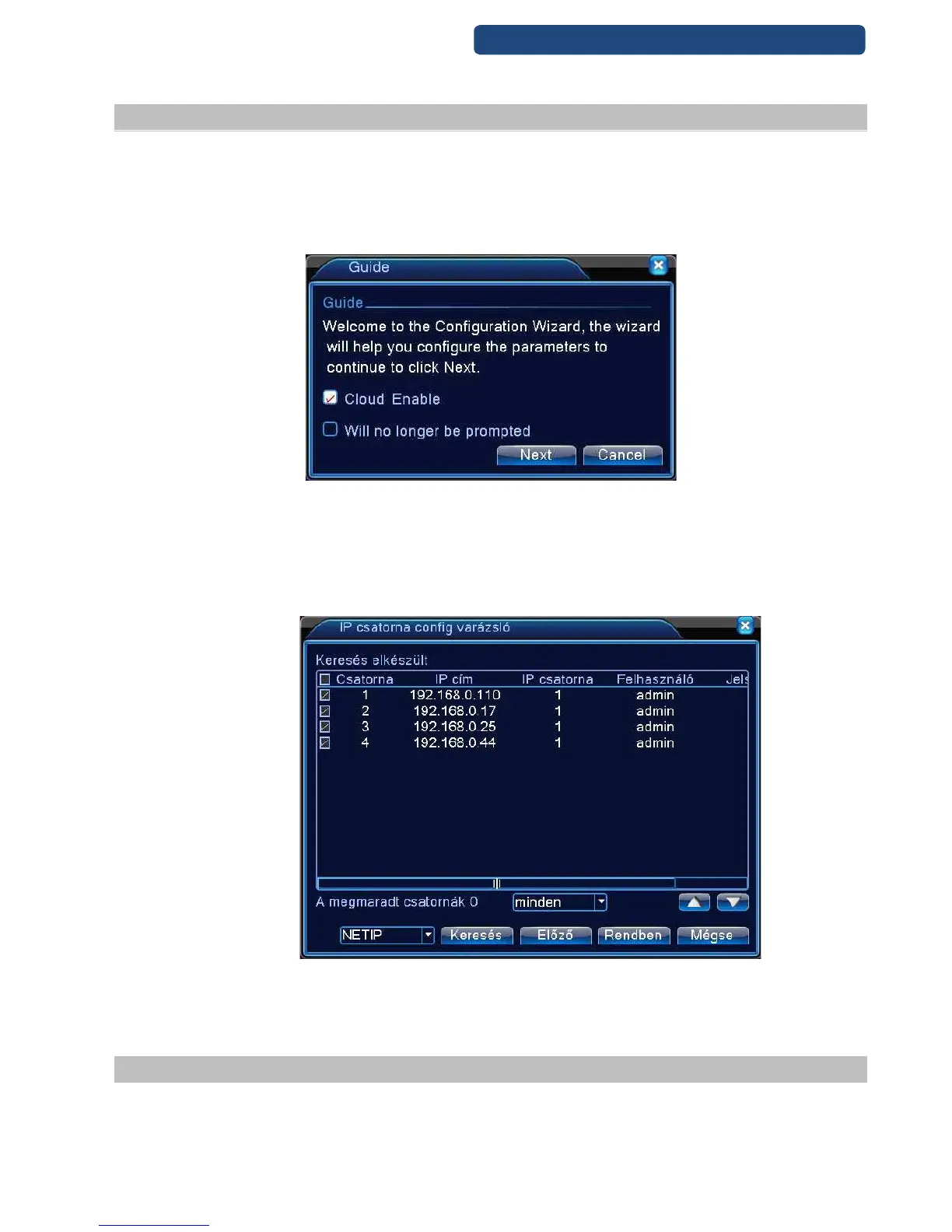
6. picture Guide
Step 1. Choose the Cloud Enable function (if there is no need this wizard next, click on will no longer
br prompted)
Step 2. Click on the Next option.
Step 3. After a short search time, the available cameras will be shown on the screen.
Step 4. Click on the OK button.
7. picture Ip config wizard
Step 5. Only with ONVIF compatible cameras- choose the ONVIF option on the left side (instead of
NETIP) and click on the Search option. After a short search time the ONVIF cameras will be shown
on the screen. Clik on the Ok button.
2.12 Plug&Play (Wizard) 2.
There are some new devices that have a newer guide option.
Step 1. Choose the Cloud Enable function (if there is no need this wizard next, click on will no longer
br prompted)



 To Next Page