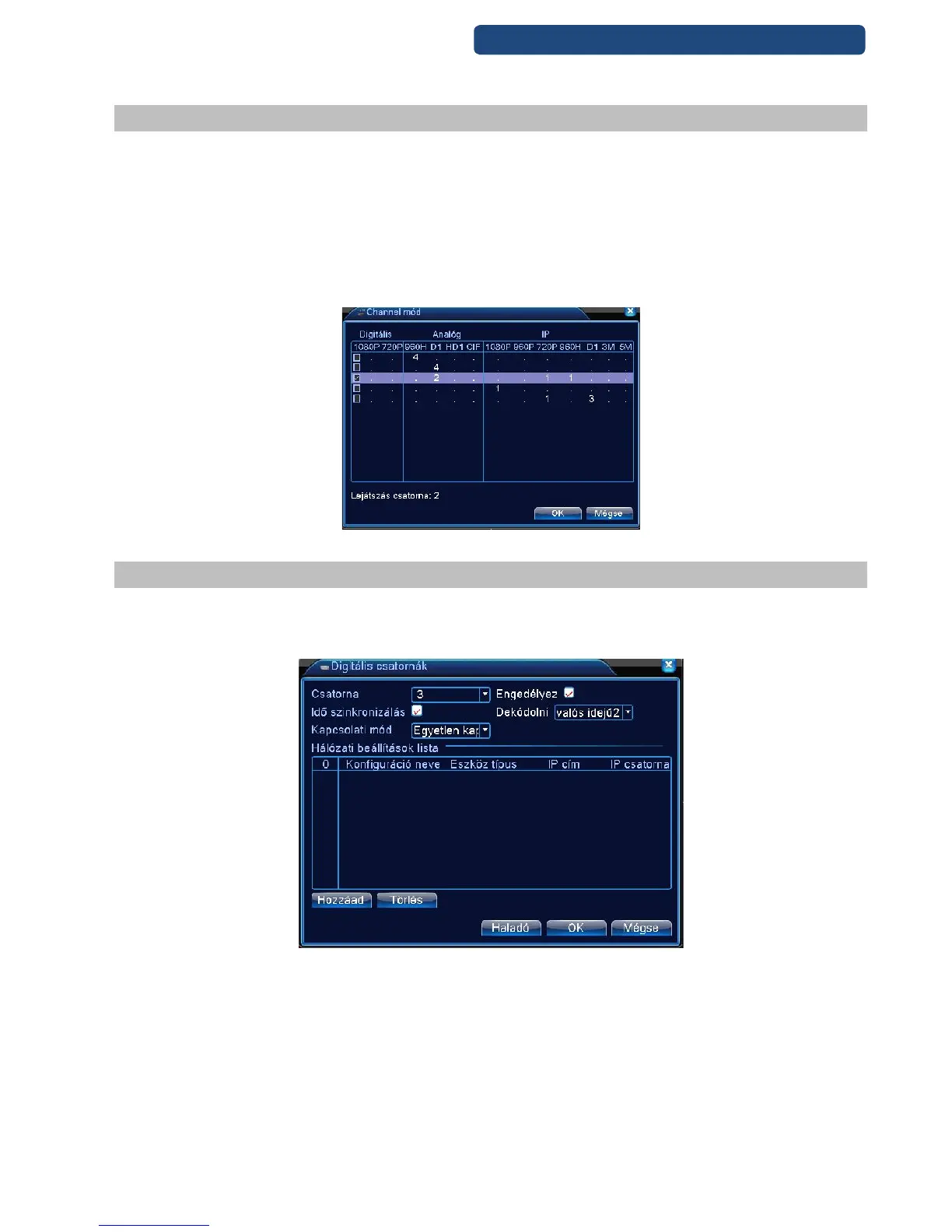
87. picture
12.4 Recorder settings
The next step is to set the right settings to the router.
Step 1. Log-in to the recorder, click on the Channel mode.
Step 2. Choose the right option for your system. (There are just only fix modes)
Step 3. Click on the left side to activate the mode.
Step 4. Click on the OK button.
Step 5. The device will ask for reboot, click on the OK button.
Step 6. After this, there are 2 more options in the Digital options (only with HVR recorders)
88. picture Channel mode settings (HVR with 4 channel)
12.5 Digital channels
12.5.1 Add camera to the recorder
89. picture Digitális channels
Step 1. Click on the channel which will be modified.
Step 2. Click on the Enable option.
Time Sync- camera-recorder time synchronization
Encode: default: real-time 2
Connection type: default: Only one connection
Step 3. Select the Add button.
Step 4. In the new screen can be changed the camera settings.



 To Next Page