EasyManua.ls Logo

Identivision IP-N410 - Remote Controller

Default Icon
80 pages
Print Icon
To Next Page IconTo Next Page
To Previous Page IconTo Previous Page
Loading...
Product specifications, parameters, functions of the device can change without notice! 17
IDENTIVISION IP NVR INSTALLATION GUIDE
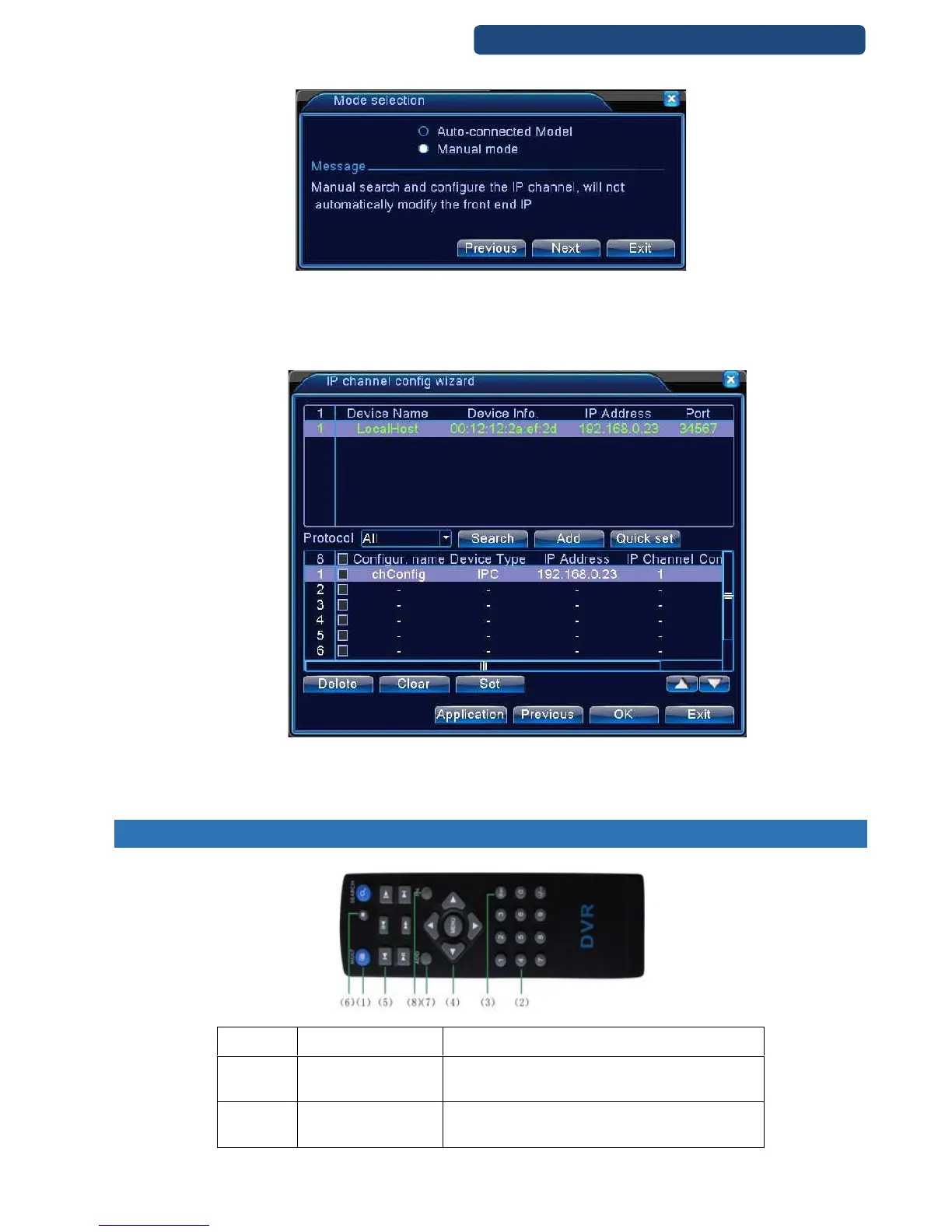
Step 2. Click on the Next option.
8. picture Mode selection
Step 3. Click on the Manual mode.
Step 4. In the next window you can see the available devices.
Step 5. Click on the device that will be added to the first channel and double click on it.
Step 6. Make these steps to all cameras.
9. picture IP config wizard
Step 7. When finished click on the OK button and the cameras are ready.
3. REMOTE CONTROLLER

No.
Name
Function
1
Multi-channels
button
Multi-channels preview
2
Number button
Password input/number input/ channel switch

Table of Contents