EasyManua.ls Logo

Identivision IP-N410 - 6.2 Playback

Default Icon
80 pages
Print Icon
To Next Page IconTo Next Page
To Previous Page IconTo Previous Page
Loading...
Product specifications, parameters, functions of the device can change without notice! 21
IDENTIVISION IP NVR INSTALLATION GUIDE
6.2 Playback
There are two methods for you to play the video files in the hard disk.
In the desktop shortcut menu.
Main Menu>Record>Playback.
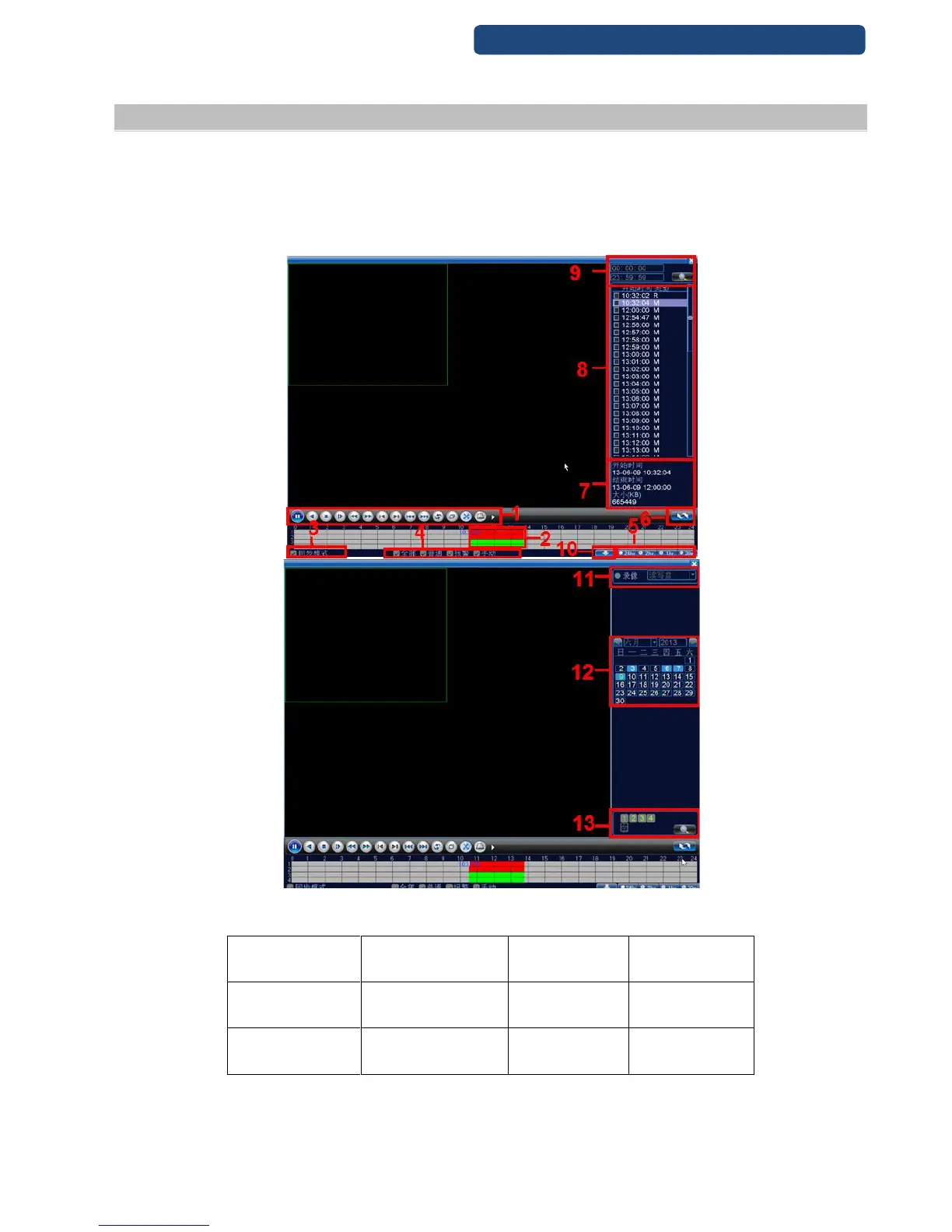
Enter the playback interface, you can playback video of multi-channels at the same time.
Note: The hard disk that saves the video files must be set as read-write or read-only state.
13. picture Playback

1. Playback control
buttons
2. Time
3. Sync
4. Video type
5. Time mode
select
6. Search by hour
7. File type
8. Listed files
9. Search by time
10. Search by storage
11. Serach by
date
12.Seach by
channel

Table of Contents