7. RECORD MODE
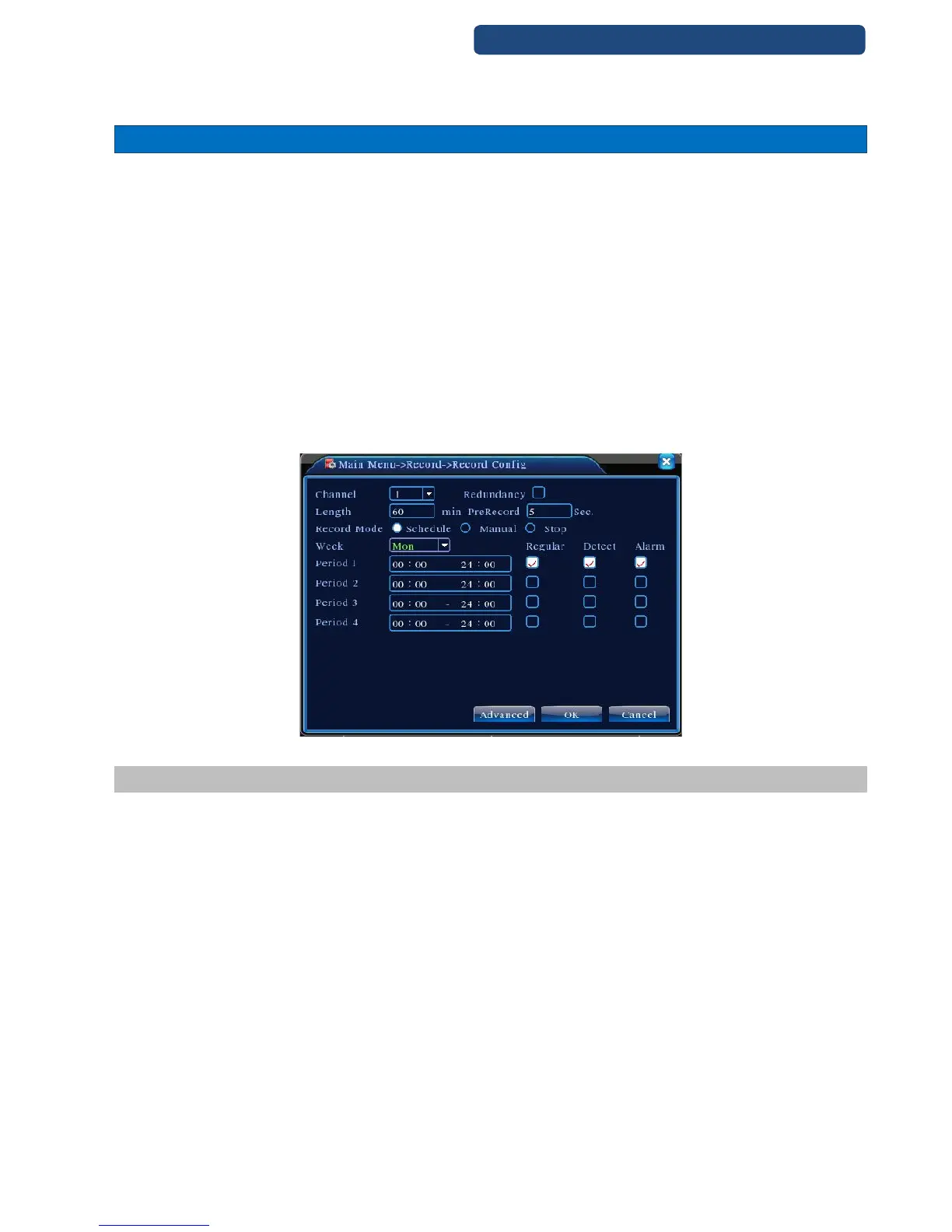
Set the recording parameters in the surveillance channel. You can enter [Main Menu]> [Record]> [Record
Config] to set. The system’s default set is 24 hours continuous recording.
Note: There is at least one read-write hard disk if the DVR records normally
[Channel] which channel settings are activated
[Redundancy] Select this mode, if you would like to backup the video sin two hard disks (only with two hard
disks)
[Length] video files duration
[Pre-recording] not working function
[Record mode] timing, power, stop
[Period] Set a time frame of when to record
[Allways] recording all-time
[Move] only recording when motion is detected
[Alarm] only recording when alarm is activated
26. picture Record config
7.1 Snapshot storage (Partial model support)
Base on settings to save the monitor image
Parameter setting:【Main menu】>【Record】>【Snapshot】to do related setting, see pic 3, the function is
closed in default.
Note: If normal snapshot storage, please set Snap at 【Main Menu】->【Advanced】->【HDD Manage】-
>【Snapshot】



 To Next Page