9.3 Netservice
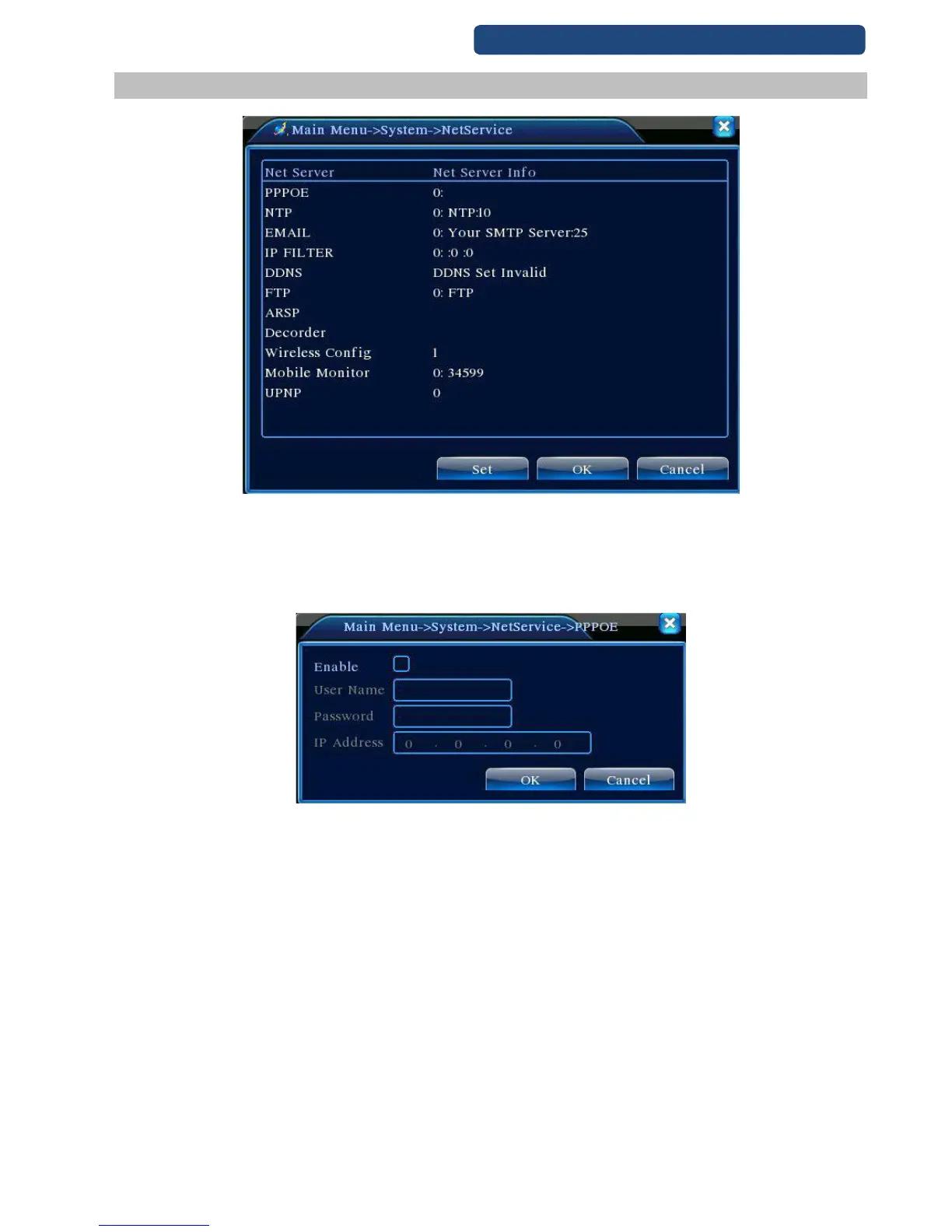
35. picture NetService
[PPPoE settings]
Click on the activate and write the user name and the password, which provided by the ISP (Internet Service
Provider). Reboot after set and the record will make a PPPoE connection with ISP. The IP address will
change to dynamic.
36. picture PPPOE
[NTP setup]
First the NTP server will be installed on the PC or use a public NTP server.
Server Ip: write the server IP address.
Port: default: 123
Time zone: London GMT+0, Berlin GMT +1, Cairo GMT +2, Moscow GMT +3, New Delhi GMT +5,
Bangkok GMT +7, Hongkong Beijing GMT +8, Tokyo GMT +9, Sydney GMT +10, Hawaii GMT-10,
Alaska GMT-9, Pacific time GMT-8, American mountain time GMT-7, American mid time GMT-6,
American eastern time GMT-5, Atlantic time GMT-4, Brazil GMT-3, Atlantic mid time GMT-2.
Refresh time: default: 10 Min.



 To Next Page