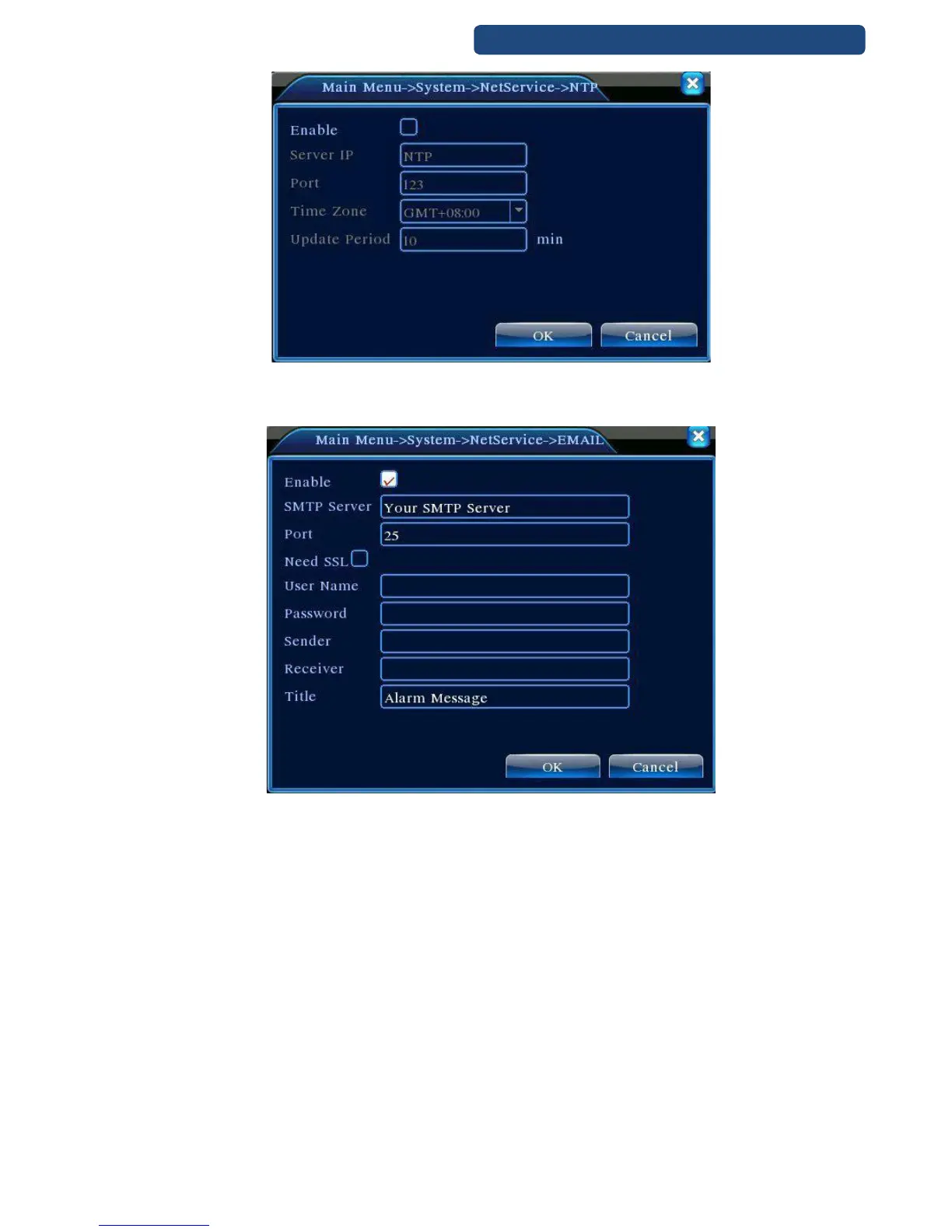
37. picture NTP setup
[EMAIL settings]
When an alarm is triggered, the recorder can send an email with the alarm informations.
38. picture E-mail settings
SMTP server: email account provider SMTP server address (IP or DNS address)
Port: email account port number
SSL: secured socker layer protocoll activation
User name: email user name
Password: email password
Sender: write a sender name
To: write an email address which you would like to send the emails.
Subject: write an email subject.
[IP filter settings]
White addresses: devices with these IP addresses can access the recorder only. (64 IP addresses is
available)
Black addresses: devices with these IP addresses can not access the recorder (64 IP addresses is
available)



 To Next Page