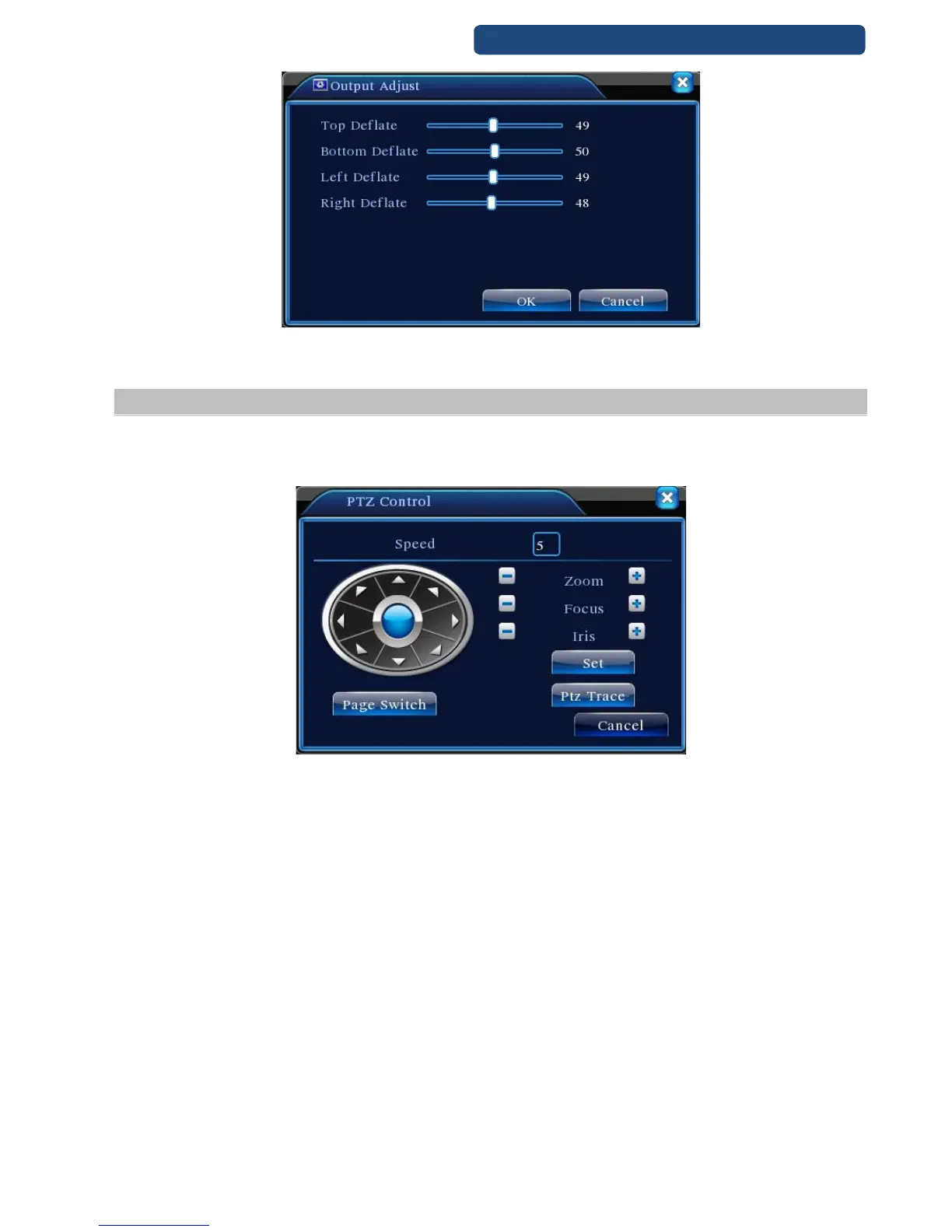
18. picture Output adjust
6.10 PTZ control
Operation interface is as followed. The functions include: PTZ direction control, step, zoom, focus, iris, setup
operation, patrol between spots, trail patrol, boundary scan, assistant switch, light switch, level rotation and
so on.
19. picture PTZ control
Note:
Decoder A(B)line connects with DVR A(B)line. The connection is right.
Click [main menu] >[system configuration] >[PTZ setup] to set the PTZ parameters.
The PTZ functions are decided by the PTZ protocols.
[SpeedSet] the PTZ rotation range. Default range: 1 ~ 8.
[Zoom] Click -/+ button to adjust the zoom multiple of the camera.
[Focus] Click -/+ button to adjust the focus of the camera .
[Iris] Click -/+ button to adjust the iris of the camera.
[Direction control] Control the PTZ rotation. 8 directions control is supportive.(4 directions in Front panel is
supportive )
[High speed PTZ] Full-screen show channel image. Left press mouse and control PTZ to rotate orientation.
Left press mouse and then rotate the mouse to adjust the zoom multiple of the camera.
[Set] Enter the function operation menu.
[Page switch] Switch between different pages.



 To Next Page