16.CLOUD ACCESS WITH VMEYECLOUD APP
The devices can be used to remote access without any DynDNS provider with the VMeyecloud app.
Available mobilphone’s systems: Android, Blackberry, Iphone, Symbian, Windows mobile.
In
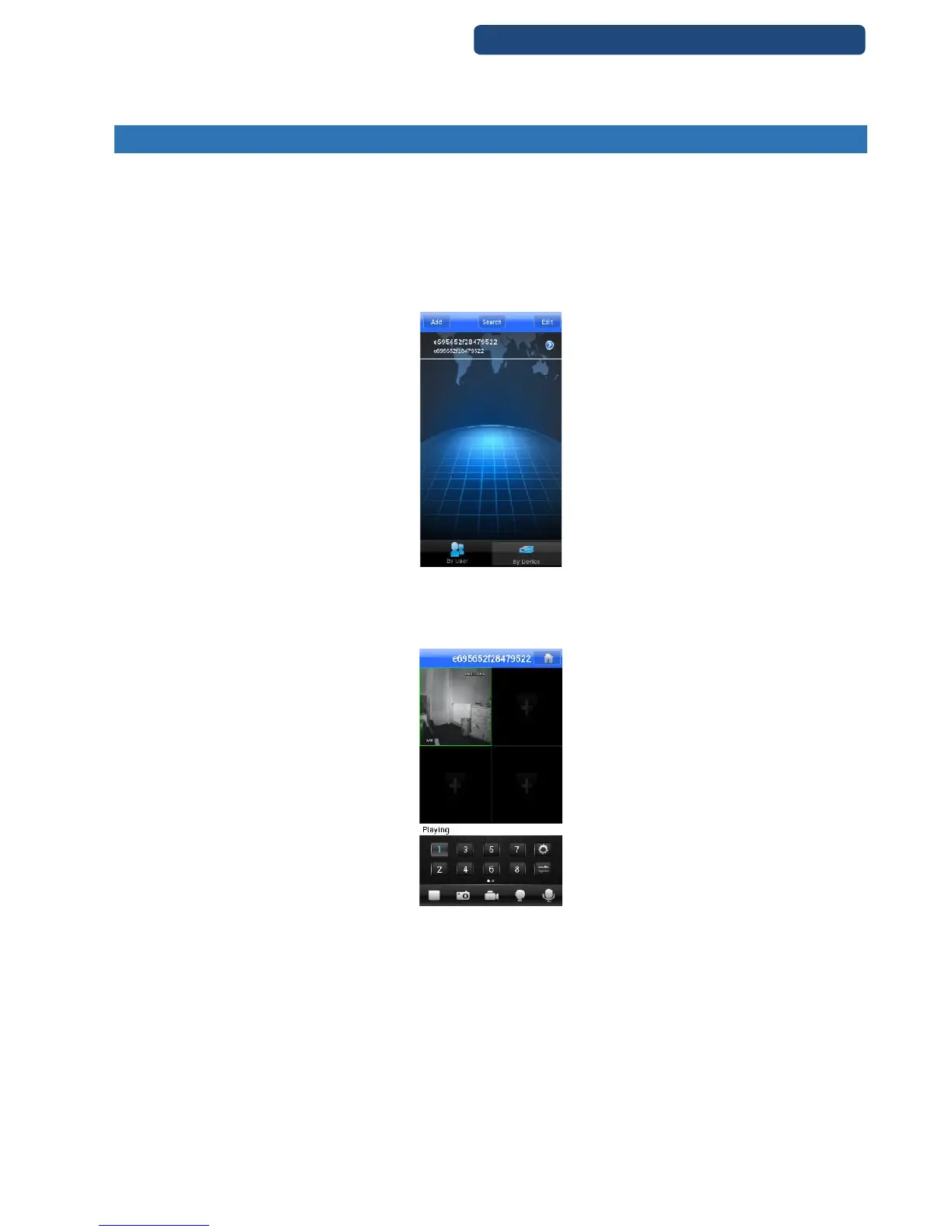
Step 1. Install the right app for the mobilphone\tablet from the App store. (VMeyecloud)
Step 2. If the devices was registered at the Xmeye.net page, with the user name and password can
be acccessed automatically.
Step 3. If the device was not registered at the Xmeye.net page, click on the By Device option and
choose the Search option.
Step 4. When the search finished and the device was found, click on it and choose ’plus’ button.
101. picture VMEyeCloud app
Step 5. On the next page, you can change the settings of the device if it is necessary, otherwise click
on the OK button.
Step 6. Close the settings menu and ont he main screen the picture of the device will be shown.
102. picture Finish
Note: There could be error messages with using the app, because the servers for this feature are in
China, but there are just temporary. This feature has 4-5 seconds delay!



 To Next Page