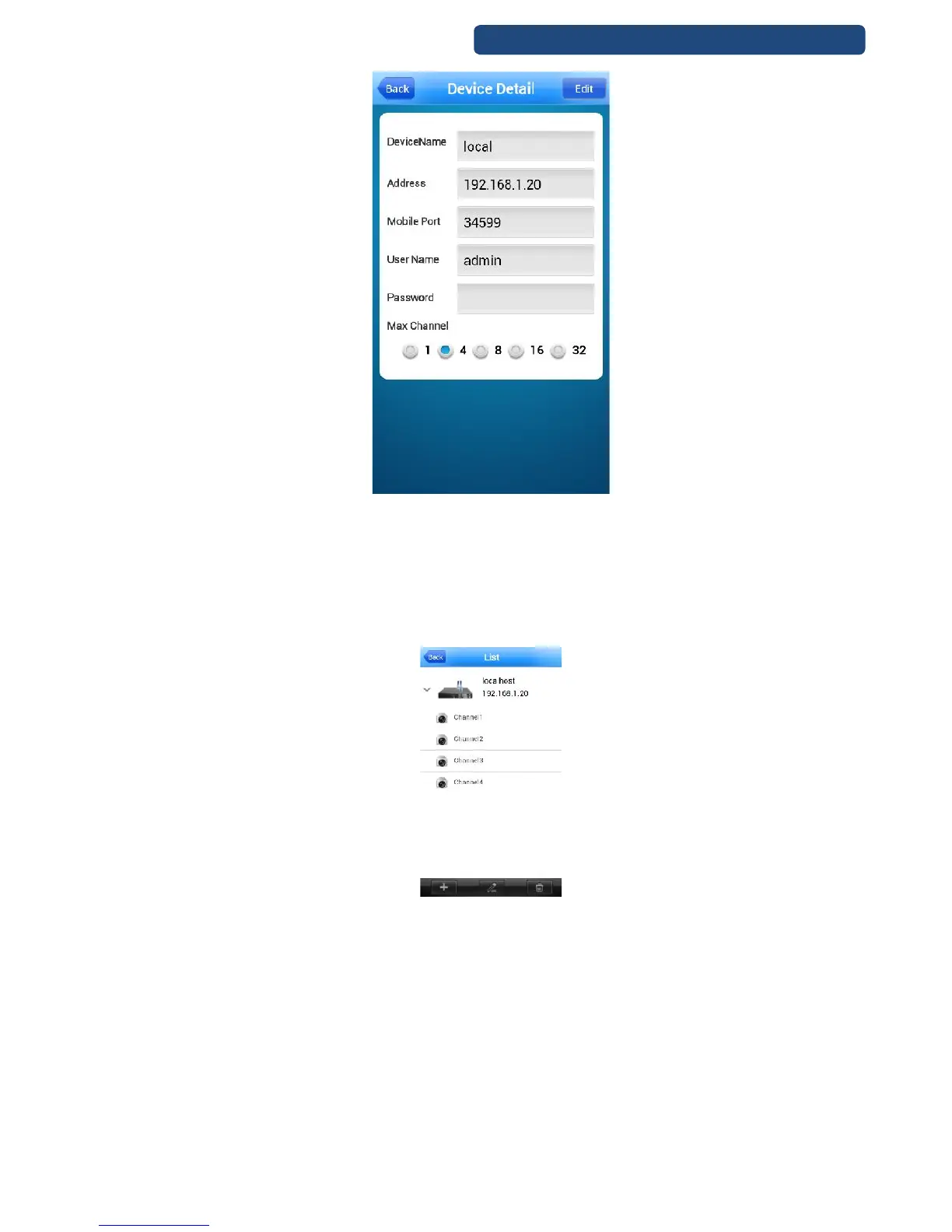
99. picture VMEye settings (example)
[DeviceName] Device name
[Address] IP address of the device
[Mobile Port] default: 34599
[User Name] default: admin
[Password] default: none
[Max channel] channel number of the device
Step 4. Click on the OK button and the device can be access with the mobilphone.
100. picture Recorder access



 To Next Page