9.4 GUI display
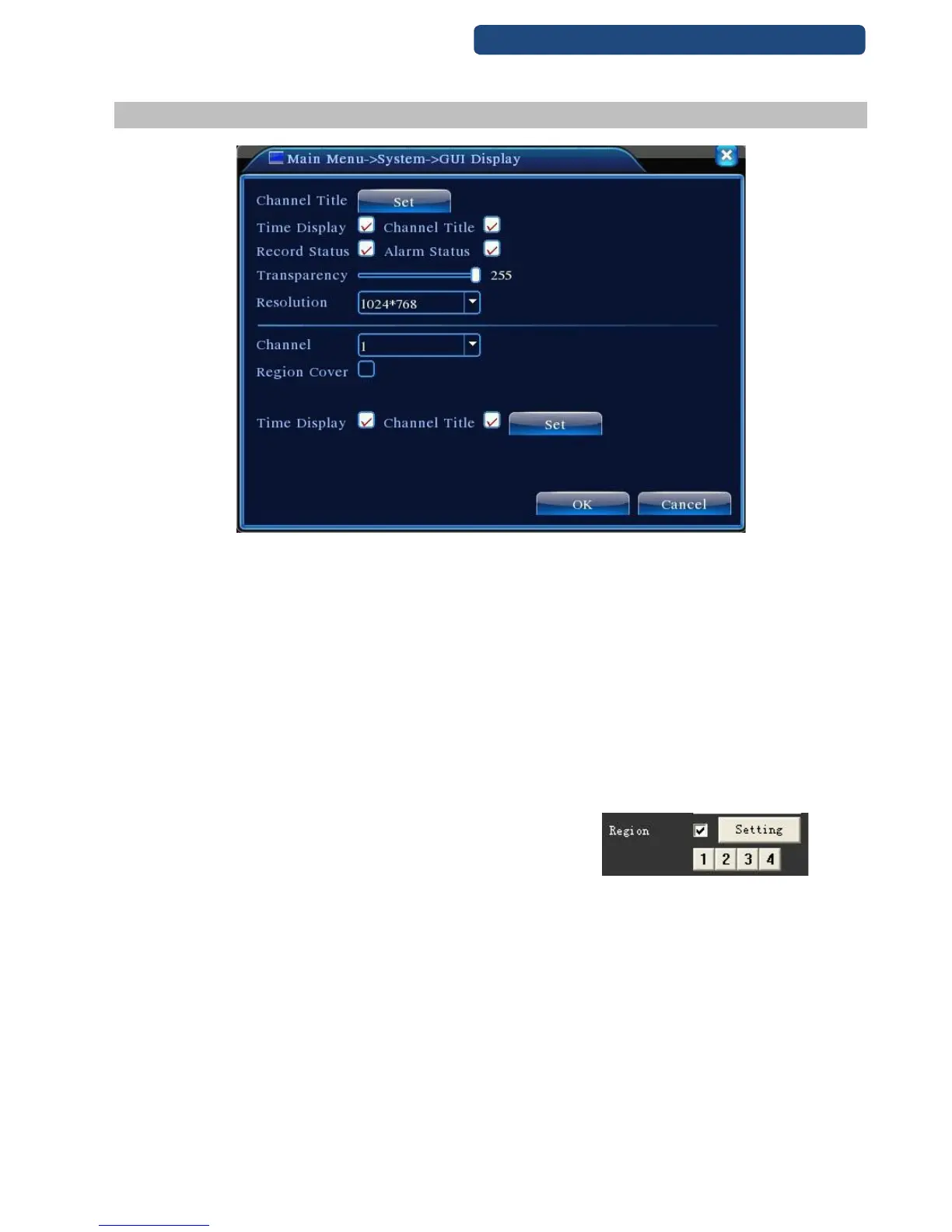
46. picture GUI Display settings
[Channel Name] Click the channel name modify button and enter the channel name menu. Modify the
channel name.
[Time title] the system time on monitoring pag
[Channel title] channel No at monitoring page
[Record status] record status on monitoring page
[Alarm status] alarm status on monitoring page
[Transparency] choose the transparency of background image, span within: 128~255
[Resolution] set resolution of monitor
[Channel] choose channel No that set for encode output.
[Region Cover] choose region cover quantity, then click setting ,enter
related channel, user can use mouse to choose any size of cover region, (the covered region, video output
should be in black)
[Time title]& [Channel title] set time title and channel title whether need be show out and the position to
show.



 To Next Page