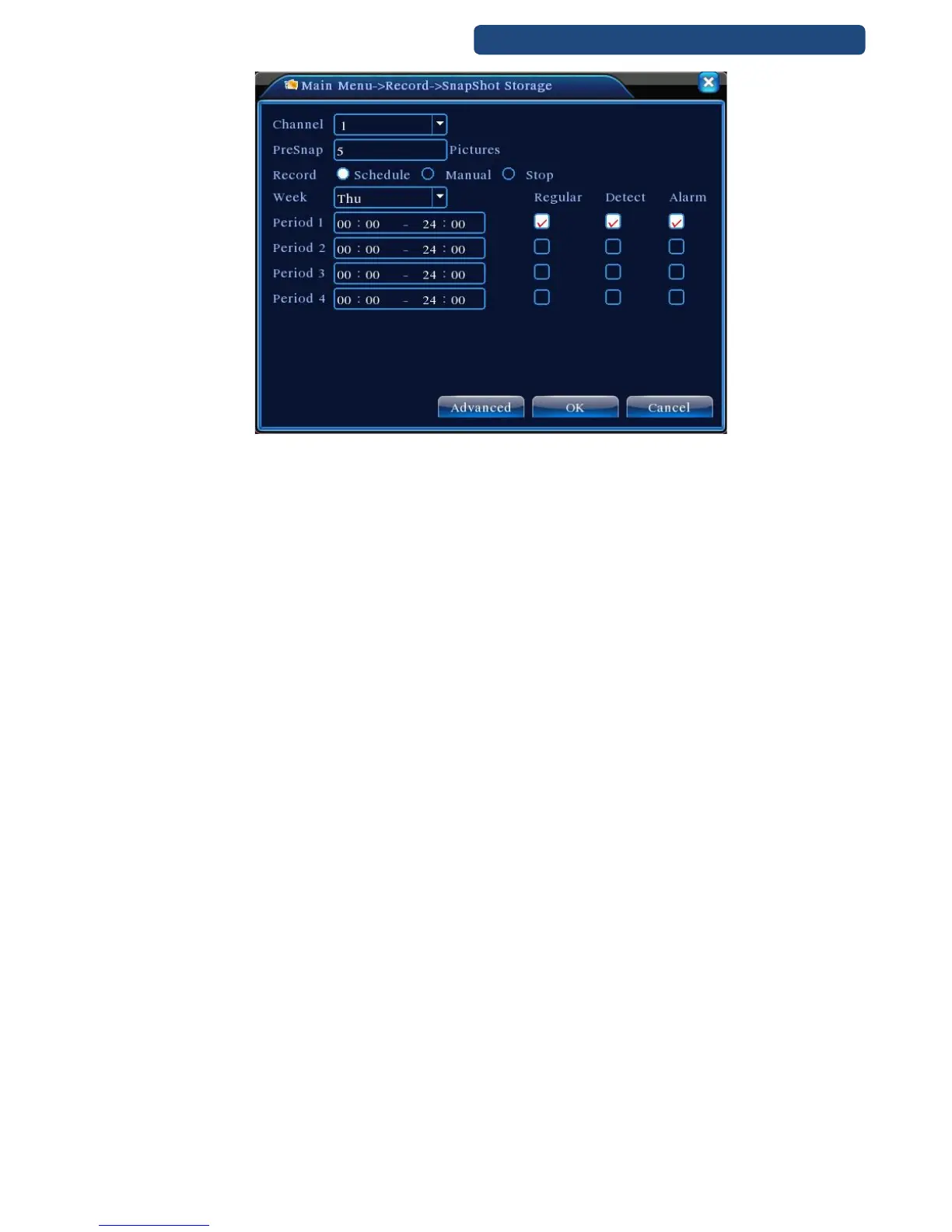
27. picture Snapshot storage
【Channel】Select the related channel to set,click "all" to set all channels.
【Presnap】Setup presnap picture quantity before recording, default is 5 pieces.
【Record】Set record status,"Schedule","Manual" and "Stop" Page 32
Schedule:Realise snapshot according to record type(regular,detect and alarm) and period.
Manual:No matter what the present channel is in a state,once choose "manual" button,it will have snapshot
at related channels.
Stop:No matter what the present channel is in a state,once choose "stop" button,it will stop snapshot at
related channels.
【Period】Set normal record period,it only startup Snapshot Storage at set period.
【Type】Three types:regular,detect and alarm
【Record type】Three types:regular,detect and alarm
Regular: snapshot at set period
Detect: snapshot at set period when motion detect,video blind and video loss which are preset for snapshot
enable.
Alarm:snapshot at set period when alarm in which is preset for snapshot enable.



 To Next Page