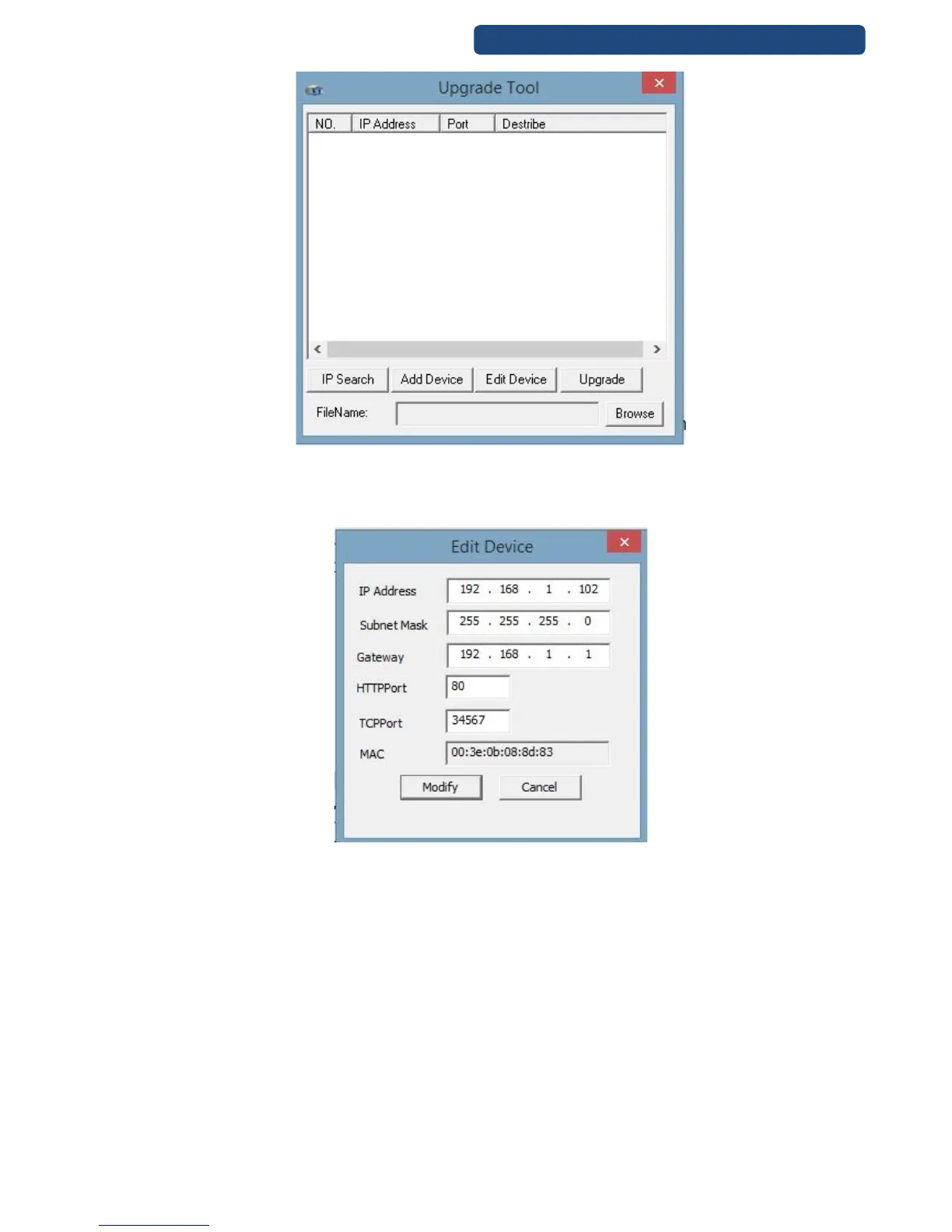
72. picture Upgrade Tool
Step 3. It shows the IP address of the available IP cameras. Click on the camera which will be
modified and click on the Edit Device option.
Step 4. In the pop up windows set up the right network parameters.
73. picture Edit device
[IP address] At default is 192.168.1.10, this has to be changed to the right IP address.
[Gateaway] Write the IP address of the router.
(Example for a network system:
Router: 192.168.1.1
Camera 1: 192.168.1.10
Camera 2: 192.168.1.11
Camera 3: 192.168.1.12
For the same network devices(computer, camera, laptop, tablet) please avoid the same IP addresses,
because it will causes problems.
Please do not change the other settings, only if you are an expert.



 To Next Page