NETWORK SETTINGp.42
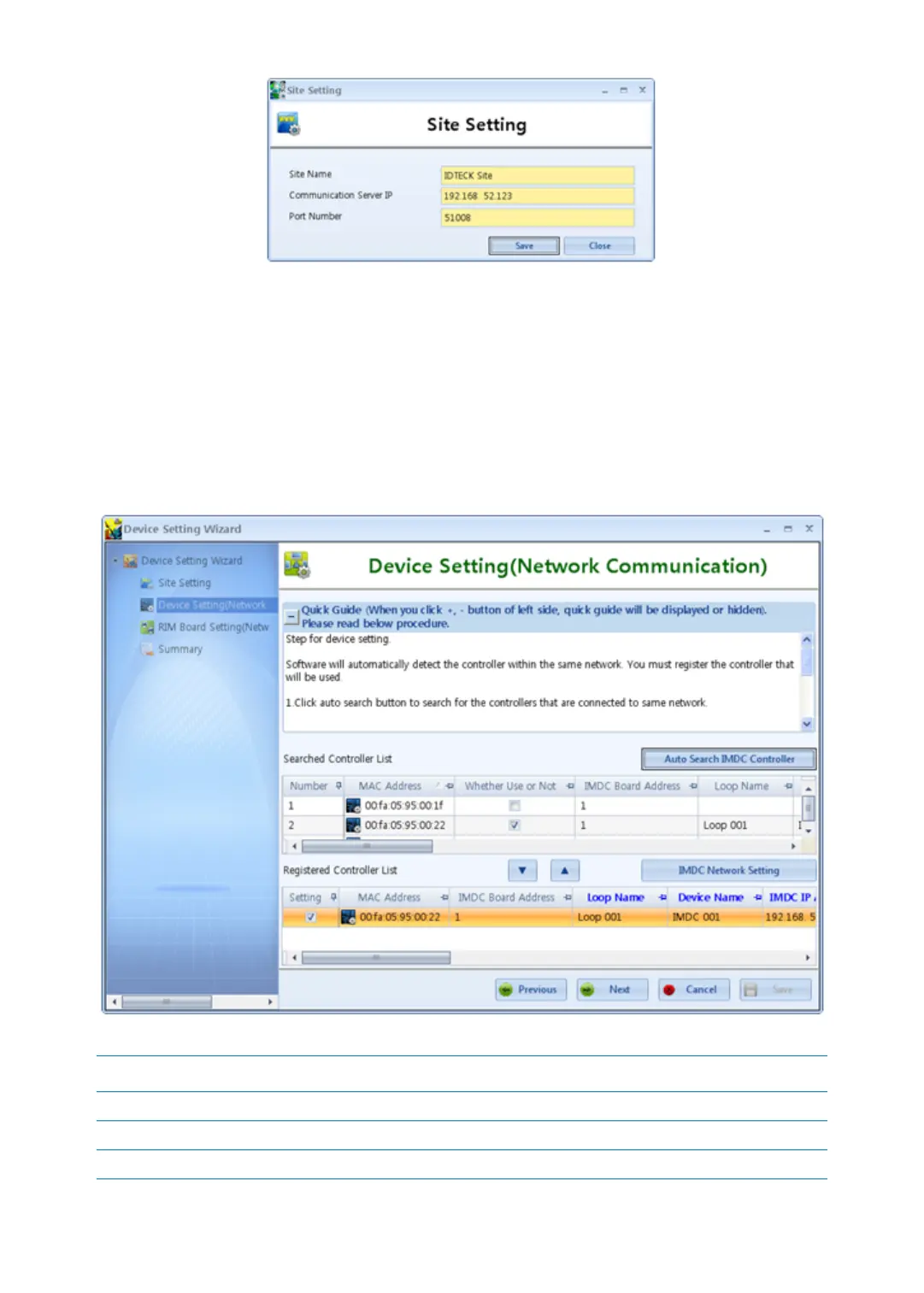
4. Click the ‘Save’ button to save your Site Setting registration and click the ‘Close’ button.
5. It’s Device Setting Wizard. All iMDC-MAINs on the same network are searched and then
set Device Name, RIM Board IP Address, Sub-net Mask, Gateway, and DNS Address to t
he applicable iMDC-MAIN board. Click the ‘Auto Search iMDC Controller’ button then a
ll of the iMDC-MAINs connected on the same network is searched. Select the iMDC-M
AIN you want to register and move down with drag and drop. Refer to the table below
for appropriate setting.
Column Name Description
Loop Name Insert loop name. Loop Name should not be duplicated.
Device Name Insert device name. Device Name should not be duplicated.
iMDC IP Address Insert IP address for iMDC-MAIN board.



 To Next Page