28
10.4 Extended functions
10.4.1 Setting of the delay time for switching outputs
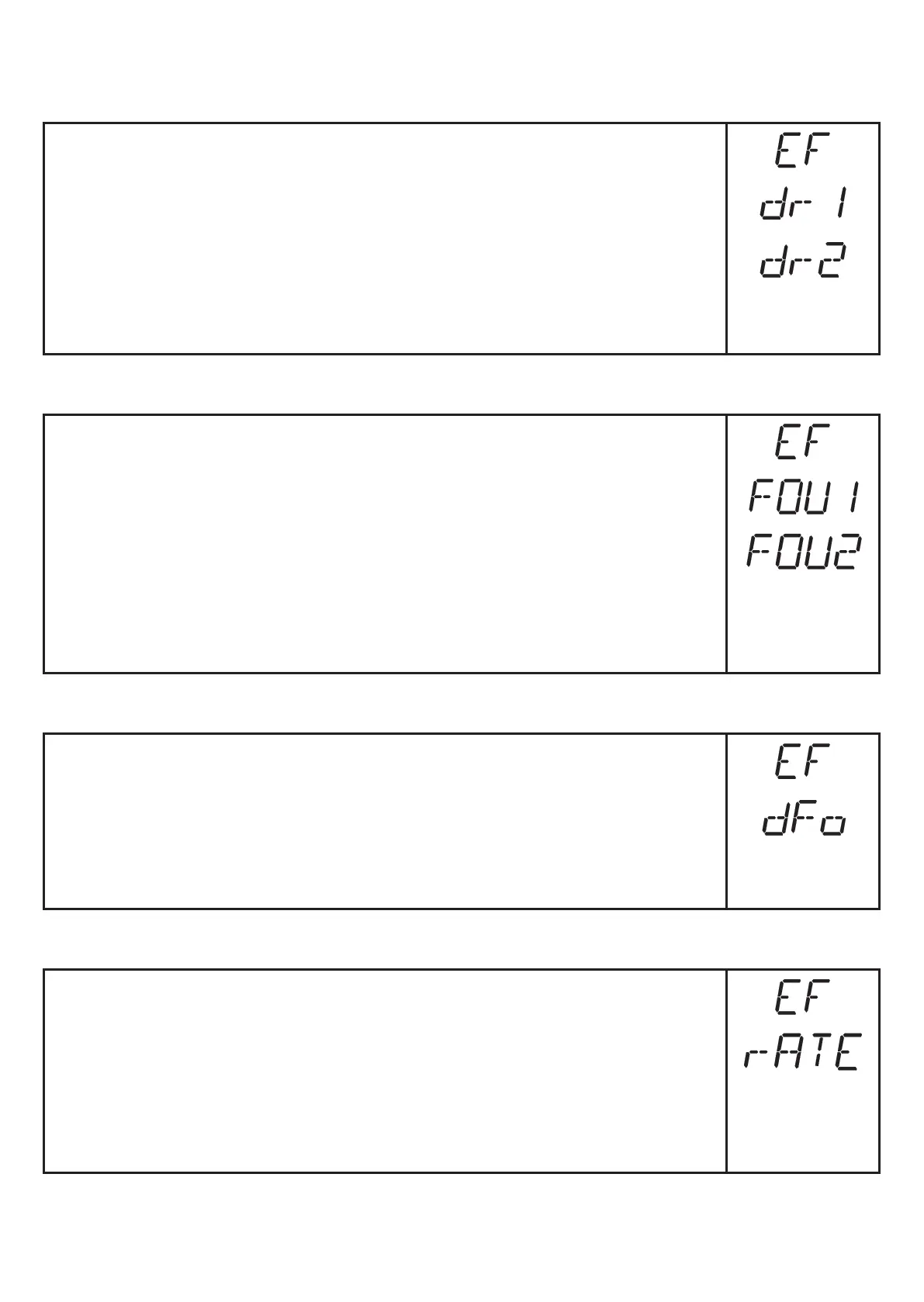
► Select [EF]�
► Press [SET] to change to the menu [EF]�
► Select parameters with [MODE/ENTER]:
[drx] = switch-off delay�
► Set the parameter value with [SET]:
Setting range [s]: 0 / 0�1���5 s in steps of 0�1 s
(0 = delay time is not active)
► Confirm with [MODE/ENTER]�
10.4.2 Response of the outputs in case of a fault
► Select [EF]�
► Press [SET] to change to the menu [EF]�
► Select [FOUx]�
► Set the parameter value with [SET]:
• [ON] = The output switches in case of a fault or analogue value
20 mA / 10 V is provided�
• [OFF] = The output switches back in case of a fault or analogue value
4 mA / 0 V is provided�
► Confirm with [MODE/ENTER]�
10.4.3 Setting of the delay time after signal loss
► Select [EF]�
► Press [SET] to change to the menu [EF]�
► Select [dFo]�
► Set the parameter value with [SET]:
Setting range [s]: 0�0���1�0���5�0�
► Confirm with [MODE/ENTER]�
10.4.4 Setting of the sampling rate
► Select [EF]�
► Press [SET] to change to the menu [EF]�
► Select [rATE]�
► Press [SET] until the preset measured sampling rate value flashes�
► Enter a value incrementally by pressing [SET] once�
► Confirm with [MODE/ENTER]�
> [rATE] is displayed again�



 To Next Page