30
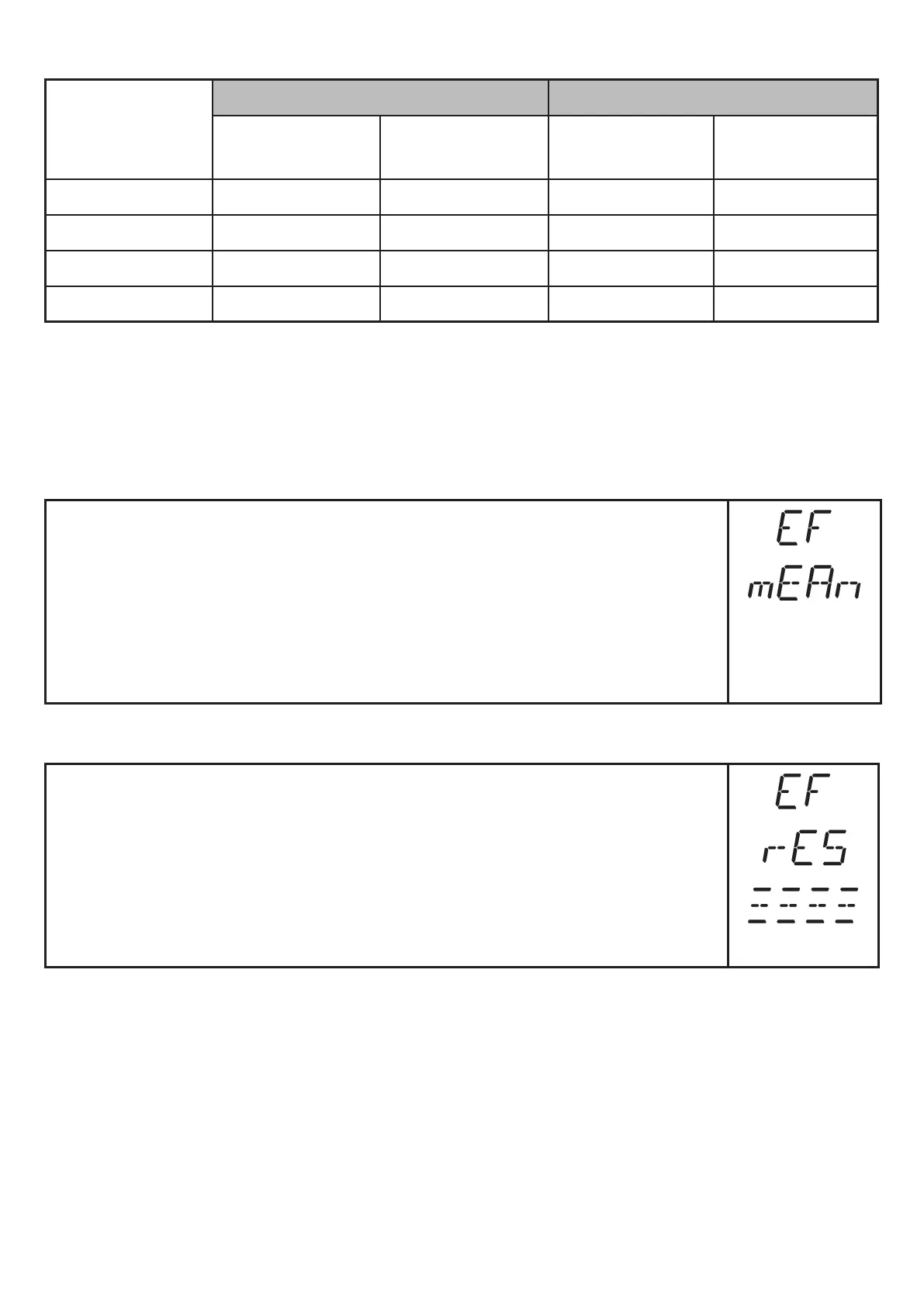
Values for sampling rate 1 Hz, extraneous light of 40...100 klx*
Distance
in [cm]
Repeatability Accuracy
white
90 % remission
grey
18 % remission
white
90 % remission
grey
18 % remission
20�0���200�0 ± 1�0 cm ± 1�0 cm ± 2�0 cm ± 2�0 cm
200�0���400�0 ± 1�8 cm ± 1�9 cm ± 2�8 cm ± 2�9 cm
400�0���600�0 ± 2�3 cm ± 2�7 cm ± 3�3 cm ± 3�7 cm
600�0���1000�0 ± 3�8 cm — ± 4�8 cm —
* Range referred to black (6 % remission) ≤ 400.0 cm.
The values apply at:
- constant ambient conditions (23°C /960 hPa)
- only after unit powered up for 10 minutes�
10.4.6 Setting of the mean filter
► Select [EF]�
► Press [SET] to change to the menu [EF]�
► Select [mEAn]�
► Set the parameter value with [SET]:
► Setting range [s]: 1���60
► [OFF] = mean filter not active
► Confirm with [MODE/ENTER]�
10.4.7 Reset of all parameters to factory setting
► Select [EF]�
► Press [SET] to change to the menu [EF]�
► Select [rES]�
► Press [SET] and keep it pressed until [- - - -] is displayed�
► Confirm with [MODE/ENTER]�
> The unit returns to the factory setting�
> Initial display is shown�



 To Next Page