www.ikegps.com/quickstart Page 38 www.ikegps.com/support
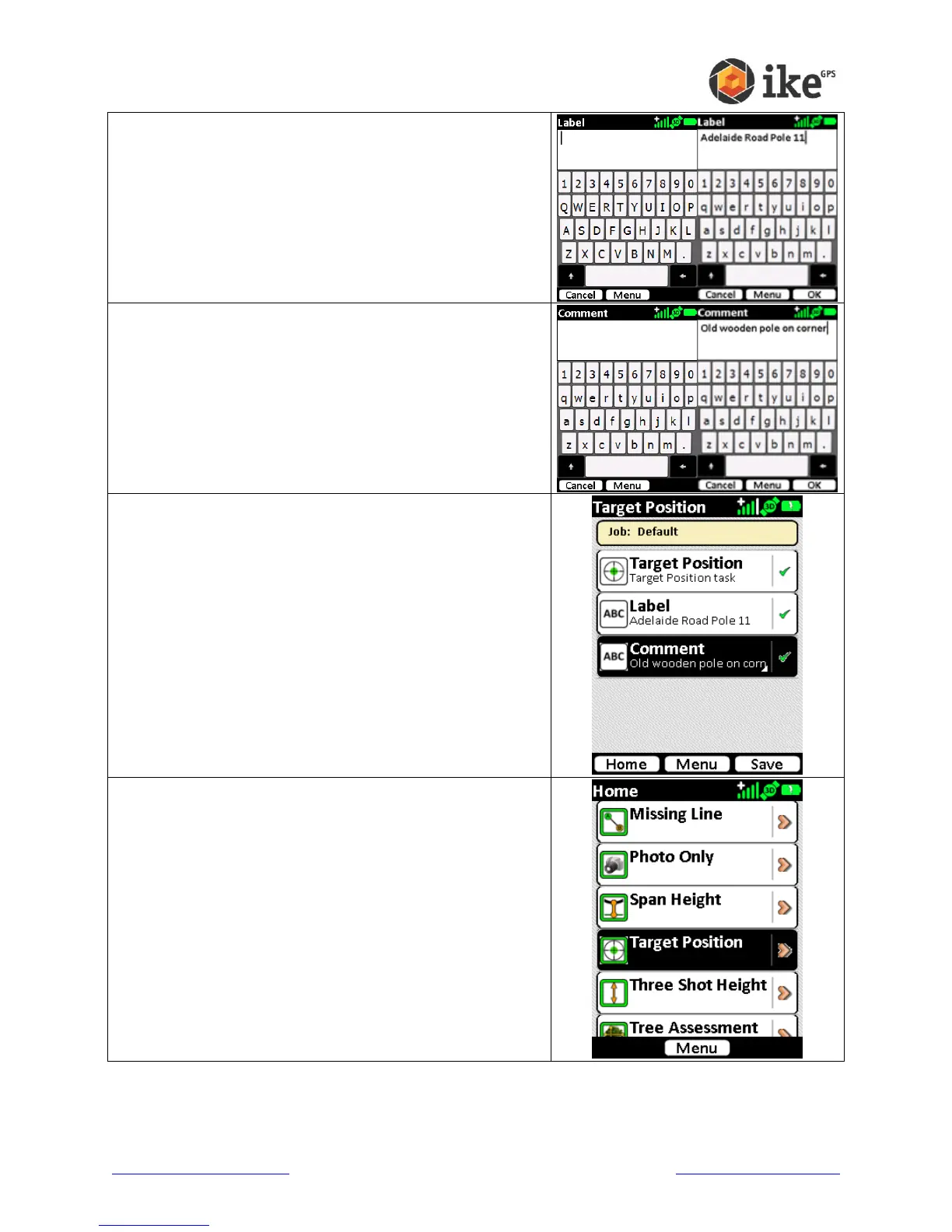
On the Label screen, use the virtual keyboard to enter a
short description of the target.
Tap the Cancel button to exit the Label entry
Tap the OK button to store the Label text.
On the Comment screen, use the virtual keyboard to
enter a more detailed description of the target.
Tap the Cancel button to exit the Comment entry
Tap the OK button to store the Comment text.
Once all information is correct, tap Save to save the
target information.
Or tap Home to abandon the target and delete the
recorded data.
The Target Position ikeTool will return to the Home menu



 To Next Page