Page 30 Operation Manual
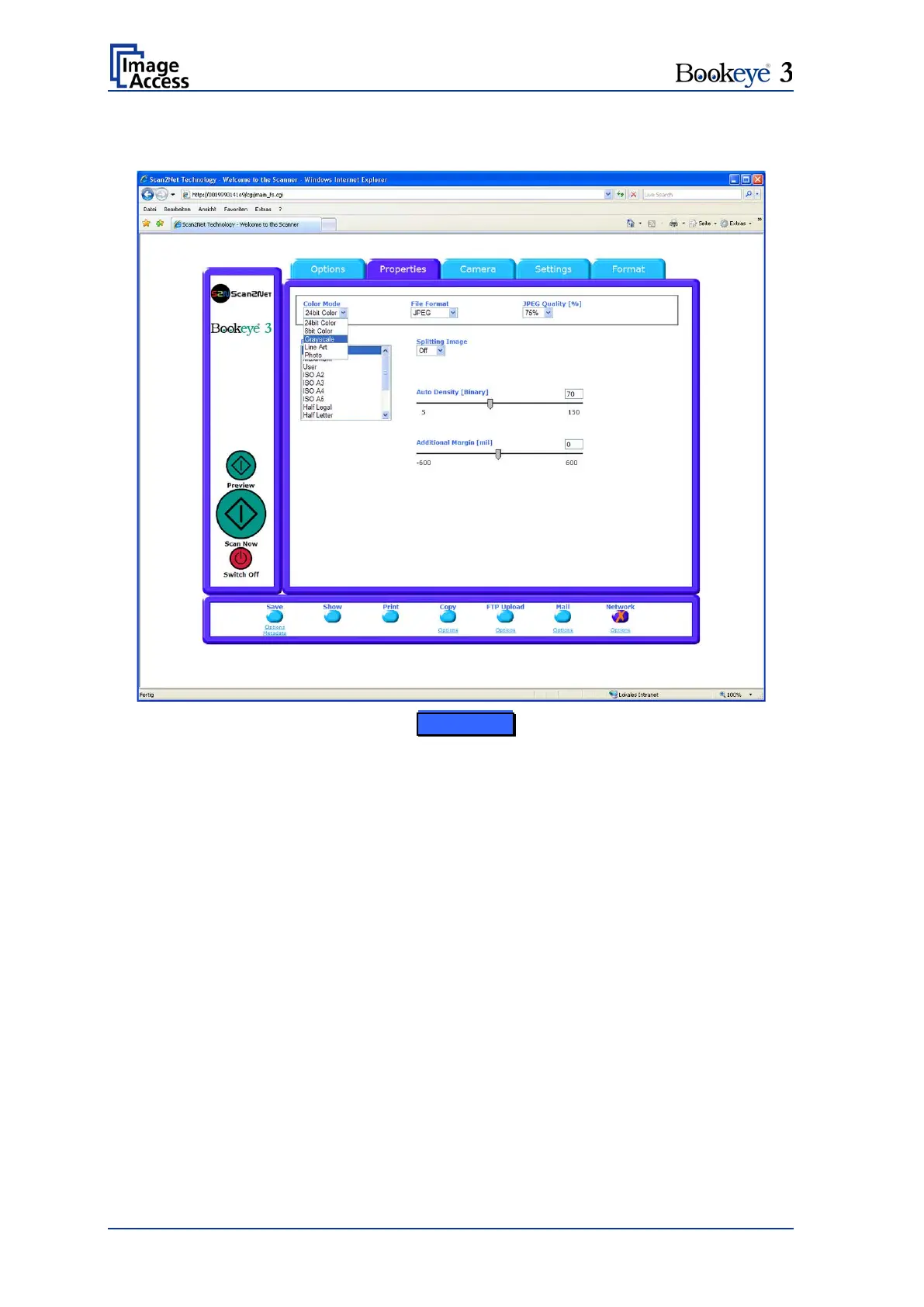
B.1.3 The Properties Screen
Picture 16: Properties screen
Color Mode
The Color Mode control allows the user to select from a list the desired color modes.
Available are 24bit Color and 8bit Color as well as Grayscale, Binary and Photo.
File Format
The File Format control defines the file format that is used to store a scanned image.
Some interdependencies exist between the File Format control and the Color Mode
control. For example, it is not possible to store an image scanned in True Color mode in
TIFF G4 file format.
JPEG Quality [%]
The JPEG Quality [%] control determines the compromise between quality and
compression rate. A higher quality factor produces larger files. The default setting of 75 is
a good compromise for most documents.











 To Next Page