Operation Manual Page 53
B.2.1.1 Device Info
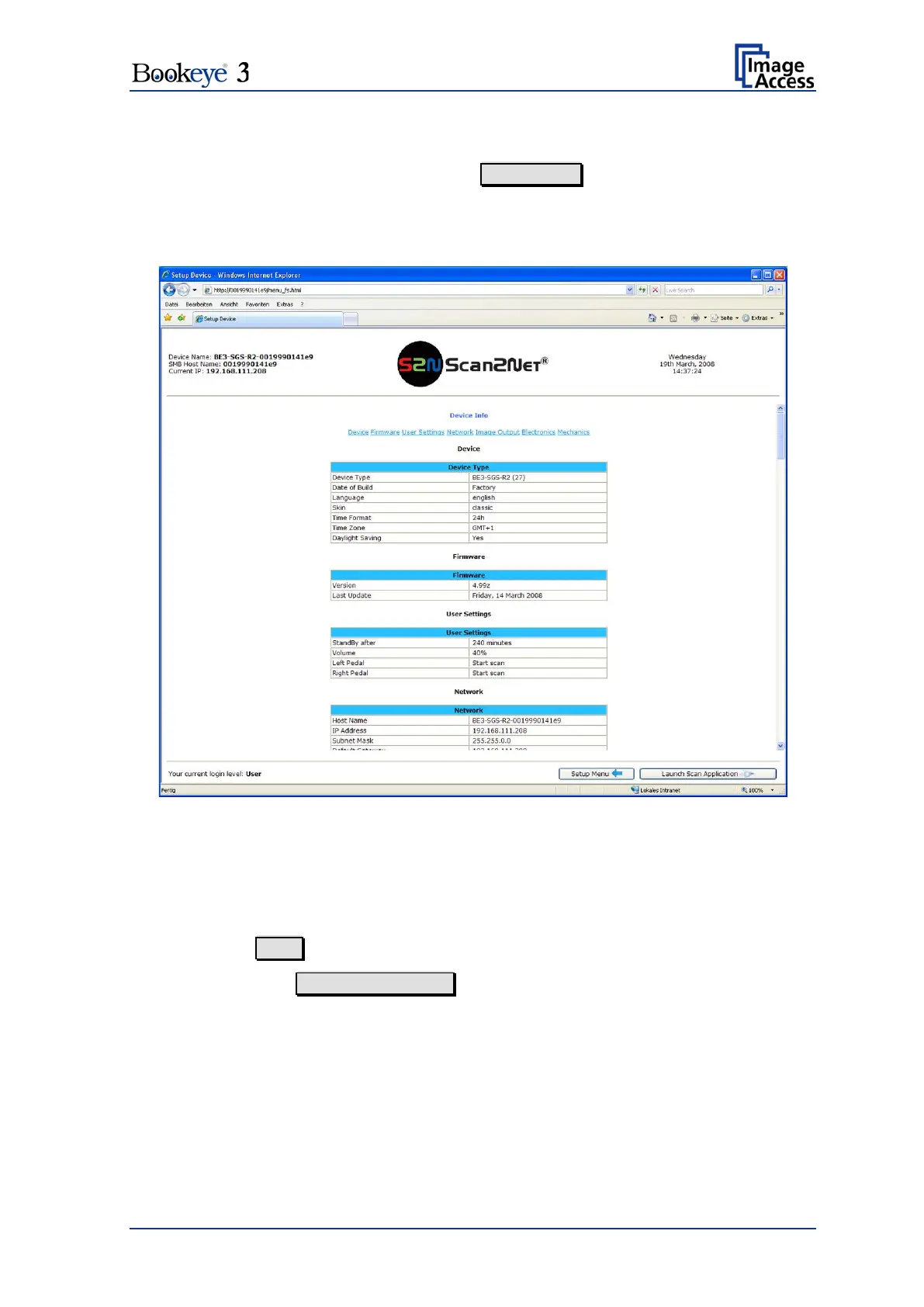
In the section Information click the button Device Info and the following list will be
displayed.
Specific information can be reached by clicking the links below the headline Device Info
or by scrolling through the list.
Picture 44: Device Info screen
The tables following the keyword show the current status of the Bookeye® 3 scanner.
The most important information for users is the firmware version in the second table.
Other information may be of interest if a service technician is onsite or the hotline is
called.
To return to the User screen (Picture 43) scroll down completely.
Then click the button Back to Main Menu or click on the “Return” button in your browser.












 To Next Page