Page 48 Operation Manual
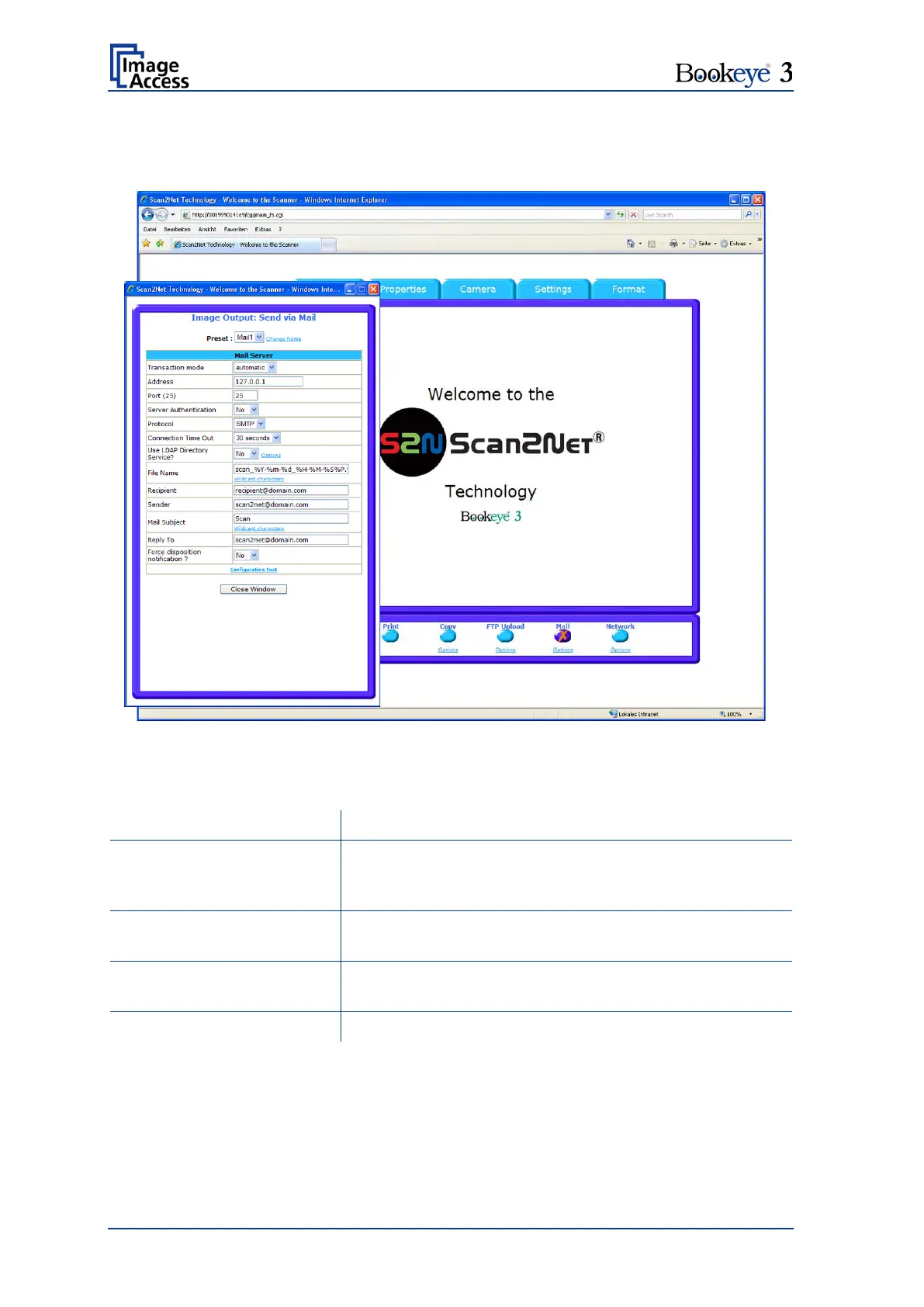
B.1.7.5 Output Option Mail
The scanner can directly e-mail each scan.
Picture 40: Output Option Mail
The Option key is used to configure the mail interface. A configuration window will pop
up.
Choose if all scanned documents will be send to the
same receiver (automatic batch mode) or if the scanner
should ask after every scan (interactive).
Enter the IP address of the outgoing mail (SMTP/LMTP)
server.
Enter the IP Port of the outgoing mail server.
Default: Port 25.
Set to YES if the mail server requires an authentication.
To be continued on the following page.












 To Next Page