Page 46 Operation Manual
B.1.7.4 Output Option FTP Upload
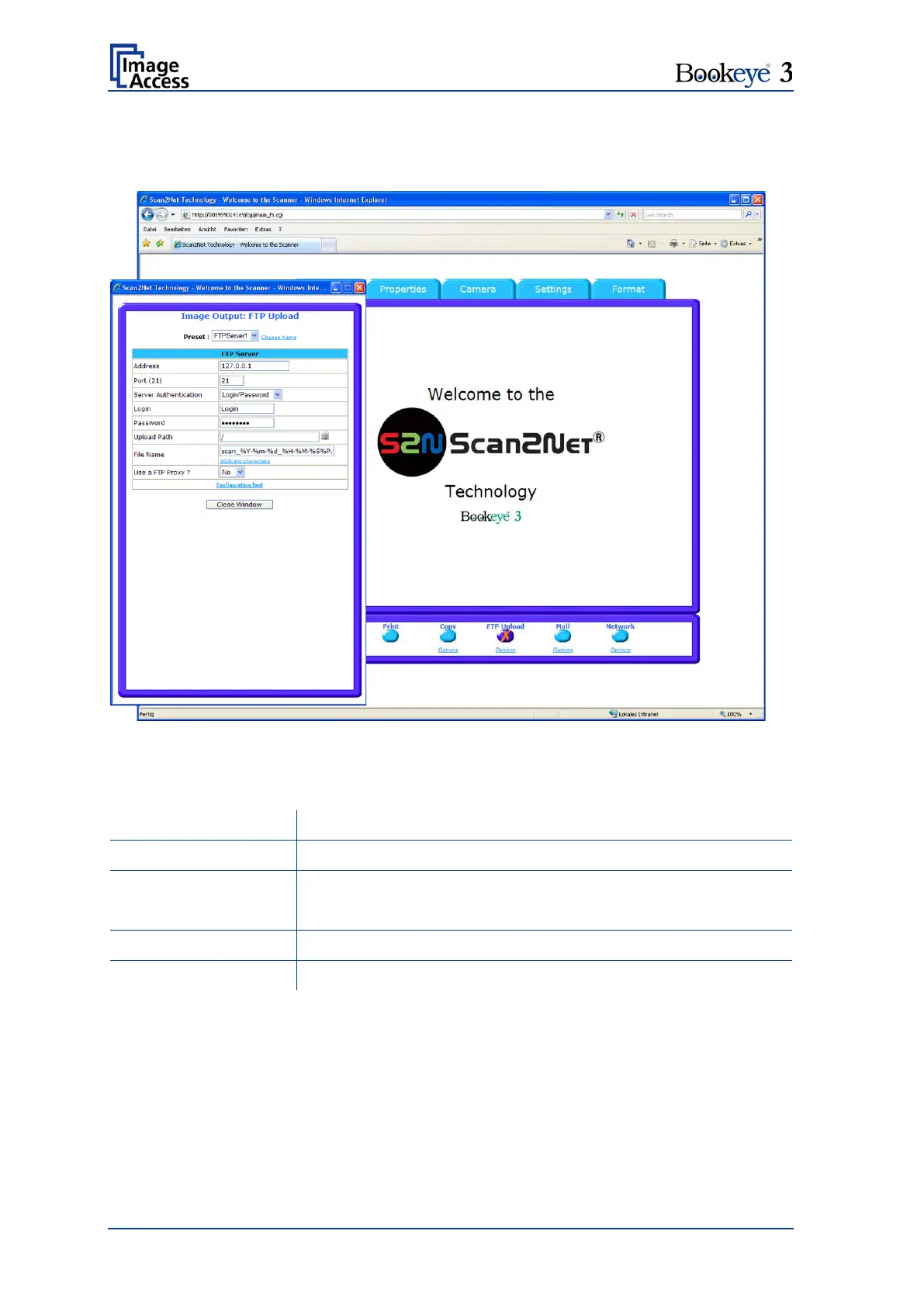
The scanner can directly scan to a FTP server.
Picture 39: Output Option FTP Upload
The Option key is used to configure the FTP interface. A configuration window will pop
up.
Enter the IP address of the remote FTP server.
Enter the IP port of the remote FTP server.
Default is port 21.
Select the authentication method.
Continued on the following page.











 To Next Page