Page 15 of 50
6.2 Load measured data from EPM-XP to PC
Visualization software must be started.
EPM-XP must be connected via USB cable to PC
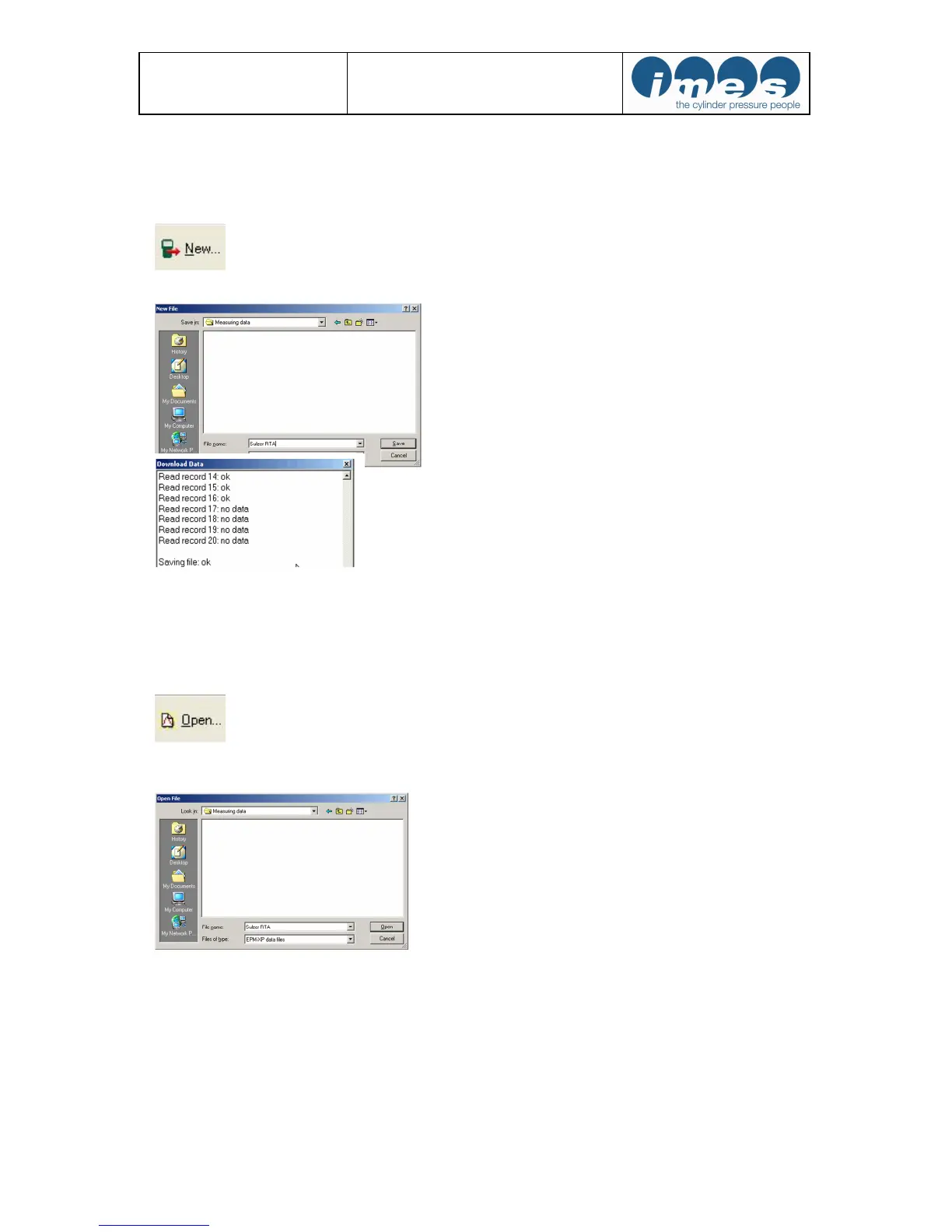
Press “New” to load measurement data from EPM-XP to PC
The software opens a window to name the file for storing on PC
After entering a file name and storing the data will be transmitted to PC.
After this procedure the measured data will be monitored at visualisation software.
6.3 Load measured data from hard disc to PC
At first the visualization software must be started.
Press “Open” to load measurement data from EPM-XP to PC.
The software opened a window for to open a stored file on PC.
After this procedure the selected data file will be monitored at visualisation software.


 To Next Page