Page 26 of 50
6.4.9 Screen page “Remarks”
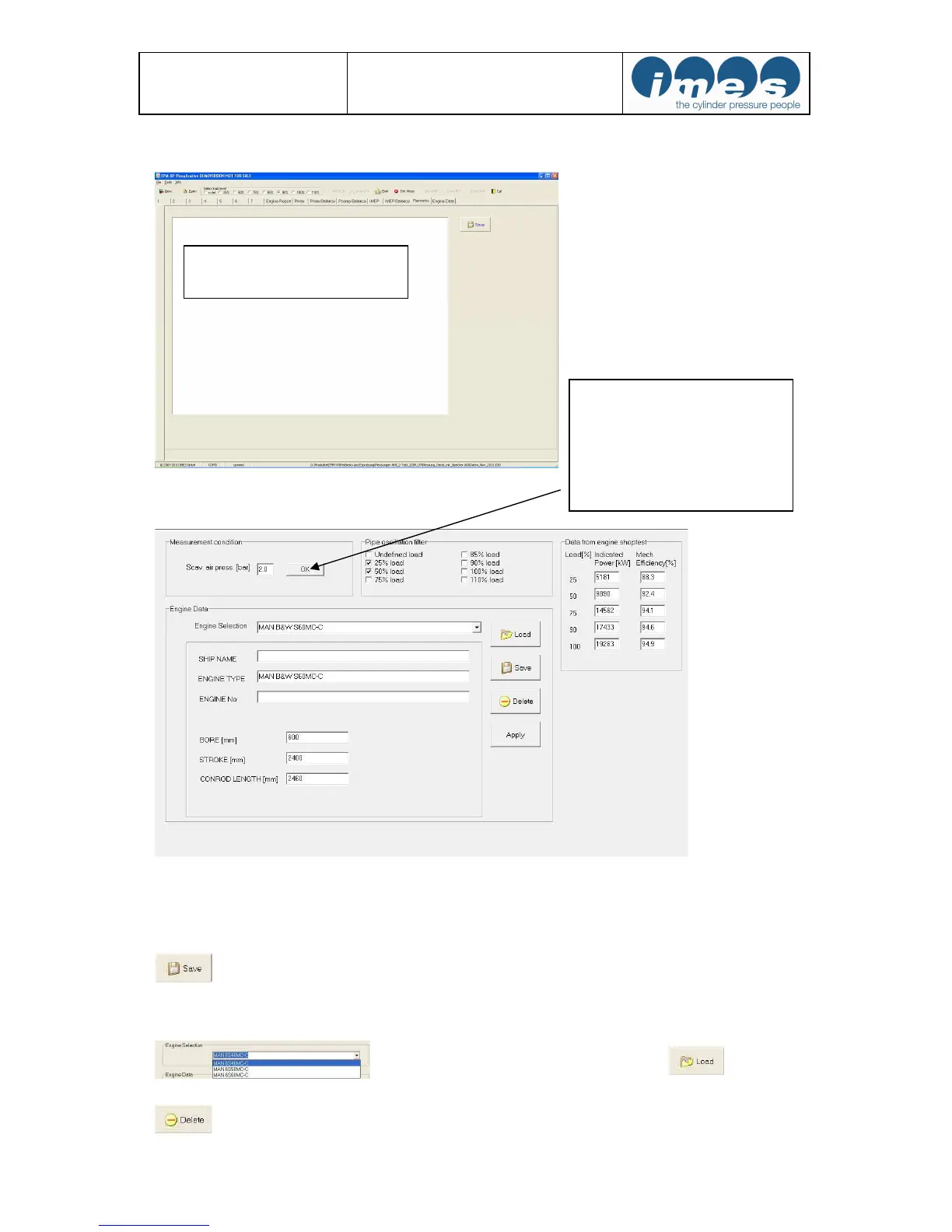
6.4.10 Screen page “Engine data”
Please enter: Ship name, Engine type and Engine no. For power calculation it is necessary to enter specific
engine parameter (bore, stroke and con. rod length in mm).
Remark: Important specific engine data from MAN B&W and Wärtsilä are stored in the program.
Press button “Save” for saving engine and data.
A data base allows you to select some known engines incl. their specific engine data.
Select engine from data base and press “Load”
to open engine data
Press button “Delete” for delete selected engine
Manual input of scavenge air
pressure of selected load in steps
from 0.1 …4 bar.
Press “OK” to save manual input
of scavenge air pressure on each
selected load


 To Next Page