Page 43 of 50
8.1 Generate pressure at pressure calibrator
We emphasize to check EPM-XP at most frequently measured Pmax-value on engine.
For example pressure values at 0 bar and between 100 bar – and 200 bar.
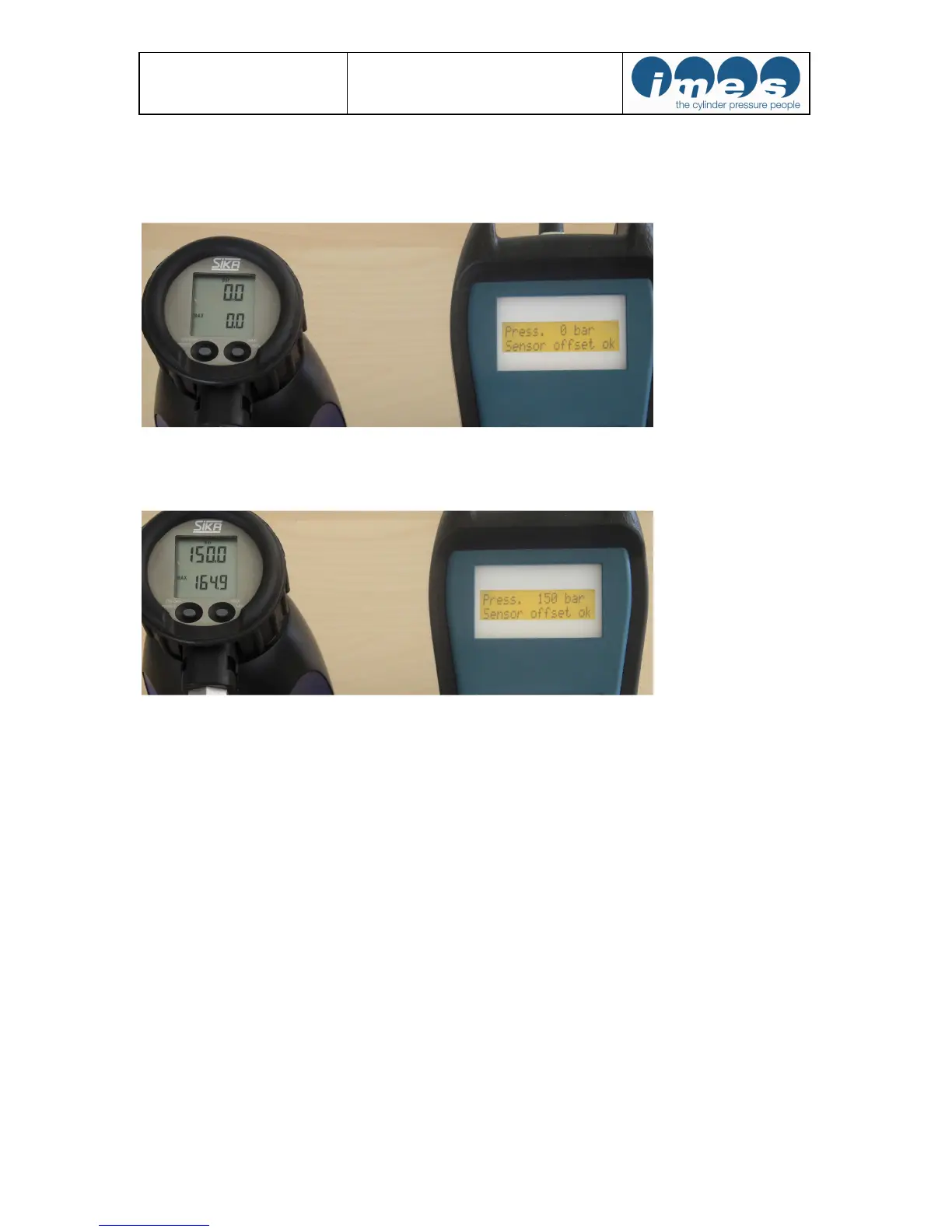
Fig.19: Example for indication of static pressure (0 bar) by generating pressure at pressure calibrator
and indication of static pressure value on EPM-XP display
Fig.20: Example for indication of static pressure (150 bar) by generating pressure at pressure calibrator
and indication of static pressure value on EPM-XP display
Checking procedure:
a) Switch – On by pressing operating key “On/Off “ at EPM-XP
b) Generate pressure 0 bar at pressure calibrator (fig.19)
c) Press 3 x operating key “2/4“ at EM-XP. The static pressure value will be displayed (fig.19)
d) Generate pressure for example between 100- and 200 bar at pressure calibrator (fig.20)
f) Check displayed pressure (fig.20)
g) Compare generated pressure at pressure calibrator and displayed pressure value at EPM-XP.


 To Next Page