Page 9 of 50
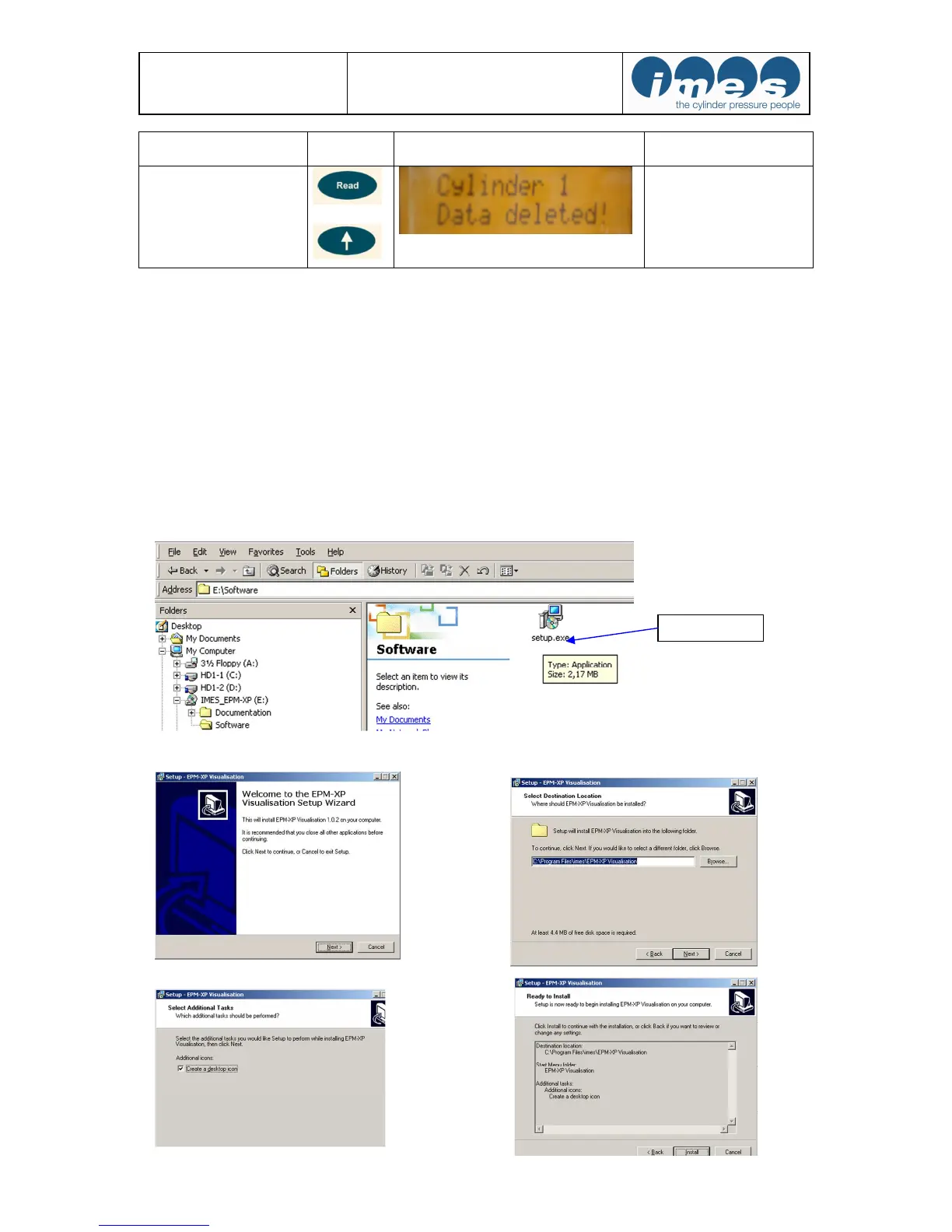
5.3 Installation of visualisation- and USB driver software
The scope of supply includes the IMES visualisation software on USB stick for displaying and analysing the
measured data in numeric and graphic format.
Hardware and software requirements
:
IBM PC Pentium or 100 % compatible, USB port
Windows 7, XP
Main memory minimum 16 MB RAM,
VGA-monitor with minimum resolution of 1024 x 768 pixel.
Install USB stick on your Personal Computer. Open directory software and make a double click at setup.exe for
installation of visualisation- and necessary USB driver software.
The program will install automatically a directory at hard disc and places an icon on the desktop of your
computer.
Function Key board
push button


 To Next Page