42
English
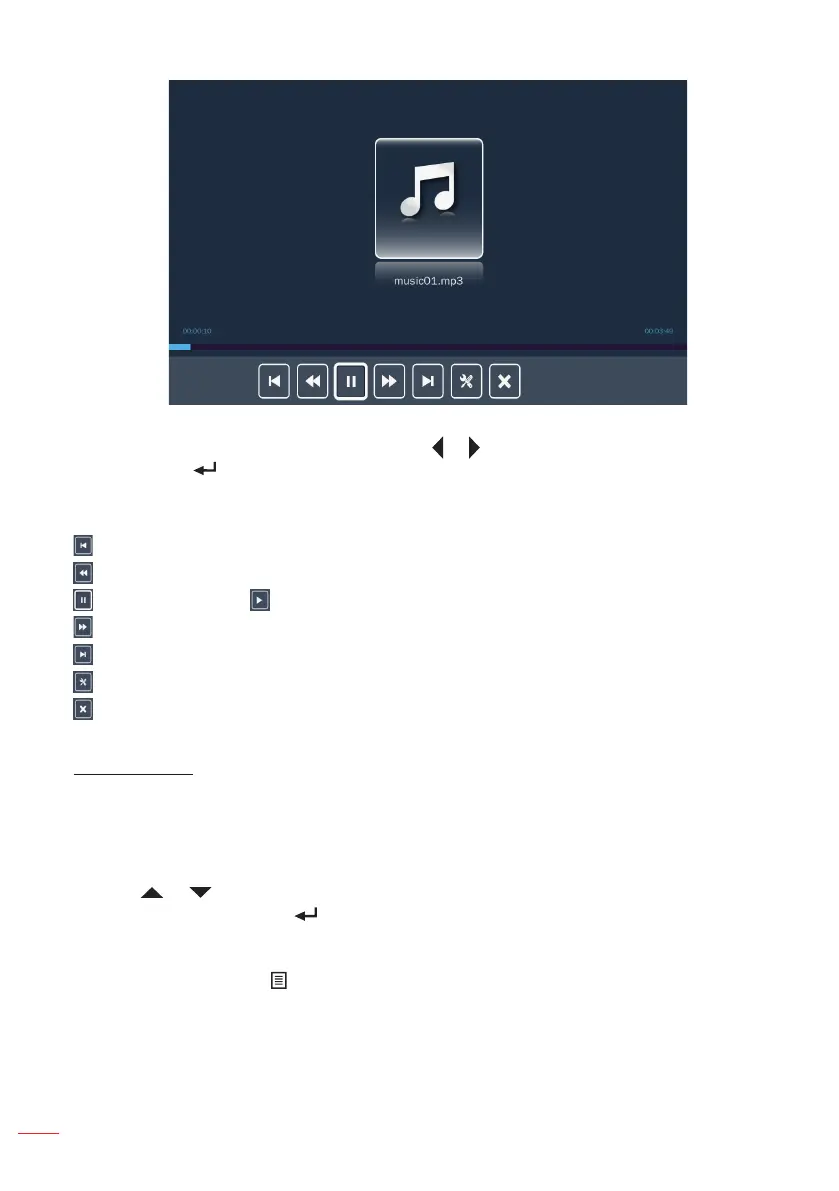
While playing a music file, you can control playback using the control command bar
icons on the bottom of the screen. Press the or button to select the command and
then press the button on the control panel or the Enter button on the remote control
to execute the command.
The commands are:
: Goes to the previous music file.
: Rewinds playback.
: Pauses playback; : Restarts playback.
: Fast forward playback.
: Goes to the next music file.
: Configures the music settings. Refer to page 46.
: Exits playback and returns to the file list.
Ofce Viewer
When an Ofce folder is selected office files are displayed by filename. Only folders
with office files will be displayed.
Note: If you cannot see the desired ofce le in the folder, make sure the le format is supported.
Please refer to page 35.
Use the or button to select the folder containing the office document you want
to view, and then press the button on the control panel or the Enter button on the
remote control.
Note: To return to the previous folder or to exit the Ofce viewer, press the Menu button on the
remote control or the button on the control panel.



 To Next Page