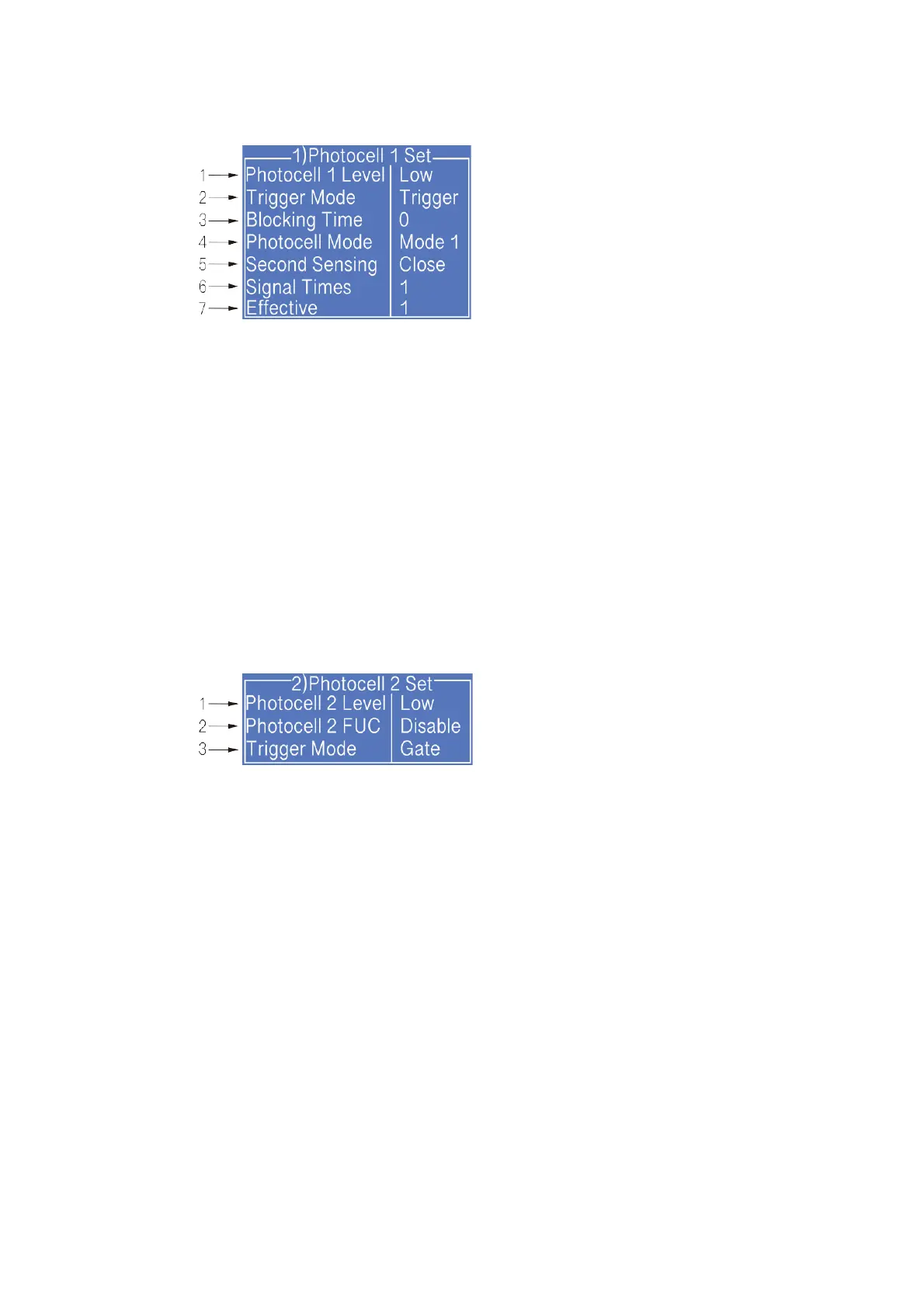
2.6.8 Photocell 1 Set
1. Select photocell 1 to be active by high or low level when triggering printing.
2. The way of the external photocell triggers printing, Gate or Trigger optional .
3. Within this time, the time interval between the trigger level and the trigger level can be
obtained again (such as avoiding secondary sensing in the same product);
4. Select how to handle the photocell signal;
5. Open/Close the secondary sensing prompt;
6. Set the number of times the photocell is sensed before it is triggered effectively.
7. This option is associated with the sixth “Signal Times” setting, and the first few times
within the set number of sensing times are valid;
2.6.9 Photocell 2 Set
1. Select photocell 2 to be active by high or low level when triggering printing.
2. Disable, Reset counter, Traversing print control , Reset traversing print , Opposite print
and Reset detection & counting are optional.
3. The way of the external photocell triggers printing, Gate or Trigger are optional.



 To Next Page