3.5.7 Logo User Field
The Logo User Field can create the customized logo of maximum 34 dots height ( F530/
F530Plus only support 25 dots ).
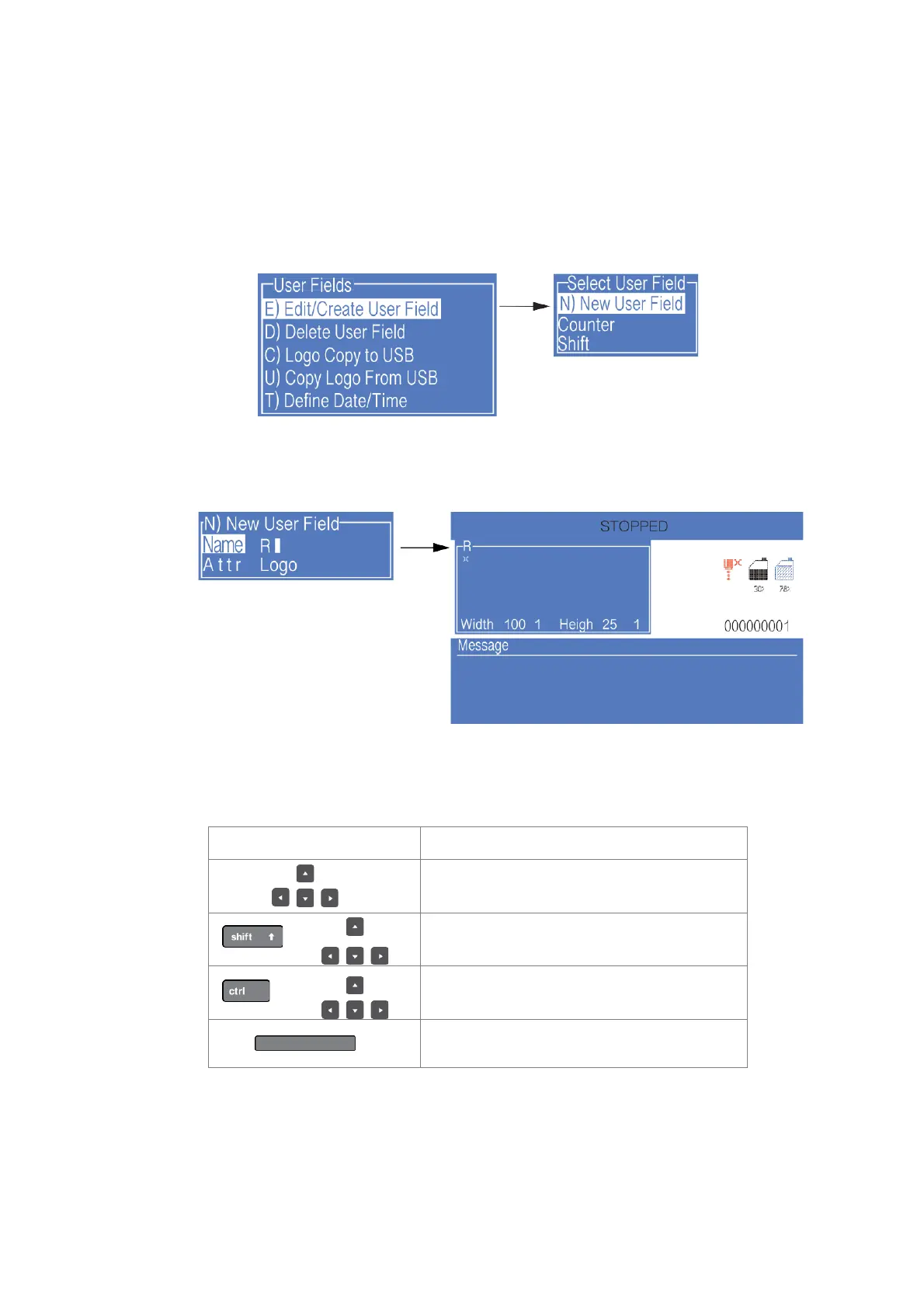
1. Enter the USER FIELD menu,select E) Edit/Create User Field - N) New User Field,
as shown in the figure below:
2. Input a file name, switch “Attr” to “Logo” then confirm , as shown in the figure below:
3. Operation instructions for logo are shown in the following table:
Move the cursor by a dot, and fill the dot
Move the cursor by a dot, and delete the dot
Reverse the current dot, draw dot / delete dot



 To Next Page