3.5.9 External data User Field
The function can receive the external data predefined by the user and print them in
sequence. The preparation steps are as follows:
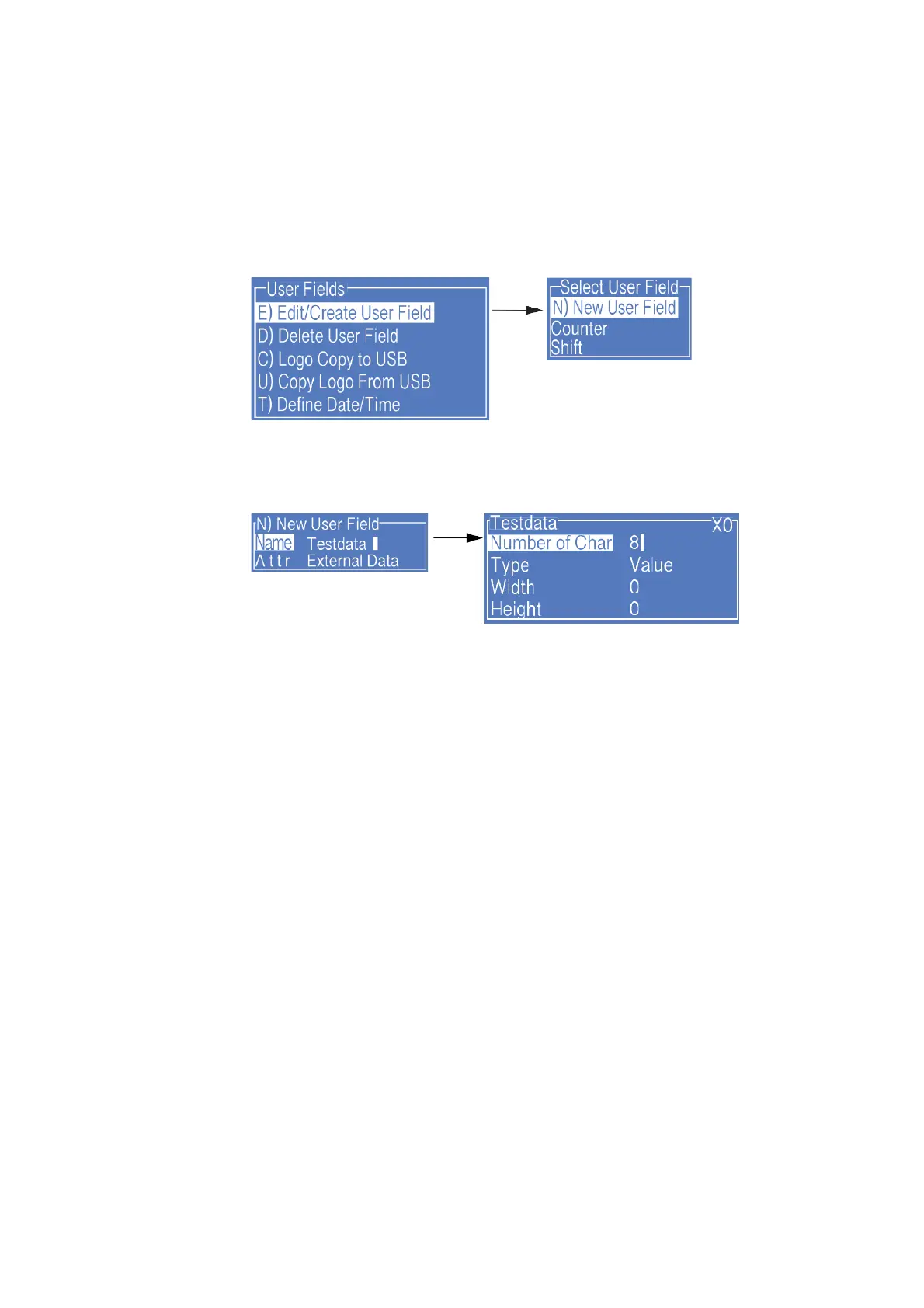
1. Enter the USER FIELD menu,select E) Edit/Create User Field - N) New User Field,
as shown in the figure below:
2. Input a file name, switch “Attr” to “External Data” then press Enter to confirm, as
shown in the figure below:
Setting analysis:
a. Number of Char : the bit of data transmitted from the computer to the ink jet printer.
b. "X0" at the upper right corner of the external data editing interface is the identification
code for communications with the external data User Field. Please correspond it with
the setting of "User Field" in the computer software.
c. When the Type is selected as Data Matrix or QR code, the Width and Height shall be
set. For more details please refer to “ 3.5.4 Additional remarks for Barcode User Field ”



 To Next Page