EHT 65 113
4. Maintenance
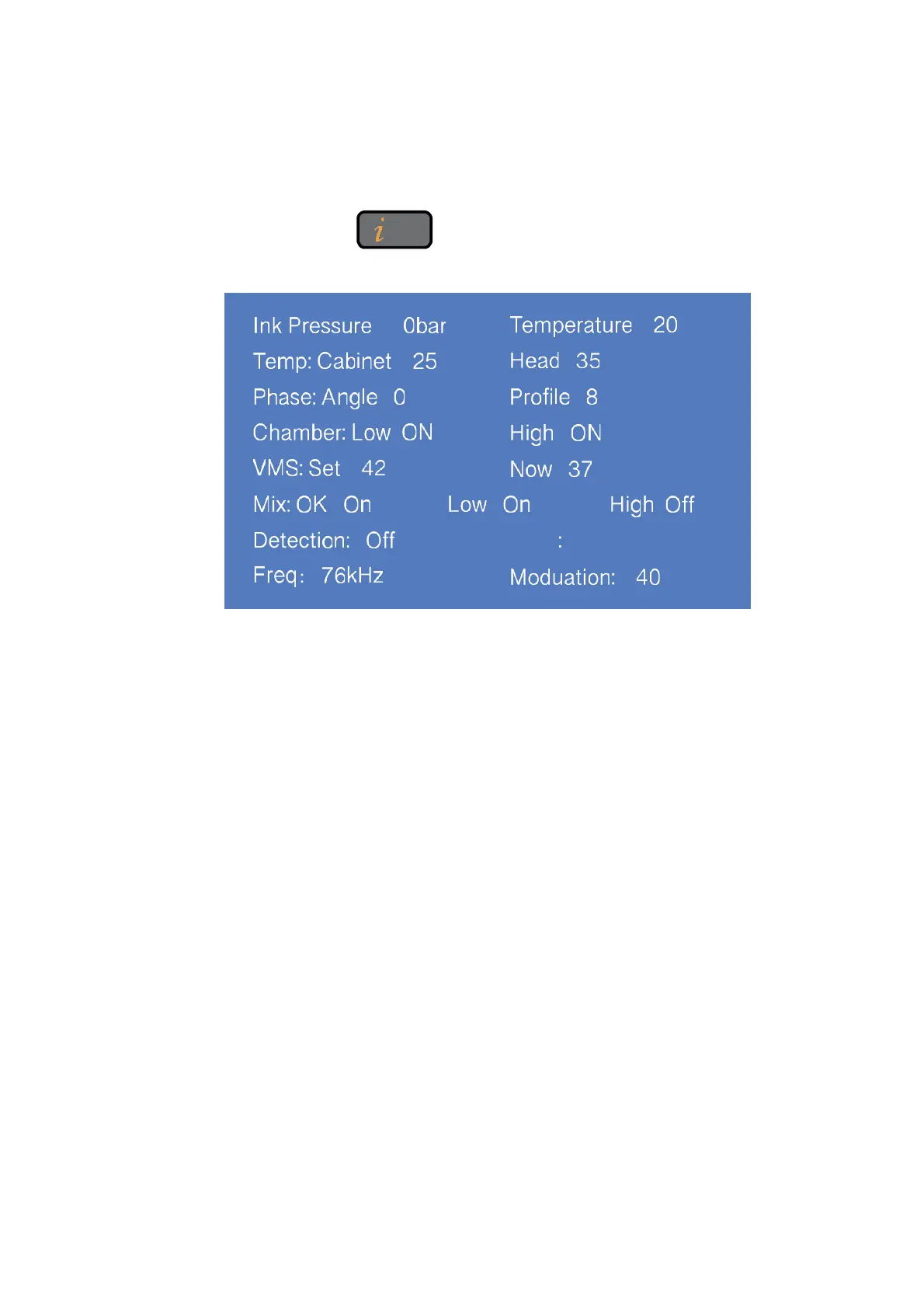
4.1 Diagnostic Screen
In any interface, press button to enter the diagnosis screen, and the
interface is as follows:
1. Ink pressure and Ink Temperature.
2. Temp Cabinet: Actual upper cabinet temperature.
Head : Heater temperature.
3. Phase angle and Phase Profile Value.
4. Chamber : VMS tank level status.
5. VMS Set: the optimum viscosity value calculated by the system according to ambient
temperature and ink type.
Now: current actual viscosity of ink calculated by the Printer.
6. Mix: Level status of mixer tank, the normal status is OK: ON, :Low: ON, High; OFF.
7. Detection: Detection tank level status
EHT: The EHT calibration standard value
8. Freq : The Frequency of the printer.
Modulation : The current modulation value.



 To Next Page