3.6 Message Parameters
3.6.1 Modify message parameters and contents
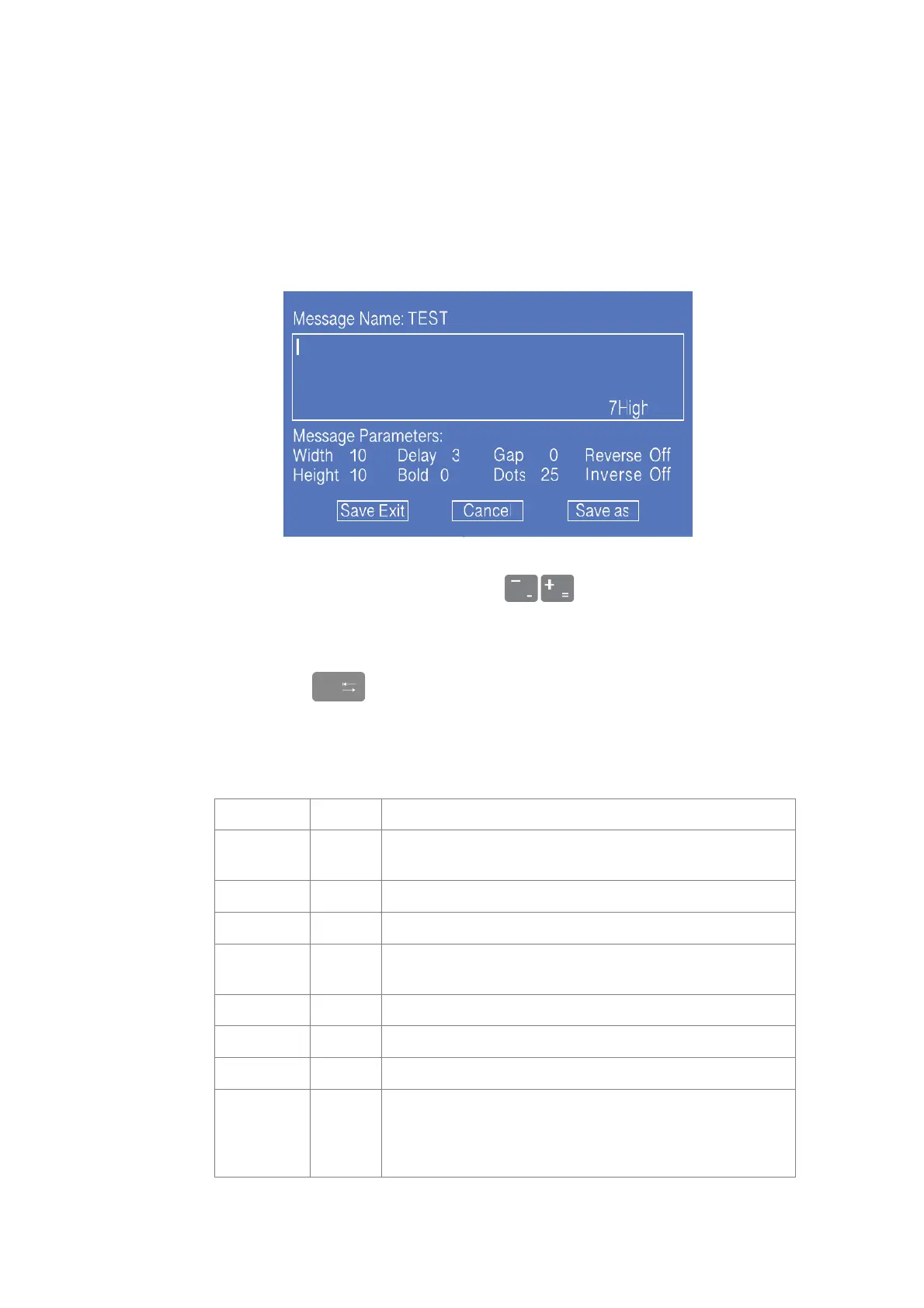
In the main screen, press the F3 key to enter the interface to modify current message
contents and parameters, as shown in the figure;
1. "WYSIWYG" information editing area;
2. Parameter editing area,through to adjust parameters, width and
delay parameters can be input directly.
3. File operation area.
* Tip : Press key for cycle switching among three areas, and press the cursor key to
move the cursor in the area.
More detail about Message Parameters, please read the following table:
Set information width, If the value is 1, the jet printing
speed reaches the fastest speed under the current dots.
The larger the value is, the higher character is.
Set product jet printing delay time. The larger the value is,
the longer the time delay is.
The larger the value is, the larger the character spacing is.
Adjust the character jet printing up / down direction
Adjust the character jet printing left / right direction
The larger the value is, the slower the speed is, and the
larger the number of dots to be printed is.
The smaller the value is, the faster the speed is, and the
smaller the number of dots to be printed is.



 To Next Page