3.7.2 Continuous Printing Mode
The mode is commonly used for building materials, pipe, steel material and other
industries. The common feature is continuous processing, messages automatic interval
printing.
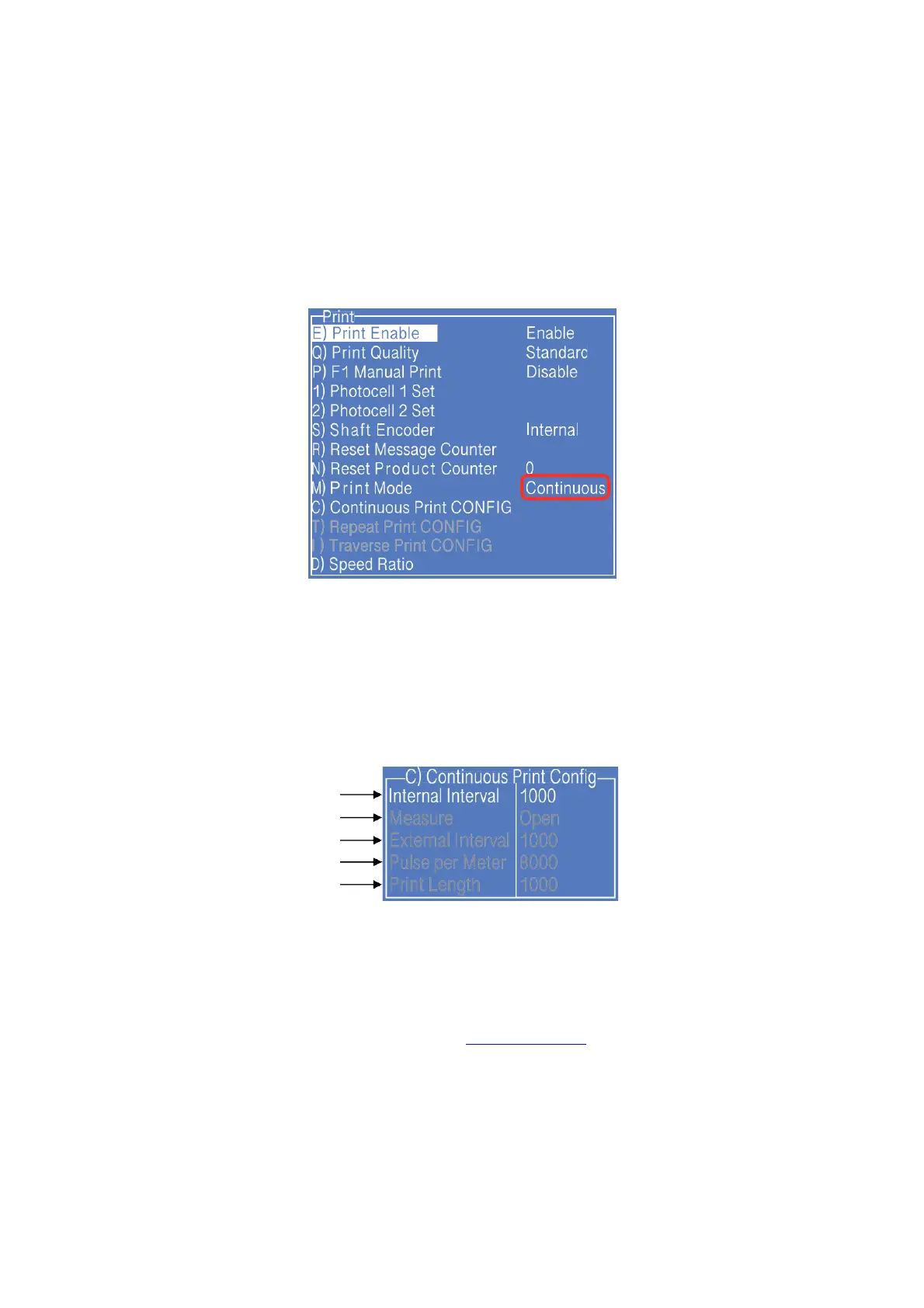
1. Press PRINT SET button to enter the following setting interface:
* The GRAY options indicate that the setting is invalid for the "Continuous Print" mode.
2. Switch the "Print Mode" to “Continuous" then the printer is in the continuous printing
mode.
3. Enter " C) Continuous Print CONFIG " submenu, as shown in the following figure:
a
b
c
d
e
Setting analysis:
a. The option sets the printing interval between each messages;
Options b, c, d and e take effect after "Shaft Encode" was set as External.
4. Other valid settings please refer to “ 2.6.3 PRINT SET “ .



 To Next Page