3.5 Create/Edit User Field
3.5.1 Time User Field
Follow the steps below to create :
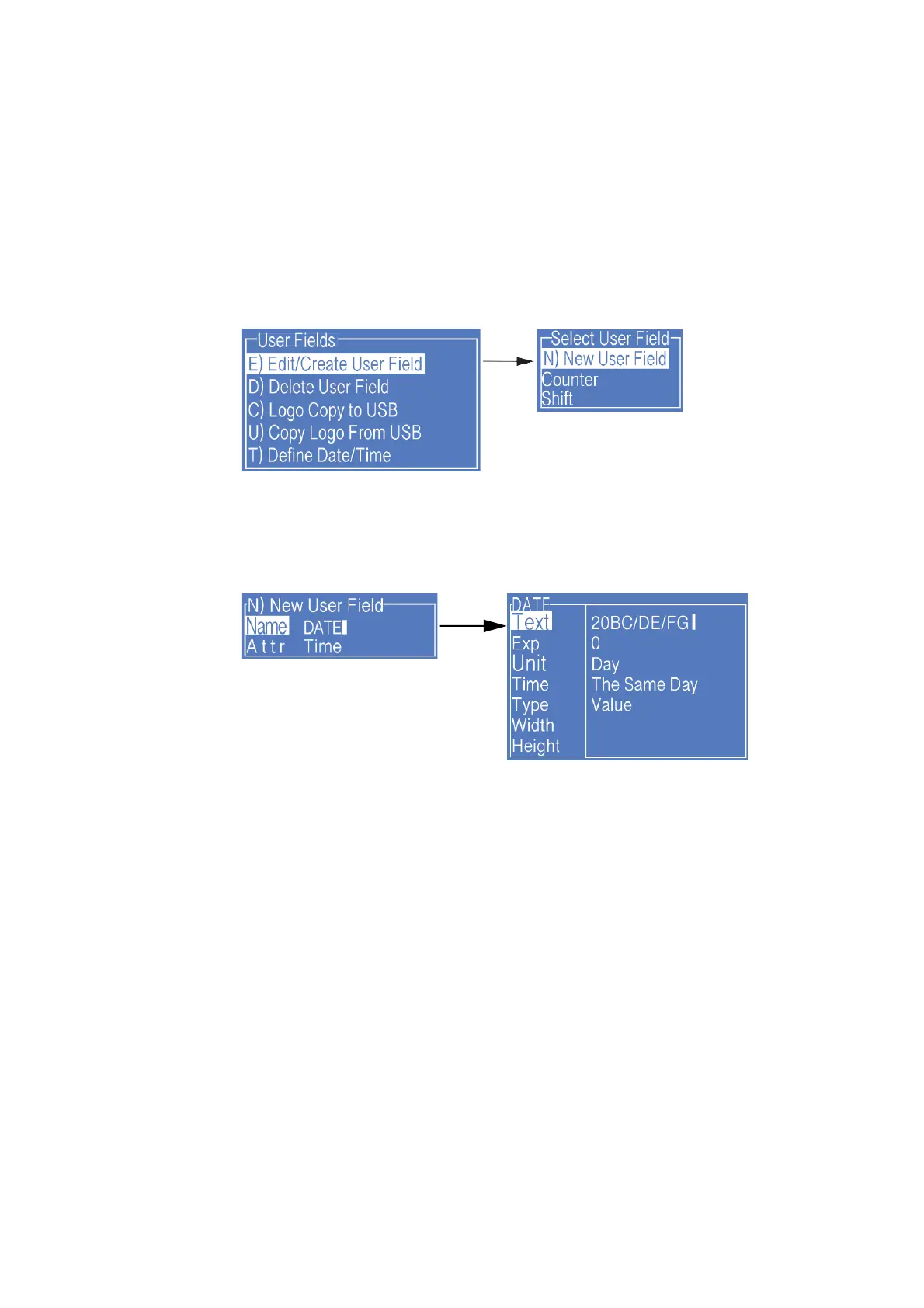
1. Enter the USER FIELD menu,select E) Edit/Create User Field - N) New User
Field, as shown in the figure below:
2. Input a file name, switch “Attr” to “Time” then confirm , as shown in the figure
below:
3. Fill the Time Code
*
in the “Text”, and switch the “Type” to the type needed, if
the printing result is digital numbers, just keep it as “Value”.
4. Press Enter to complete, then press F2 while editing the message to insert
this field into the message.
* Time Code definition please refer to “3.5.2 Time User Field Additional instructions”.



 To Next Page