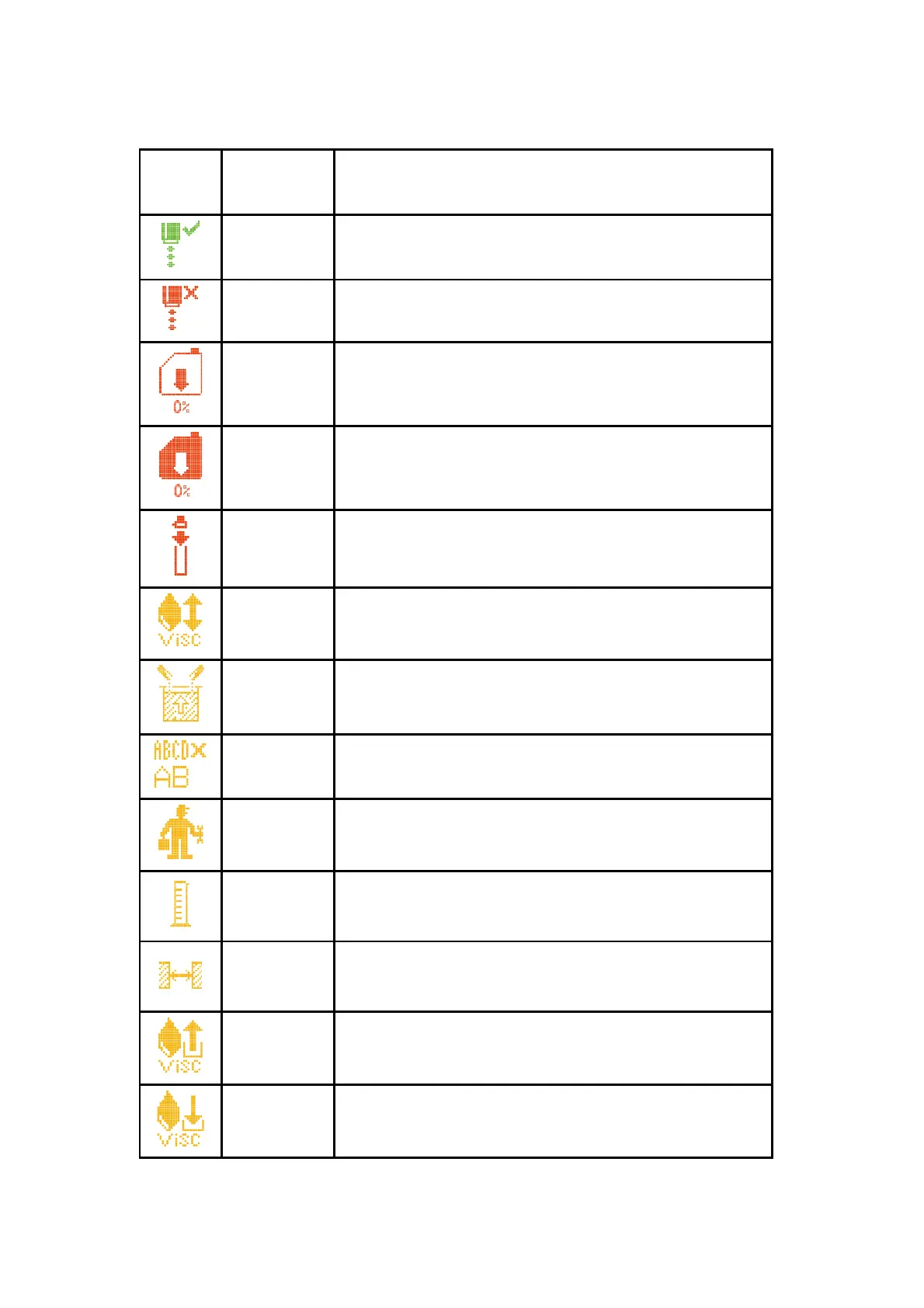
4.2.2 Warning icons
The ink in the system is circulating and in good condition,
the printer is ready for printing
The ink in the system is not circulating, the printer is in
stopped state, and printing cannot be conducted
Solvent cartridge empty. Please replace with a new solvent
cartridge
Ink cartridge is empty. Please replace with the new ink
Cartridge
The print head cover is opened, the printer cannot print. Fit
the print head cover to enable printing
Ink viscosity failure, indicates the ink is thick or thin.
Please consult the related service engineer.
The ink level in the mixer is high. Please consult the related
service engineer.
The current print speed is too fast. Increase the character
width or reduce the printing dot number
The ink jet printer needs maintenance. Please consult the
related service engineer.
The solvent in the solvent level is empty. Please consult
the related service engineer.
No enough
time for
phasing
Increase the print interval between each messages until it
disappears
VMS
Chamber can
not be empty
Please consult the related service engineer.
VMS
Chamber can
not be full
Please consult the related service engineer.



 To Next Page