3.5.3 Barcode User Field
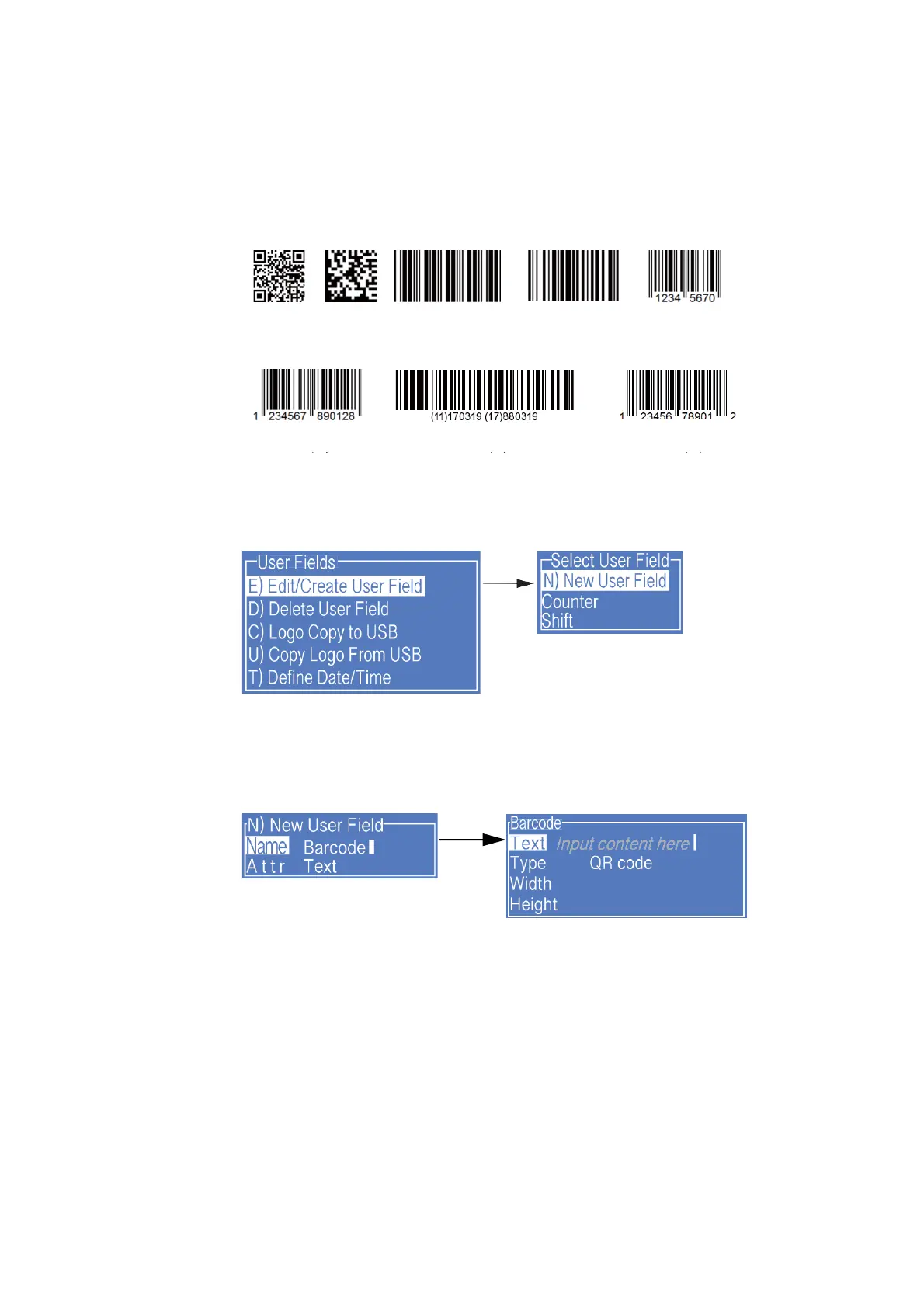
The standards of barcode supported by the type include:
QR Code (Figure 1), Data Matrix (Figure 2), Code39 (Figure 3), Code128 (Figure 4),
EAN8 (Figure 5), EAN13 (Figure 6), EAN128 (Figure 7), UPC-A(Figure 8)
1. Enter the USER FIELD menu,select E) Edit/Create User Field - N) New User
Field, as shown in the figure below:
2. Input a file name, switch “Attr” to “Text” then confirm , as shown in the figure
below:
3. Fill the contents of Barcode to “Text" field, and switch the “Type" to the Barcode
required.
4. When the "Type" is Data Matrix or QR Code, it is required to set the "Width" and
"Height".



 To Next Page