3.5.8 Code User Field
This function can integrate multiple User Fields ( Clock, counter and text ) in to generate a
code.
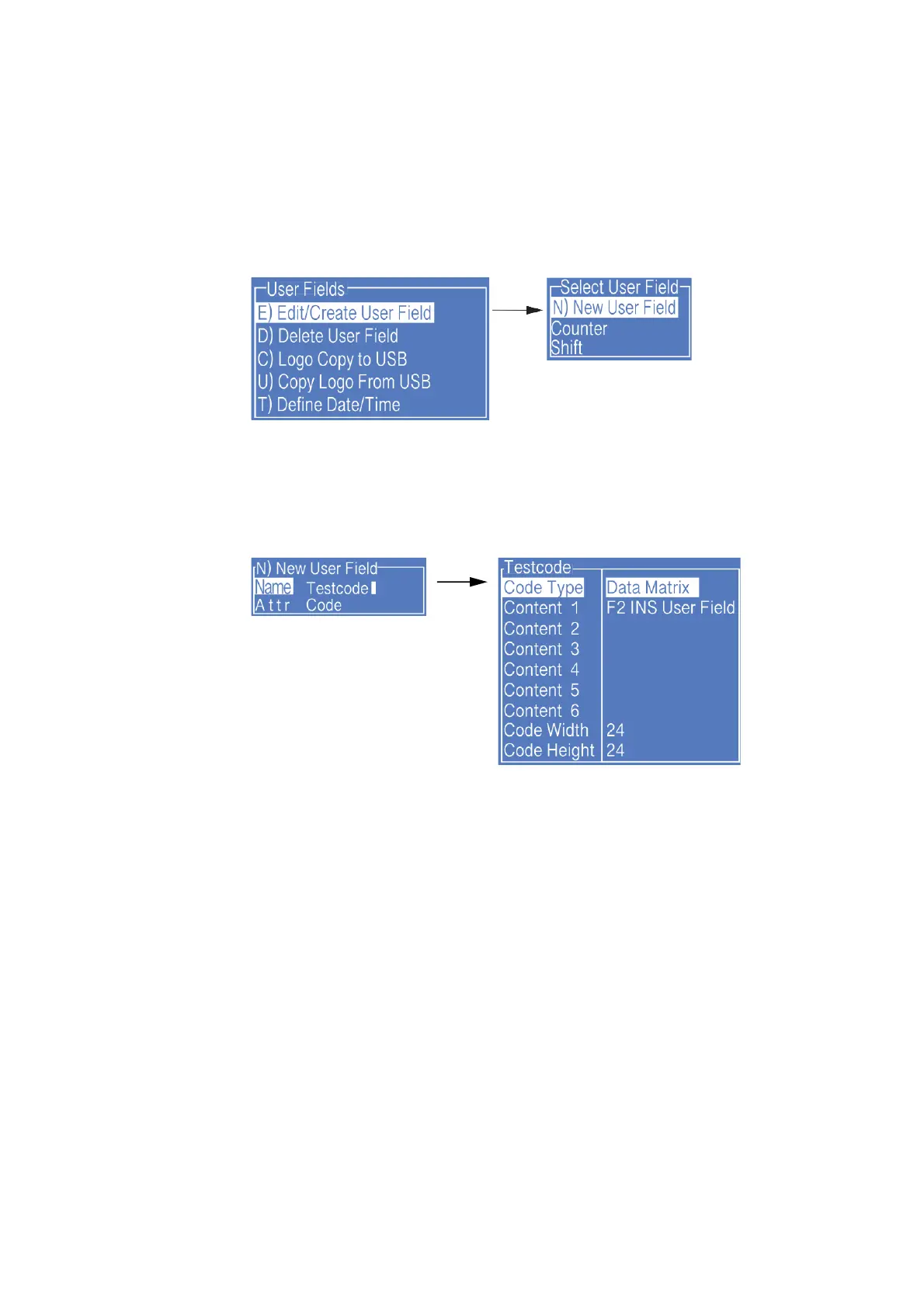
1. Enter the USER FIELD menu,select E) Edit/Create User Field - N) New User Field,
as shown in the figure below:
2. Input a file name, switch “Attr” to “Code” then press Enter to confirm , When the
cursor hovers between Content 1 and Content 6, press F2 to insert in sequence the
User Fields to be combined. as shown in the figure below:
Note:
When the code type is selected as Data Matrix or QR code, the Barcode Width and
Height shall be set. For more details please refer to “ 3.5.4 Additional remarks for Barcode
User Field ”



 To Next Page