<< Back to Contents
Copyright © Innovative Technology Ltd 2020 Doc: BV50 User Manual
Version: 1.0
Page 21 of 63
This method is a match download so only a dataset with a matching denomination code will be
programed onto the validator. E.g. GBP06615 -> GBP06620.
Should any more information a full guide of how to create an update card can be
found in the software manual, a link to which can be found in Software Guide
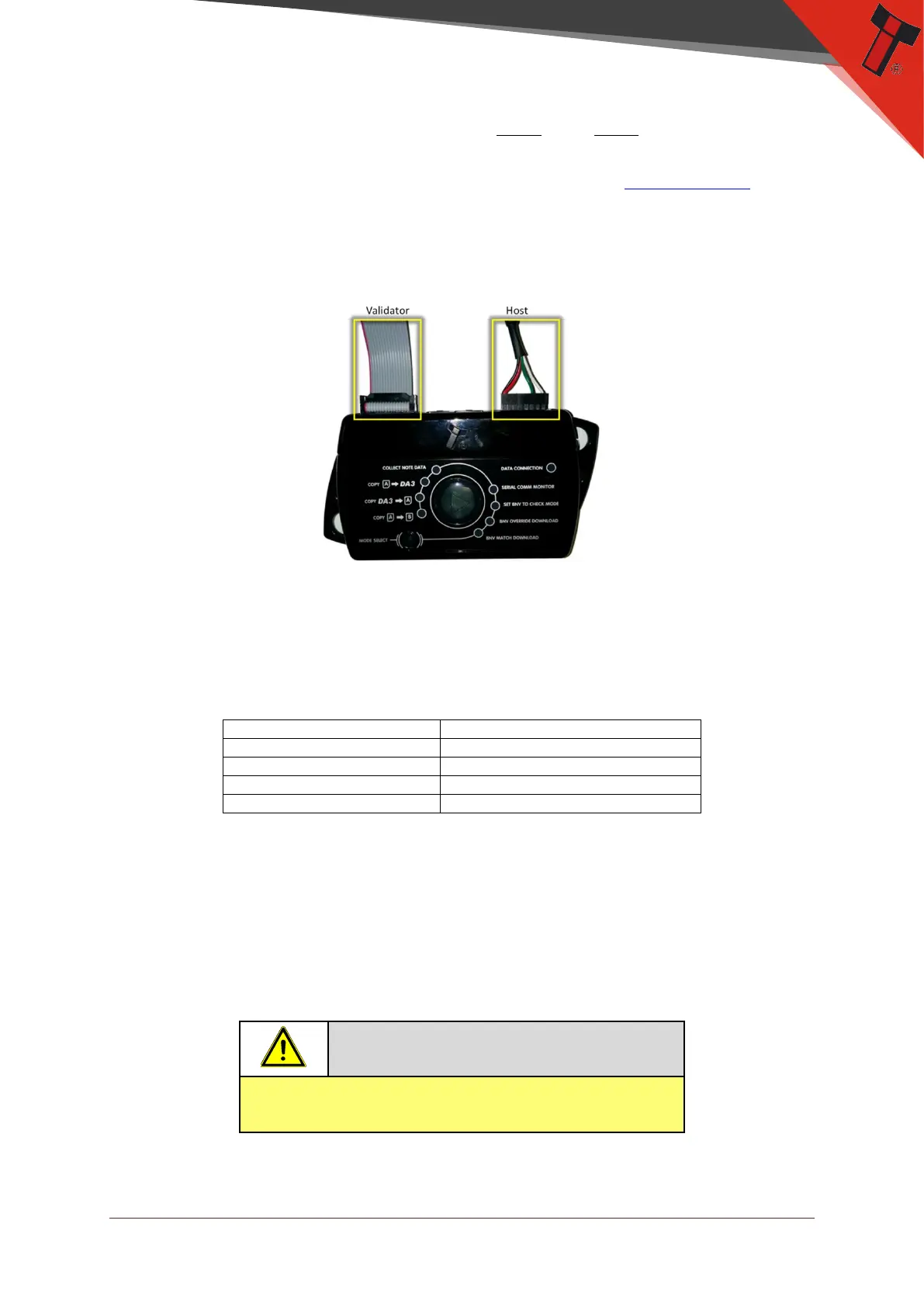
Once the files are loaded onto the DA3 the Validator can be updated. For this a
ribbon cable needs to be connected between the validator port on the da3 and the
validator. The host machine cable connected to the spare port on the DA3 as shown
below:
Once the unit is connected, ensure it is in SSP, press the play button in the middle,
the da3 will begin to download. If there is an issue the ‘BNV Match Download’ LED
will begin to flash.
Should an error occur whilst updating the unit via the DA3, a flash code will be
displayed on the DA3 Mode LED indicator as shown below:
1 Long flash followed by –
5.4.3 Remote Updates
The unit can be updated through an SSP command which sets the validator into an
update mode before downloading the firmware file. Details of how this process is
implemented can be found in ITL’s eSSP Implementation Manual (GA973) and is
available on request.


 To Next Page