EasyManua.ls Logo

Innovative Technology BV50 - Cleaning the Bv50

Innovative Technology BV50
63 pages
Print Icon
To Next Page IconTo Next Page
To Previous Page IconTo Previous Page
Loading...
<< Back to Contents
Copyright © Innovative Technology Ltd 2020 Doc: BV50 User Manual
Version: 1.0
Page 48 of 63
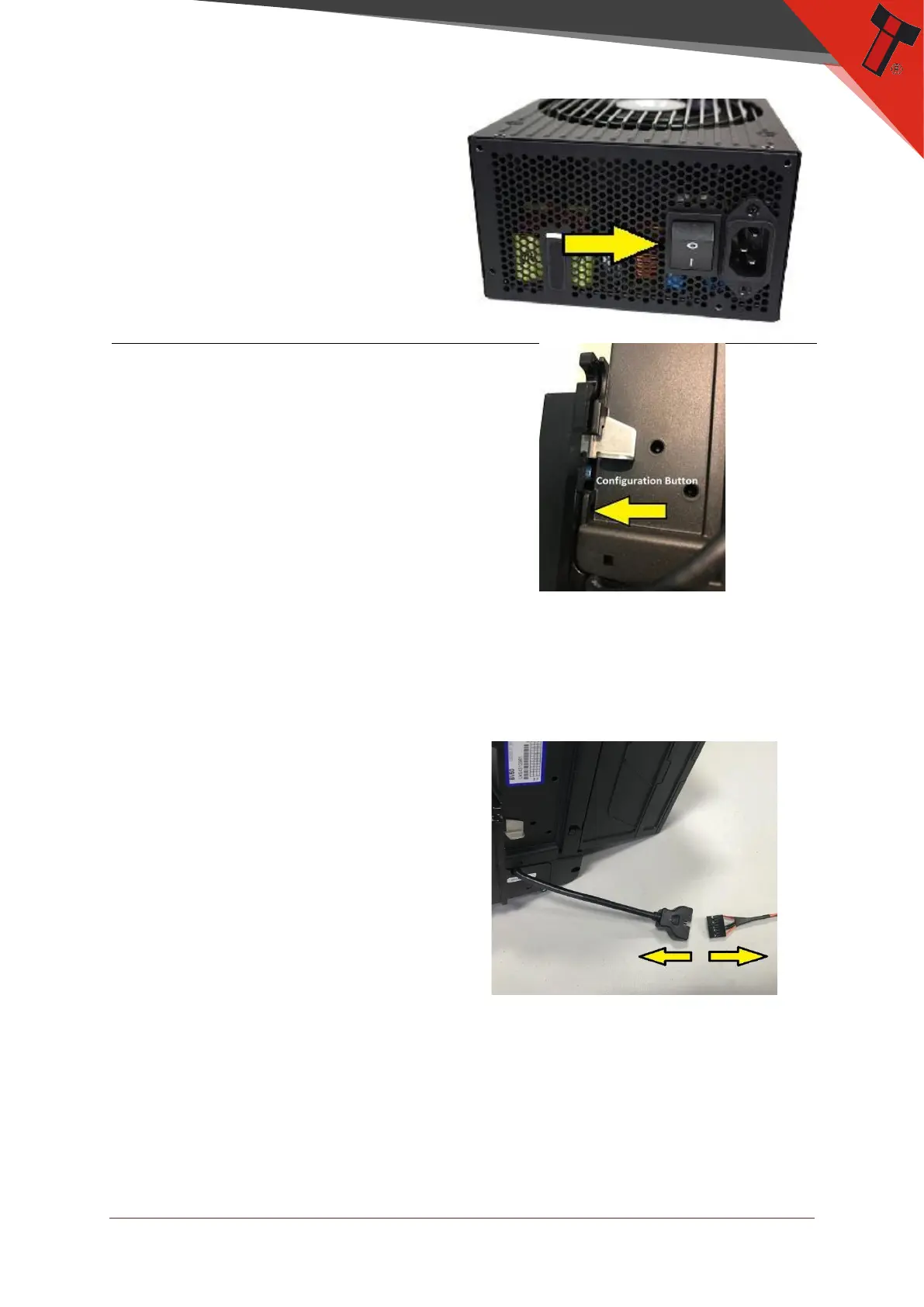
2. Is the unit on?
Make sure that the BV and the
machine are both powered on.
3. Protocol
Check the BV Protocol and
make sure it is set correctly. If
the unit is in a different
protocol then the machine is
expecting it, it will not
communicate. To check the
protocol simply locate the
configuration button and
double press it a series of
flashes will tell you the protocol
the unit is set for. Refer to the
chart in section 8.1.
9.6 Cleaning the BV50
1. Remove power from the unit
Remove power from the BV and
remove from the machine if
needed to access cleaning
points.

Table of Contents

Other manuals for Innovative Technology BV50