<< Back to Contents
Copyright © Innovative Technology Ltd 2020 Doc: BV50 User Manual
Version: 1.0
Page 22 of 63
5.4.4 Configuration Card Reprogramming
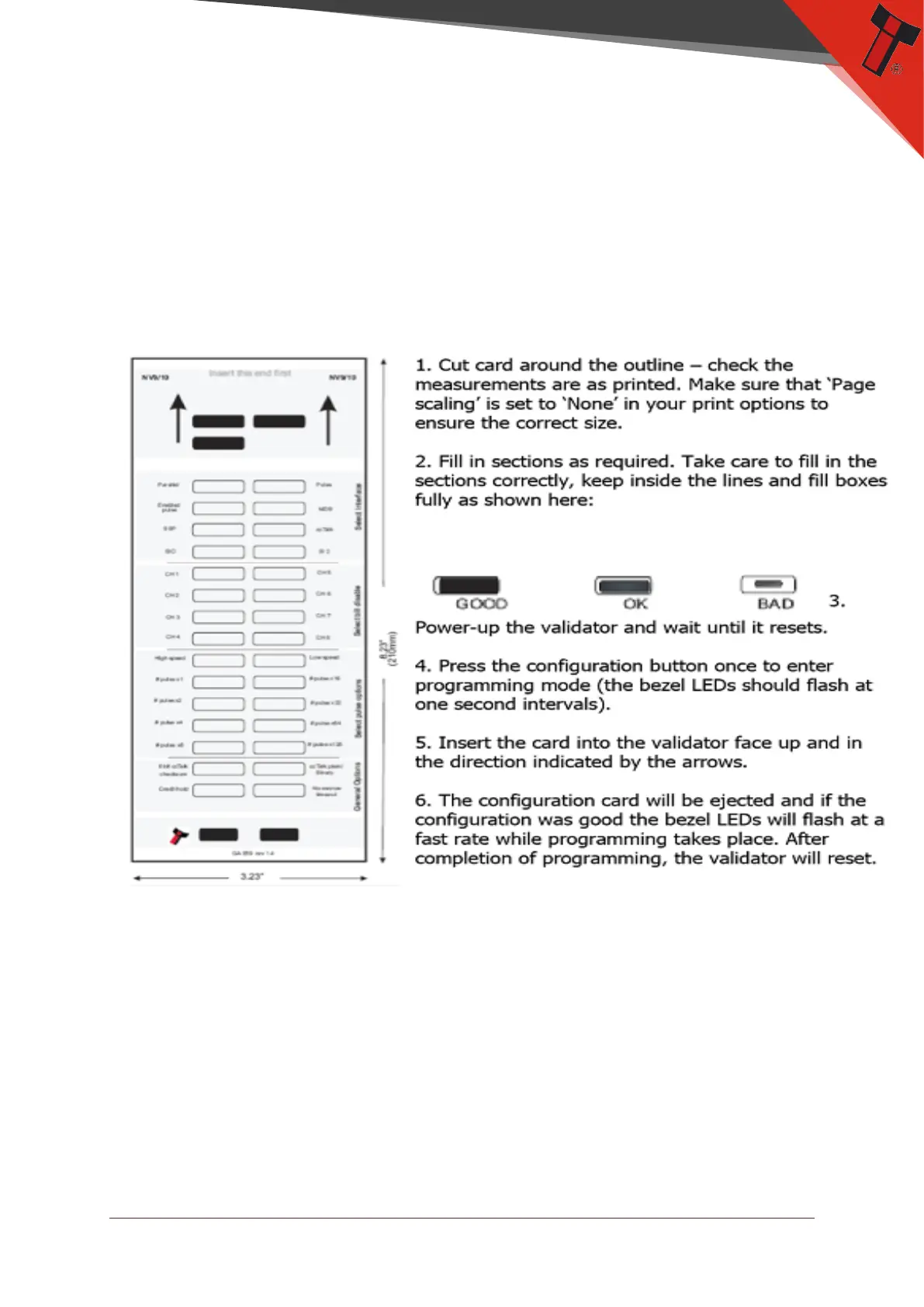
Press the configuration button once while the BV50 is powered up. If done correctly,
the Bezel LED will flash every second. This indicates that the validator is ready for
the insertion of a Configuration Card to change the Firmware Protocol in the BV50.
This mode can be cancelled by pressing the configuration button once.
Please consult ITL technical document GA959 for further information on
configuration card programming – the GA959 document includes a printable
template for the configuration card and this can be downloaded from the Support
section of the ITL website – the sample shown here should NOT be used for
programming as it is not to scale.


 To Next Page