<< Back to Contents
Copyright © Innovative Technology Ltd 2020 Doc: BV50 User Manual
Version: 1.0
Page 40 of 63
8 FIRST LEVEL SUPPORT
8.1 Bezel/Status LED Flash Codes
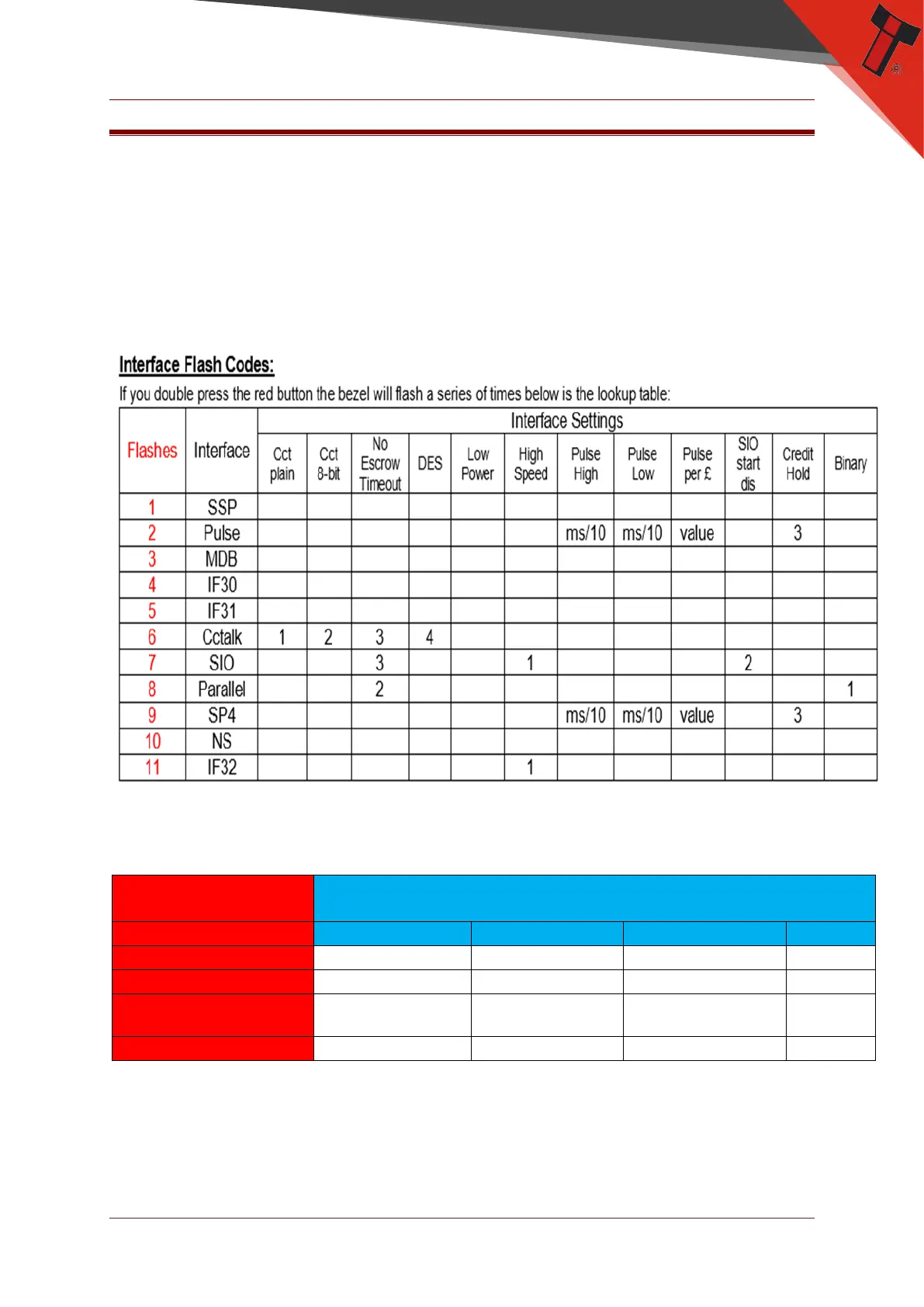
To check settings on a programmed unit:
1. Power up the unit.
2. Click the red configuration button present on the side of the unit twice.
3. Monitor the quantity of flashes made by the front bezel and check flash codes
below:
8.2 Status LED Flash Codes
The BV50 has two arrows on the head of the unit indicating the status of the unit.
When the two green arrows are lit, the unit is enabled and when they are off the
unit is disabled. See examples below.


 To Next Page