EasyManua.ls Logo

Innovative Technology NV11 - QUICK START AND CONFIGURATION GUIDE; Assembly Instructions

Innovative Technology NV11
167 pages
Print Icon
To Next Page IconTo Next Page
To Previous Page IconTo Previous Page
Loading...
NV11 Manual Set Section 1 3
Copyright © Innovative Technology Ltd 2012 GA963-2
1. QUICK START AND CONFIGURATION GUIDE
This section is one part of a complete manual set: most users should use this section
of the manual - typical users are software engineers looking at how to make it work,
project engineers evaluating their first unit, or installation engineers installing the unit
into a host machine.
This section contains the essential information that a user needs to quickly assemble
and configure the NV11 validator ready for installation into the host machine.
Information
Validator compatibility.
The NV11 validator is pin for pin compatible with
the NV7 / NV8 / NV9 / NV10 series of validators,
but NOT with earlier versions of the product
(NV2 NV5).
1.1 Assembly
Installing the NV11 is a simple operation, but note that the validator can only be
installed horizontally:
1. If the validator head
has a blanking plate
fitted, you will need
to remove this
BEFORE attempting to
fit the Note Float
module. If the Note
Float module is
already fitted, please
go to step 6
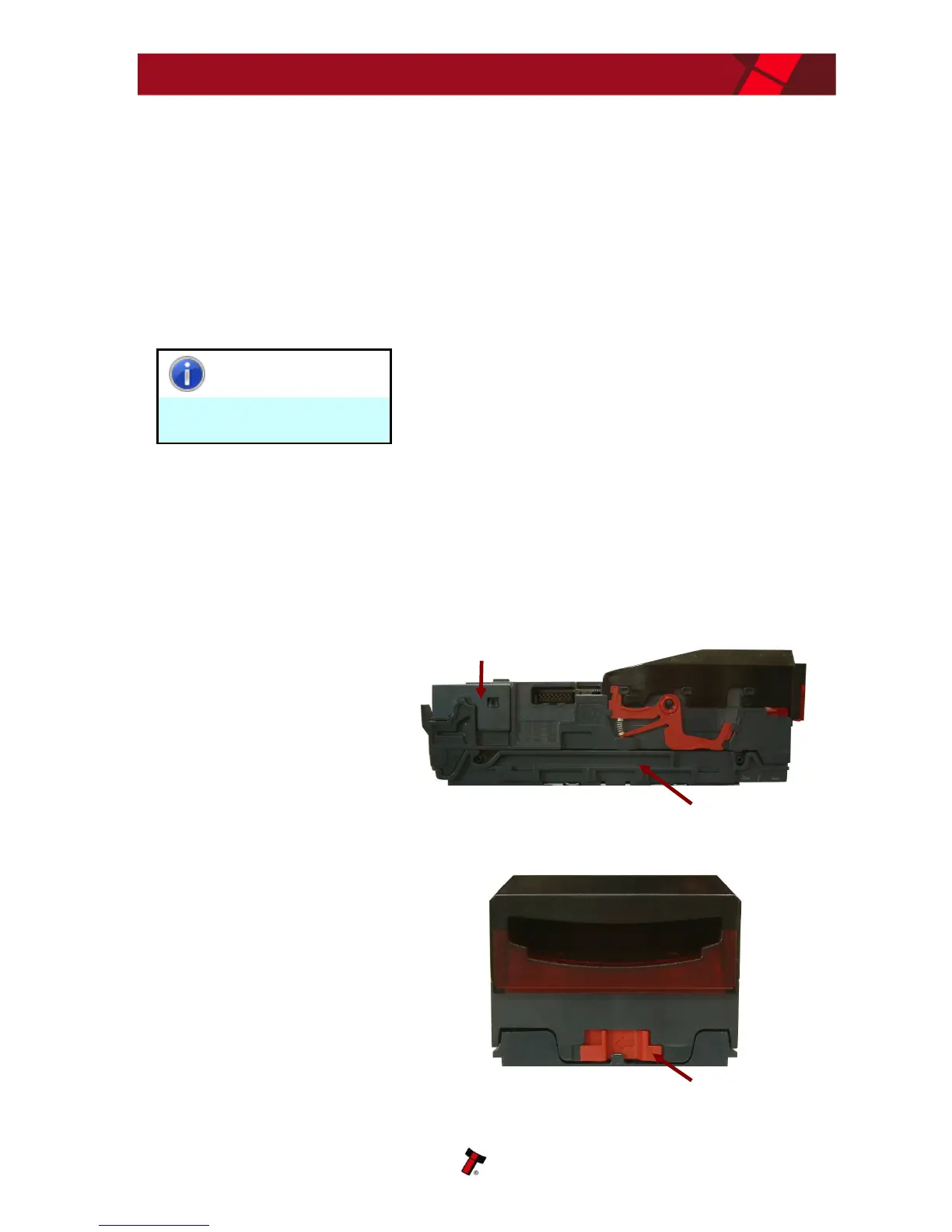
2. Open the validator
head by sliding the
red release catch on
the front of the
validator to the left
(as indicated in the
picture)
Blanking plate
Validator head
Release catch

Table of Contents

Related product manuals