NV11 Manual Set – Section 2 3
Copyright © Innovative Technology Ltd 2012 GA963-2
2. FIELD SERVICE MANUAL
This section is one part of a complete manual set: typically, a field service engineer
who is maintaining the product would use this section.
This section contains the essential information that the field engineer needs to clean,
maintain and fault find an NV11 validator that is installed in a host machine.
The NV11 validator has been designed to minimise any problems or performance
variations over time. This has been achieved by careful hardware and software
design; this attention to the design means there is very little user maintenance
required.
2.1 Cleaning
The NV11 validator has been designed in a way to prevent damage and airborne
contamination reaching the optical sensors; however, depending upon the
environment the NV11 may require occasional cleaning or belt changing.
Do not use solvent based cleaners such as
alcohol, petrol, methylated spirits, white spirit or
PCB cleaner. Using these solvents can cause
permanent damage to the unit; only use a mild
detergent solution as directed below.
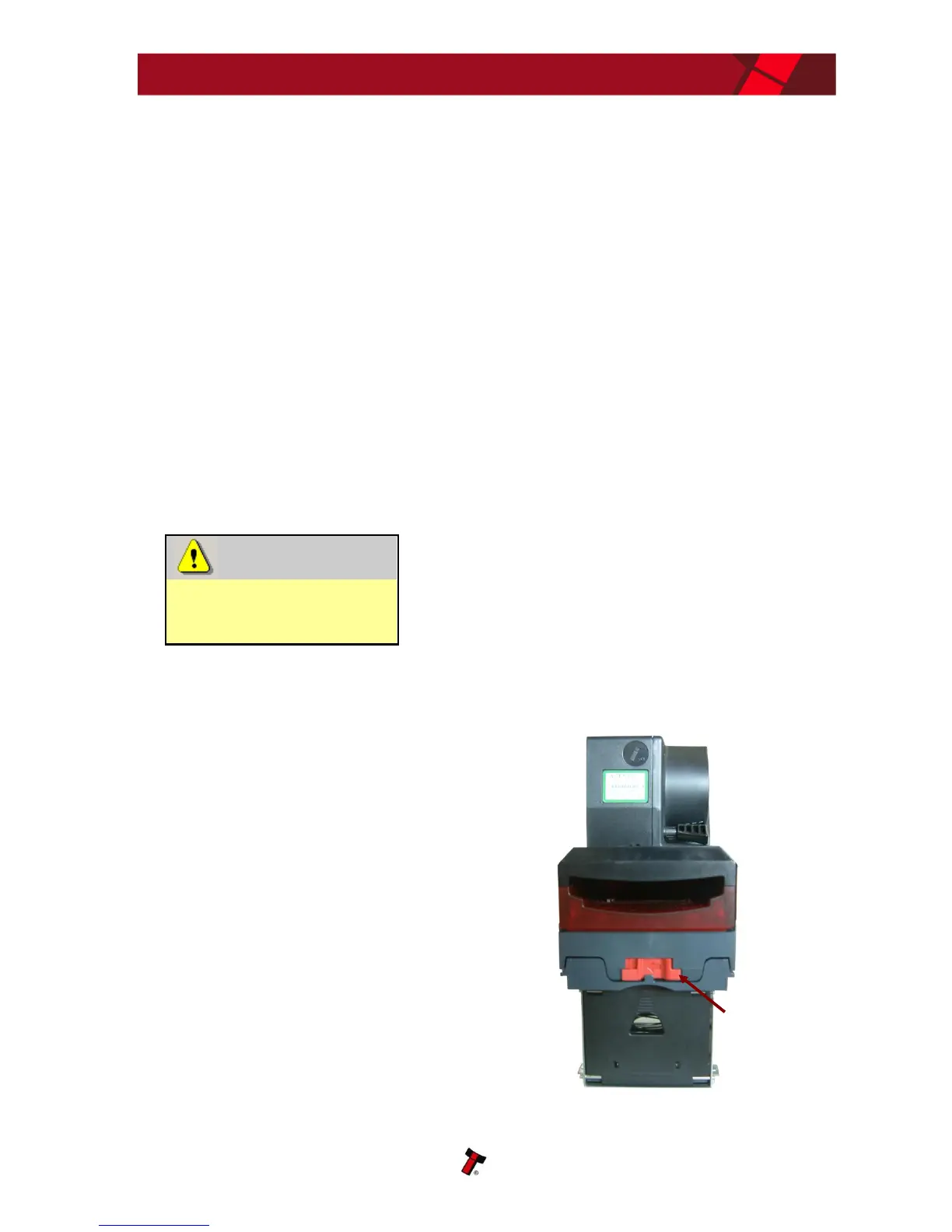
To clean the NV11, open the note
path by sliding the red release catch
on the front of the validator to the
left (as indicated in the picture) - this
will allow access to the lozenge and
note path















 To Next Page