NV11 Manual Set – Section 3 24
Copyright © Innovative Technology Ltd 2012 GA963-2
3.1.6 Preferences, Settings and Options
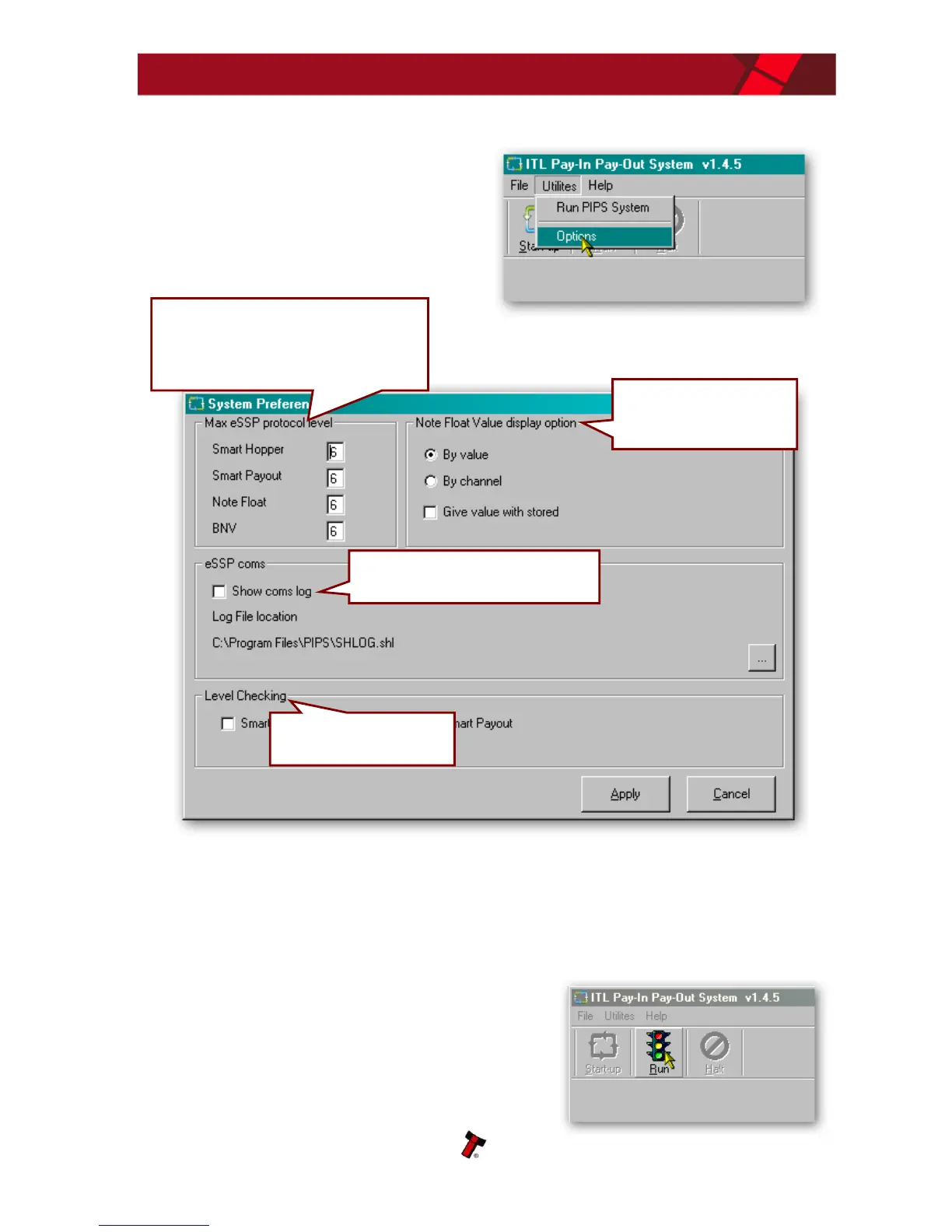
The preferences for the PiPS software are
accessible from the Utilities menu (as
shown). Click the ‘Options’ entry to open
a new dialog box:
Normally, these preferences should not need changing.
The settings and options for the NV11 vary depending whether the system is in the
'Run' or the 'Halt' state – generally the system will need to be halted before any
changes to setup options can be made. Pay in/pay out operations are only available
when in ‘Run’ state.
Halt State
If the system is in ‘Halt’ state, the user will either
have just started the PiPS software, or clicked on
the ‘Halt’ button. The menu bar will look like this:
This option sets the protocol version
used for communications – contact ITL
Technical Support for the current
configuration details.















 To Next Page