NV11 Manual Set – Section 4 35
Copyright © Innovative Technology Ltd 2012 GA963-2
Manual Note Removal
It is unlikely that you will need to manually remove notes from the Note Float module,
but there may be occasions where this needs to be done. Depending on the situation,
there are two methods that can be used.
Transport Error:
If the Note Float module status LED is flashing once every second, this indicates a
note transport error. To correct the problem, follow the following steps.
If you need to follow this procedure, the NV11
should be powered off and the Note Float module
removed from the validator. The rear cover of the
Note Float module is mechanically interlocked with
the validator head – if you try to force the cover
open the module and validator could be damaged
beyond repair.
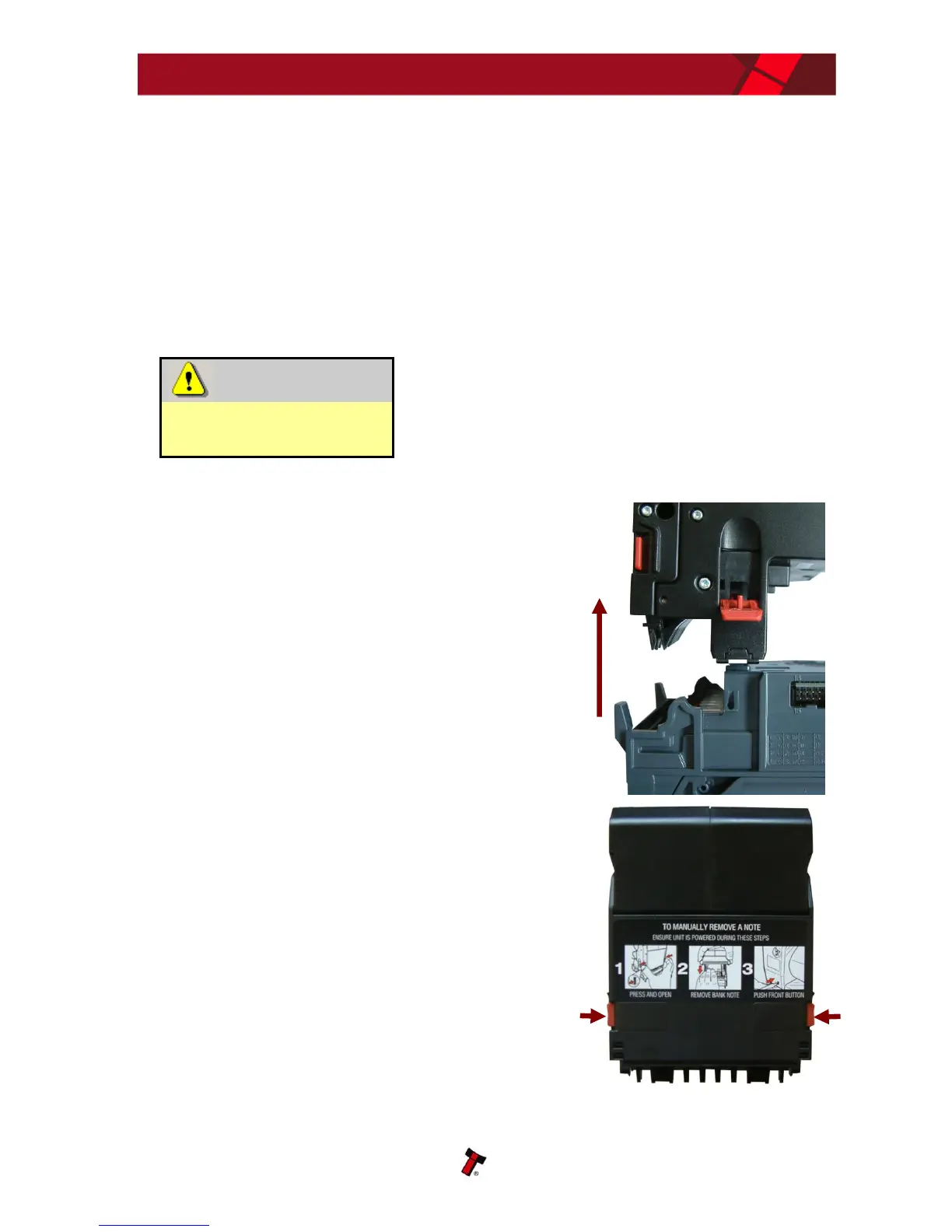
1. Remove the Note Float module from the validator
head by opening the two side latches and lifting the
module upwards
2. Open the Note Float module rear cover by pressing
in the two red buttons, then lift the cover















 To Next Page