NV11 Manual Set – Section 4 5
Copyright © Innovative Technology Ltd 2012 GA963-2
4.2 Assembly and Fitting Instructions
Installing the NV11 is a simple operation, but note that the validator can only be
installed horizontally:
The NV11 validator is pin for pin compatible with
the NV7 / NV8 / NV9 / NV10 series of validators,
but NOT with earlier versions of the product
(NV2 – NV5).
1. If the validator head
has a blanking plate
fitted, you will need
to remove this
BEFORE attempting to
fit the Note Float
module. If the Note
Float module is
already fitted, please
go to step 6
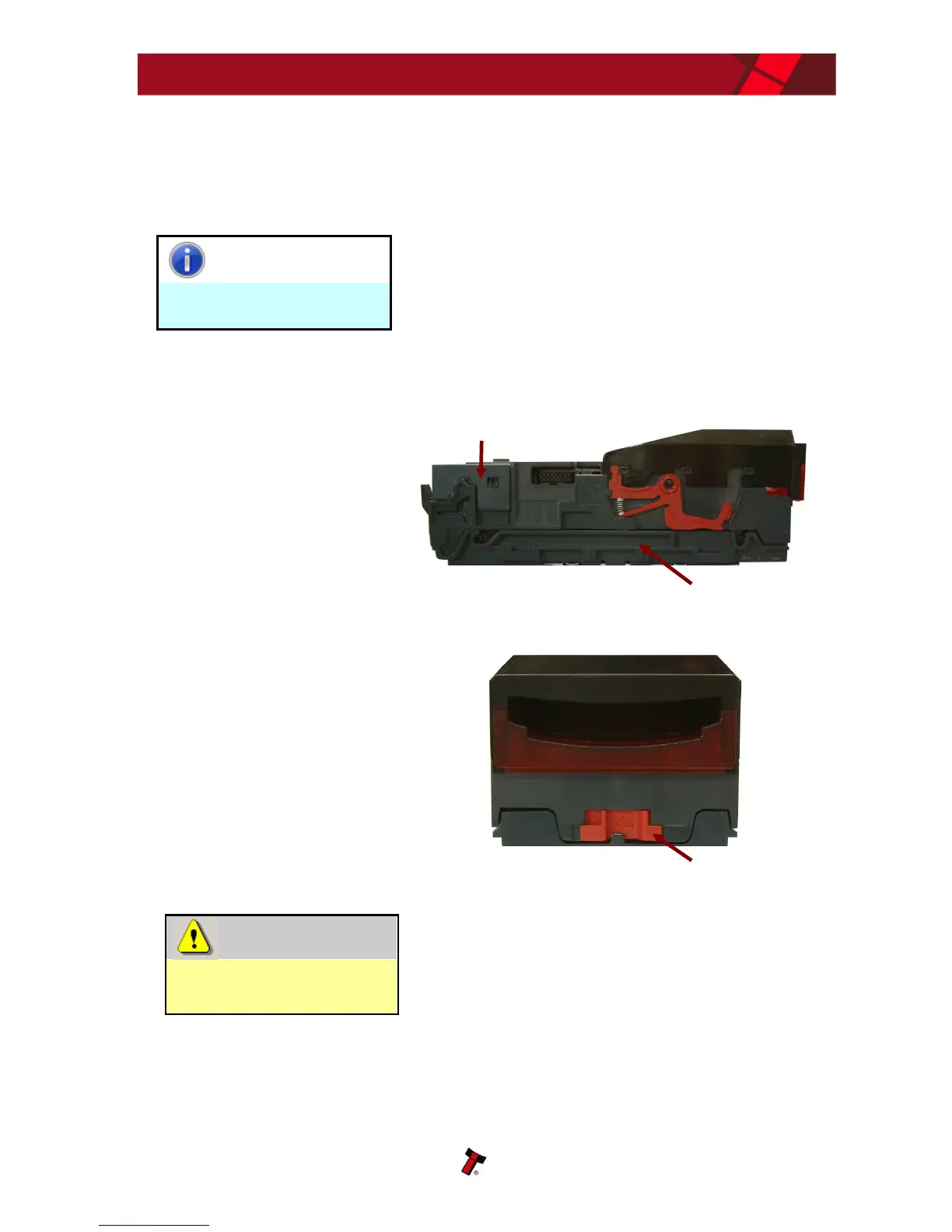
2. Open the validator
head by sliding the
red release catch on
the front of the
validator to the left
(as indicated in the
picture)
Validator head MUST be
opened.
Always make sure the validator head has been
opened BEFORE trying to remove the blanking
plate – trying to remove the blanking plate with
the validator head closed will cause unit
damage.















 To Next Page