NV9 Spectral Range Manual
<< Back to Contents
Copyright © Innovative Technology Ltd 2019 Doc: GA02156 NV9S Range User Manual
Version: 1.1
Page 30 of 54
5.5 Micro SD card logging
The NV9S range takes advantage of a micro SD card for data logging (minimum of a
class 4 SD card and larger the card the more logs can be created class 10
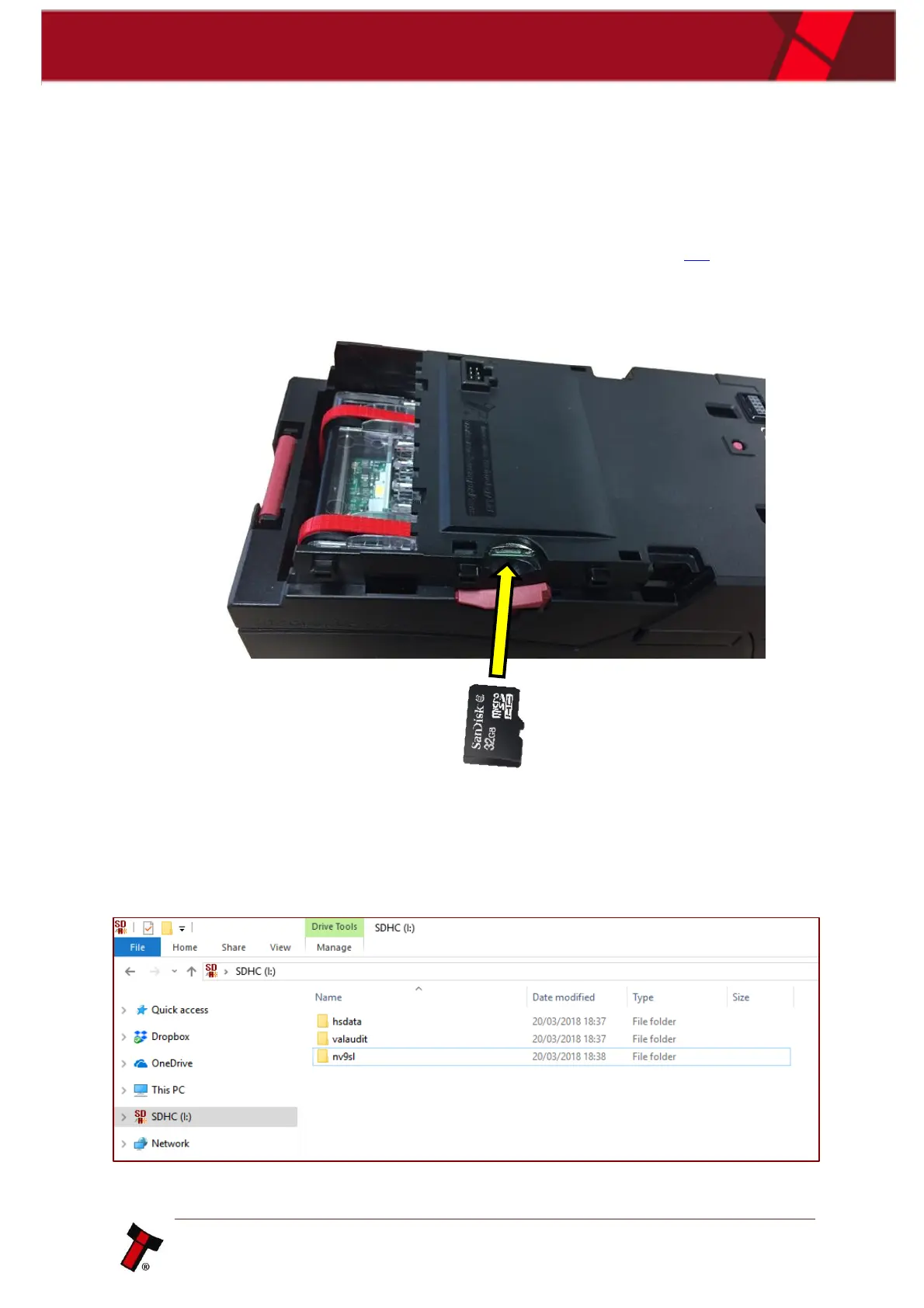
recommend). The micro SD card slot can be found on the exterior side of the
housing assembly after the bezel has been removed (refer to section 4.3), see image
below. Ensure there are three files present before inserting the SD card into the slot,
the three files are as follows, hsdata, nv9sl, valaudit.
Below is a screenshot showing the file structure needed for data logging, the files
need to be created in the root directory of the micro SD card which is the first or
top-most directory in a hierarchy. It can be likened to the trunk of a tree, as the
starting point where all branches originate from.















 To Next Page