5G INDOOR CPE FX2000 USER GUIDE 16
Home Page
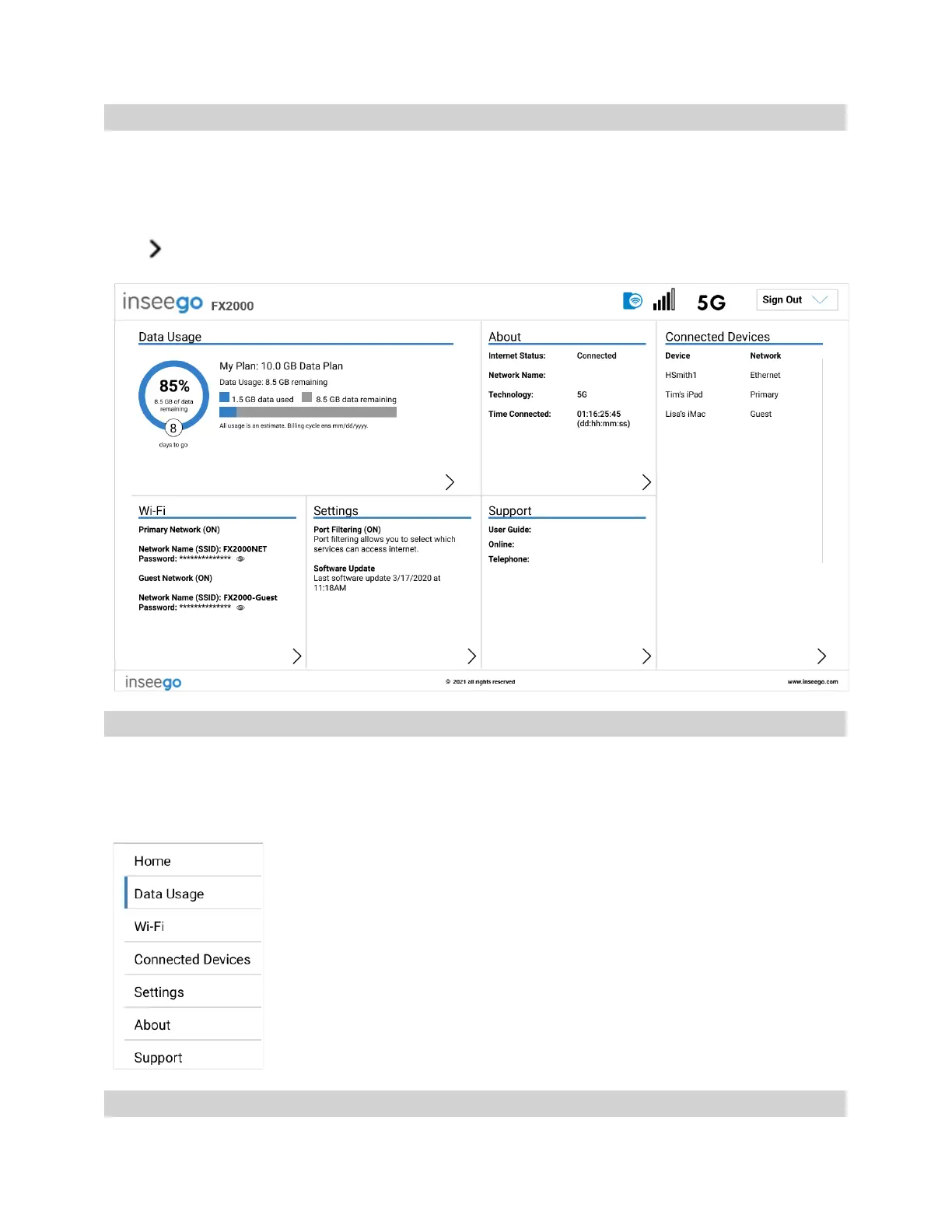
The Home page of the Admin Web UI is the local gateway to configuring and managing your FX2000.
It displays the current Wi-Fi networks and passwords and lists all currently connected devices. It also
shows data usage, Internet status, setting information, and provides access to support.
Click in the bottom-right corner of a panel to access screens with further information and options.
Side Menu
Each subscreen in the 5G Indoor CPE Admin Web User Interface includes a menu on the left, which
you can use to return to the Home page or jump to other pages. The current page is indicated by a
blue bar. A similar side menu is available when configuring devices with Inseego Connect.
Getting Help
Select the question mark (?) in the upper right hand corner of a page to view Help on that topic.



 To Next Page