5G INDOOR CPE FX2000 USER GUIDE 38
GPS Tab
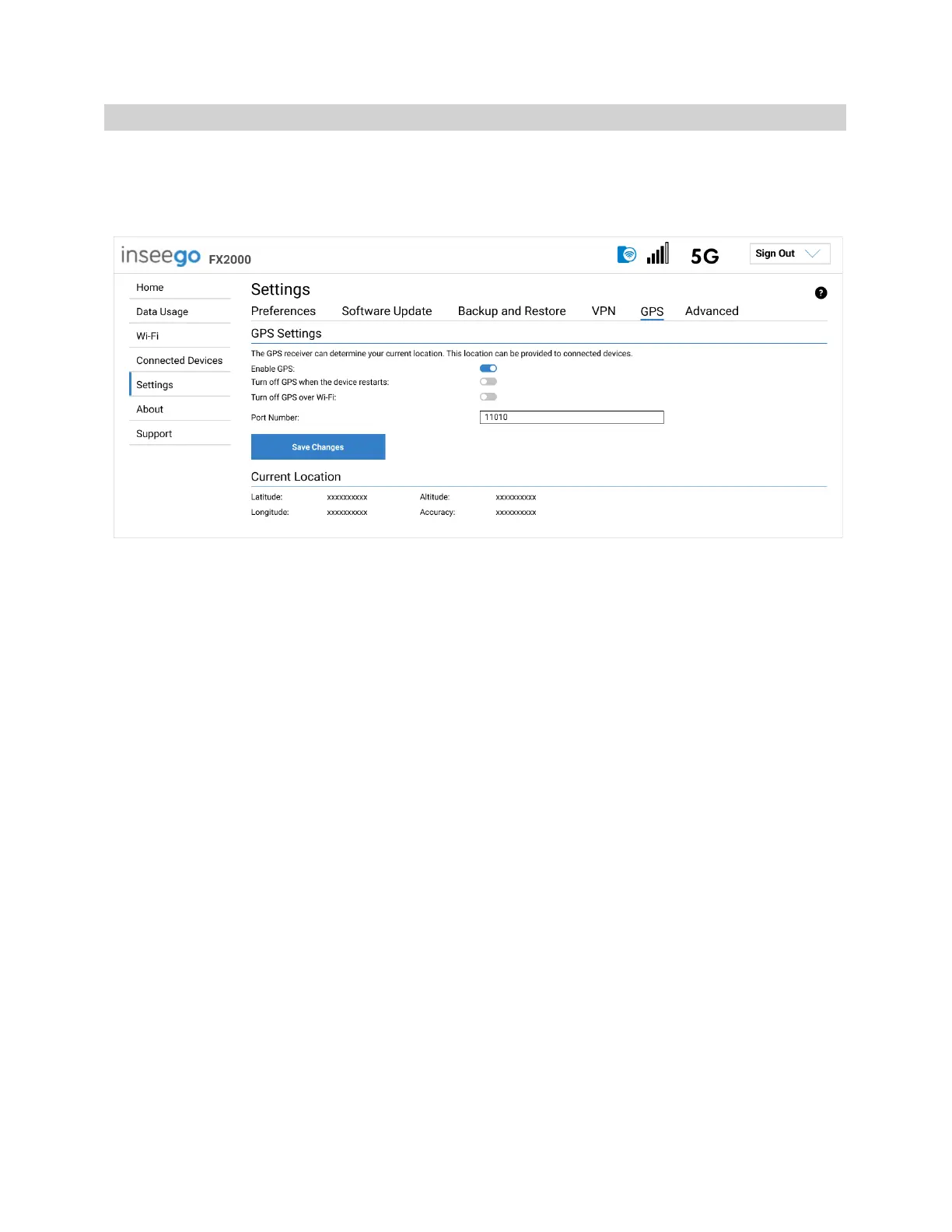
The 5G Indoor CPE incorporates a GPS receiver. The GPS receiver can determine your current location.
Use this tab to enable GPS, view current location information, and to enable GPS streaming to devices
with the GPS over Wi-Fi feature.
GPS Settings
Enable GPS: This setting enables or disables the GPS radio on your 5G Indoor CPE. When the ON/OFF
slider is ON, the device acquires GPS and makes GPS location data available on this page. A GPS
Agreement appears, click Confirm to proceed. When OFF, no GPS data is available.
Turn off GPS when the device restarts: This setting determines when the GPS receiver will turn off,
once it is on. When the ON/OFF slider is ON, the GPS receiver turns off when the FX2000 is shut down.
You will need to turn it on again the next time the GPS receiver is needed.
Turn off GPS over Wi-Fi: GPS over Wi-Fi allows you to share location information with connected
devices. Raw GPS data is provided in the form of a National Marine Electronics Association (NMEA) text
stream. You can use third-party applications to utilize or forward the GPS data to a remote server.
When the ON/OFF slider is ON, location information is NOT shared.
Port Number: The TCP port number used to establish a connection to the FX2000 and obtain raw GPS
data for the GPS over Wi-Fi feature. Unless there is a good reason to do so, you should not change the
port number. Acceptable port values are between 1024 and 65535.
Current Location
Latitude: Latitude for the last location fix.
Longitude: Longitude for the last location fix.
Altitude: Altitude for the last location fix.
Accuracy: A measure of the accuracy of the horizontal position obtained by the GPS receiver.



 To Next Page