5G INDOOR CPE FX2000 USER GUIDE 47
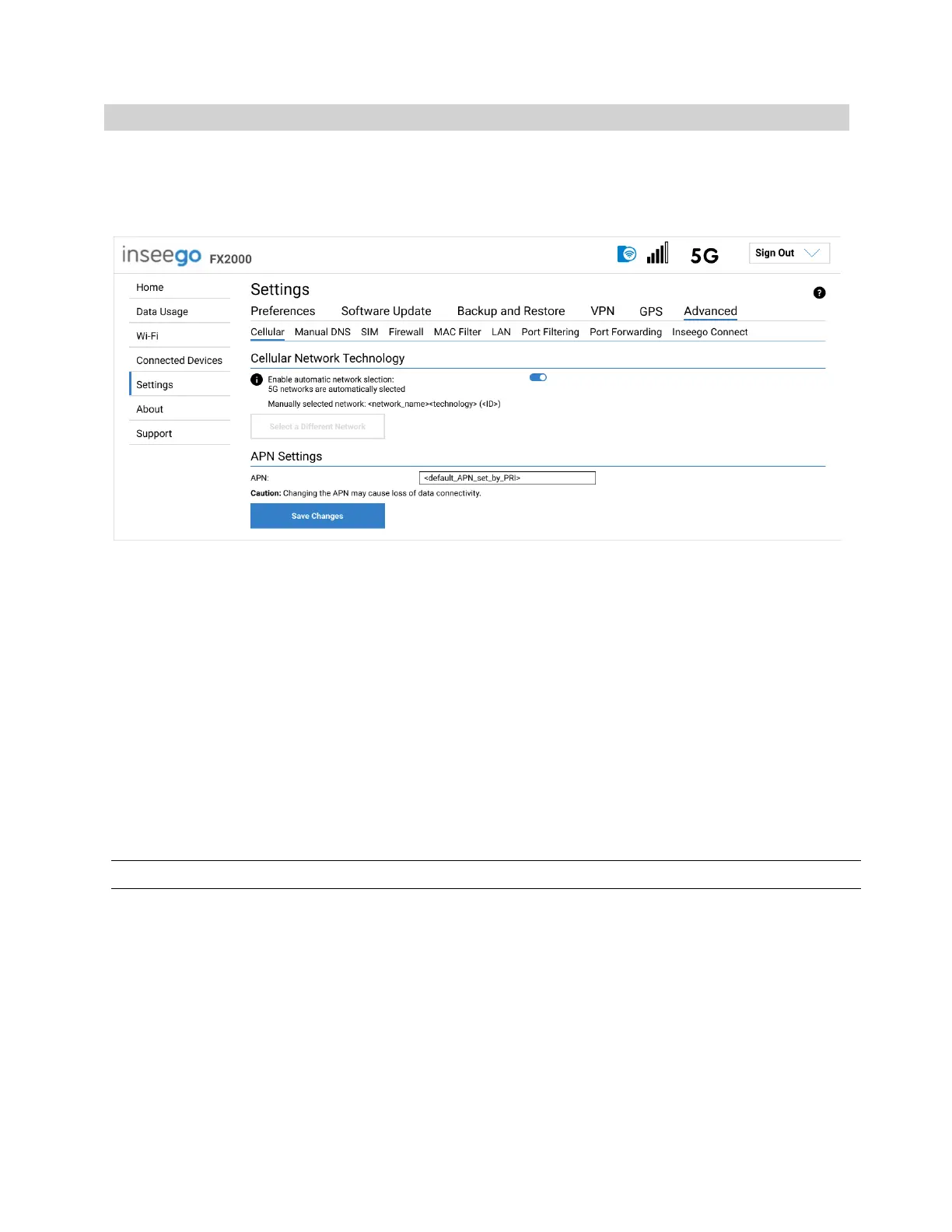
Cellular Tab
In most configurations, the FX2000 is used with a dynamic IP and SIM and the Access Point Name (APN)
is available from the network, for example: internet. However, if you are on a private network, you may
need to set the APN on this tab for the network to communicate with the FX2000.
Cellular Network Technology
Enable automatic network selection: When the ON/OFF slider is ON, your FX2000 automatically
selects the best 5G available network and you cannot use the Select a Different Network button
below.
Select a Different Network: You may wish to use this option if multiple networks are available and
you have a preference. Click the button to scan for available networks, then choose the preferred
network. NOTE: This option is available only if Enable automatic network selection is off.
APN Settings
APN: Enter the APN for your private network.
CAUTION! Changing the APN may cause a loss of data connectivity.
Click Save Changes. The device will reboot for changes to take effect.



 To Next Page