5G INDOOR ROUTER FG2000e USER GUIDE 67
SIM Status
Active: Select the SIM you want to be active. NOTE: The change will take effect immediately.
SIM Slot: The SIM slot number.
IMSI: The International Mobile Subscriber Identity (IMSI) for your FG2000e. This is a unique
number, usually fifteen digits, that identifies a Global System for Mobile Communications (GSM)
subscriber.
Carrier: The cellular carrier associated with the SIM.
Connection Status: The current status of the SIM.
PIN Lock: If On, the PIN lock has been turned on, and the SIM PIN must be entered to connect
to the mobile network. If Off, the PIN lock feature is not turned on and the SIM PIN is not
required.
Priority: Indicates whether the SIM is Normal or Preferred priority.
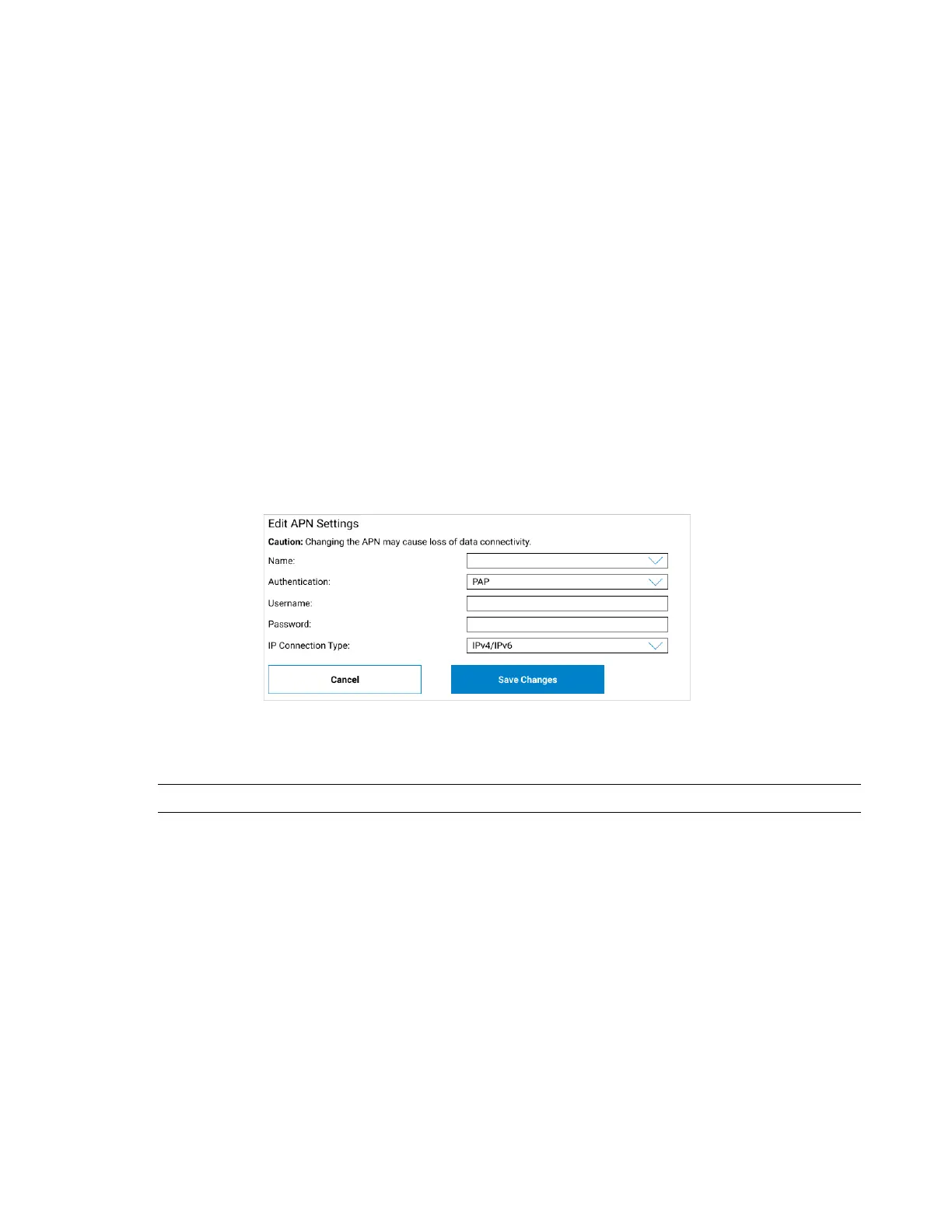
APN: The access point name for your FG2000e. To edit APN settings, click Edit. The Edit APN Settings
section appears:
Name: Select an APN supplied by your service provider from the drop-down, or select Add APN
and enter the APN for your private network in the text box that appears below.
CAUTION! Changing the APN may cause a loss of data connectivity.
NOTE: Information entered in the following fields should come from your service provider
based on network requirements.
Authentication: Select the authentication method for your private network from the drop-
down (PAP, CHAP, PAP and CHAP, or None).
Username: Enter the user name for your private network.
Password: Enter the password for your private network.
IP Connection Type: Select an IP connection type from the drop-down (IPv4, IPv6, or
IPv4/IPv6).
Desired action: The actions available depend on the SIM status. Possible operations include:



 To Next Page